Freedom251 › AI Headshot Generators

TeamShotsPro
What TeamShotsPro is
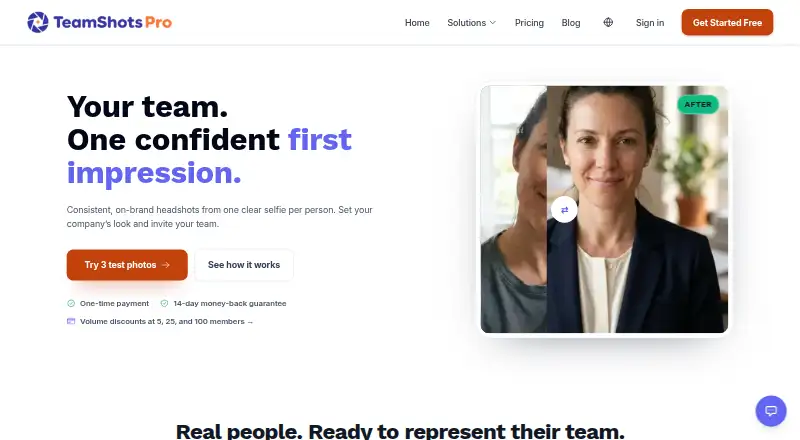
TeamShotsPro is a freemium web service and browser extension that generates coordinated AI headshots for teams from employee selfies. One clear selfie per person is enough, with additional source photos optional. Administrators can set background, clothing direction, logo, and pose rules, then invite people individually, share one link, or import a CSV roster. The dashboard tracks completion, and rosters can come from BambooHR, Workday, Gusto, or other HRIS systems. The company says each image takes about 60 seconds to generate after upload. New accounts can create three free test photos without a credit card. Paid packages are one-time seat purchases: 16.49 USD for 100–199 seats, 19.49 USD for 25–99, 23.99 USD for 5–24, or 29.99 USD for 1–4 seats, with a two-seat minimum in the smallest tier. Packages include eight photos per seat and one Improve per generated photo. Credits do not expire. Paid plans include a 14-day money-back guarantee subject to the terms. The service covers staff headshots; office, culture, and candid images still require on-site photography.
Who it suits
TeamShotsPro suits companies that want consistent staff headshots managed through a shared workspace. It is useful for administrators coordinating employees through links, invitations, or HRIS-exported rosters.
What it does well
- One clear selfie can produce a headshot
- Administrators control shared visual style
- Supports CSV imports from common HRIS systems
- Three free test photos require no card
- Purchased credits do not expire
What to know first
- Smallest paid tier requires two seats
- Paid packages are one-time seat purchases
- Office and candid imagery still require photography
- Generated images depend on submitted selfies
Limits
The free evaluation allows three test photos on a TeamShotsPro background. Paid packages provide eight photos per seat and one included Improve per generated photo; the 1–4-seat package has a two-seat minimum.
Plans
| Plan | Billed and limits | Price |
|---|---|---|
| TeamShotsPro seats 100–199 | per seat, one-time · 8 photos per seat · 1 included Improve per generated photo | $16.49, paid once |
| TeamShotsPro seats 25–99 | per seat, one-time · 8 photos per seat · 1 included Improve per generated photo | $19.49, paid once |
| TeamShotsPro seats 5–24 | per seat, one-time · 8 photos per seat · 1 included Improve per generated photo | $23.99, paid once |
| TeamShotsPro seats 1–4 | per seat, one-time · 2-seat minimum · 8 photos per seat · 1 included Improve per generated photo | $29.99, paid once |
As teamshotspro.com lists them, read 30 Sept 2026. The maker's own page has the final word.
Getting started
- Open the TeamShotsPro website
- Create a new account and use the free evaluation
- Upload one clear selfie for each participant
- Set the team background, clothing, logo and pose rules
- Invite people individually, share one link or import a CSV roster
- Optionally install the browser extension to capture outfit references
Verdict
TeamShotsPro provides a coordinated workflow for producing team headshots from selfies, with style controls and roster management. It handles staff portraits rather than broader corporate photography, and paid packages are sold per seat.
Questions
How much does TeamShotsPro cost?
Paid packages are one-time per-seat purchases: 29.99 USD for 1–4 seats, 23.99 USD for 5–24, 19.49 USD for 25–99, and 16.49 USD for 100–199. The pricing note also says paid plans start from $29.99/user.
Is there a free option?
New accounts can create three free test photos on a TeamShotsPro background without a credit card. The listing identifies the service as freemium, but says there is no free plan.
Which platforms are supported?
TeamShotsPro is available as a web app and a browser extension.
Can teams control the headshot style?
Yes. Administrators can set the background, clothing direction, logo and pose rules for team headshots.
Can generated images be deleted?
Users can delete individual selfies and generated images. Team administrators control bulk deletion for invited members.
Does it replace a full company photoshoot?
It replaces the staff-headshot portion. Office, culture and candid imagery still require on-site photography.
Facts from TeamShotsPro's own pages
- Brand controls
- Administrators can set the background, clothing direction, logo and pose rules for team headshots. · teamshotspro.com, 30 Sept 2026
- Browser extension
- An outfit-capture browser extension lets users right-click an image and send the selected outfit over HTTPS to the web app as a clothing reference. · teamshotspro.com, 30 Sept 2026
- Credit expiry
- Purchased photo credits do not expire. · teamshotspro.com, 30 Sept 2026
- Data providers
- Listed infrastructure providers include Hetzner for hosting and storage, Google Cloud and Google Gemini for AI processing, Cloudflare for network security, and Stripe for payments. · teamshotspro.com, 30 Sept 2026
- Free evaluation
- New accounts can create three free test photos on a TeamShotsPro background without a credit card. · teamshotspro.com, 30 Sept 2026
- Guarantee
- Paid plans include a 14-day money-back guarantee, subject to the terms. · teamshotspro.com, 30 Sept 2026
- HRIS imports
- The CSV workflow supports rosters exported from BambooHR, Workday, Gusto or other HRIS systems. · teamshotspro.com, 30 Sept 2026
- Image privacy
- Users can delete individual selfies and generated images, while team admins control bulk deletion for invited members. · teamshotspro.com, 30 Sept 2026
- Input requirement
- One clear selfie per person is enough, and additional source photos are optional. · teamshotspro.com, 30 Sept 2026
- Purpose
- TeamShotsPro generates professional AI headshots for teams from employee selfies using a shared company style. · teamshotspro.com, 30 Sept 2026
- Security
- The privacy policy says data in transit is protected with SSL/TLS encryption and access is limited by application roles and service credentials. · teamshotspro.com, 30 Sept 2026
- Service limitation
- TeamShotsPro replaces the staff-headshot portion of a corporate photoshoot; office, culture and candid imagery still require on-site photography. · teamshotspro.com, 30 Sept 2026
- Support
- Team support is provided at [email protected]. · teamshotspro.com, 30 Sept 2026
- Turnaround
- The company says each image generates in about 60 seconds after a clear selfie is uploaded. · teamshotspro.com, 30 Sept 2026
- Workflow
- Admins can invite people individually, share one link, or import a CSV roster, then track completion in the dashboard. · teamshotspro.com, 30 Sept 2026
Where TeamShotsPro stands on Freedom251
- AI Headshot Generators#14 of 25