Freedom251 › AI Story Generators
Talewright
What Talewright is
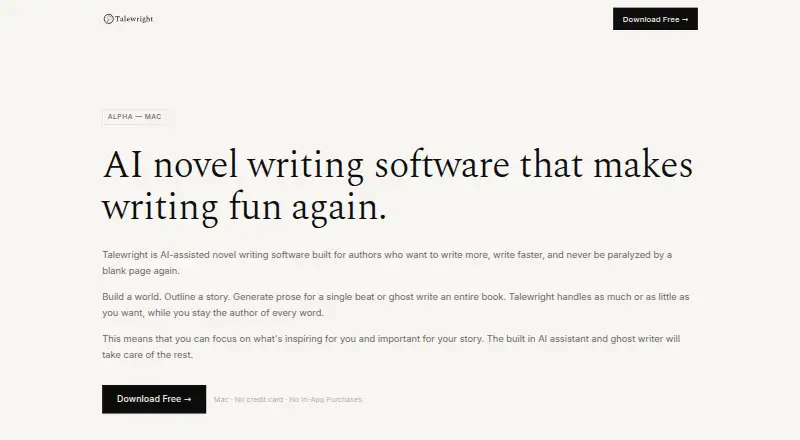
Talewright is AI-assisted novel-writing software for Mac authors who want help shaping a story while deciding what stays in the manuscript. Its assistant can use an outline to develop beats and connect characters, and can draft ideas, synopses, chapters, individual beats, or a complete manuscript. Authors can review, edit, accept, or discard generated text. A visual World Bible links characters, places, and objects; importing a Word document can build one from its characters, places, chapters, and beats. Talewright saves changes so users can bookmark a version or restore an earlier project point. Manuscripts export as DOCX, ePub, or print-ready PDF, including files and covers described as Amazon KDP-compatible. Users bring an AI provider, with OpenAI, Anthropic, Gemini, Mistral, and DeepSeek among the named options. The maker describes the app as local-first, with work kept on the user's machine. The Mac alpha is free shareware at no cost; most features are intended to remain free, with no trial period or credit card required. Windows and Linux versions are planned, with priority based on demand.
Who it suits
Talewright suits novelists who want AI drafting and story-structure assistance while retaining editorial control. It is currently available as an alpha for Mac.
What it does well
- World Bible visually links characters, places, and objects.
- Imports Word documents into a structured World Bible.
- Exports DOCX, ePub, and print-ready PDF.
- Revision history supports bookmarks and project restoration.
- Free shareware; most features are intended to remain free.
What to know first
- The alpha is available for Mac only.
- No free trial is offered.
- Authors must bring an AI provider.
Plans
| Plan | Billed and limits | Price |
|---|---|---|
| Free shareware | Write your first novel · Most features will remain free · No trial period or credit card required | Free |
As talewrightstudio.com lists them, read 9 Oct 2026. The maker's own page has the final word.
Getting started
- Visit https://talewrightstudio.com/.
- Download the Mac alpha.
- Open the app; the Mac download is described as signed and notarised.
- Bring an AI provider if you want to use the AI assistant.
- Start a novel or import a Word document.
Verdict
Talewright combines outlining, world-building, drafting, and revision tools in a Mac-focused writing app. Its local-first approach and author-controlled suggestions may suit writers who want assistance without handing over final decisions.
Questions
How much does Talewright cost?
The Free shareware plan costs nothing. The maker says most features will remain free.
Is there a free trial?
There is no trial period. The free shareware plan requires no credit card.
Which platforms are available?
The alpha is available for Mac. Windows and Linux builds are planned, with priority based on demand.
Can I choose my AI provider?
Yes. Talewright supports users bringing an AI provider; named examples include OpenAI, Anthropic, Gemini, Mistral and DeepSeek.
Where is my writing stored?
The maker describes Talewright as local-first, with work kept on the user's machine and no cloud lock-in.
What export formats are supported?
Manuscripts can be exported as DOCX, ePub or print-ready PDF. Amazon KDP-compatible files and covers are also described.
Facts from Talewright's own pages
- AI assistant
- The AI assistant can use the outline to help build a story, generate beats, and link characters. · talewrightstudio.com, 9 Oct 2026
- AI providers
- The app supports users bringing an AI provider, with OpenAI, Anthropic, Gemini, Mistral, and DeepSeek named as examples. · talewrightstudio.com, 9 Oct 2026
- Authorship
- Generated content is presented as suggestions or drafts that the author can accept, edit, or discard. · talewrightstudio.com, 9 Oct 2026
- Download status
- The Mac download is described as signed and notarised, with no security warnings. · talewrightstudio.com, 9 Oct 2026
- Export
- Manuscripts can be exported to DOCX, ePub, or print-ready PDF, with Amazon KDP-compatible files and covers also described. · talewrightstudio.com, 9 Oct 2026
- Import
- Users can import a Word document and have Talewright build a structured world bible from its characters, places, chapters, and beats. · talewrightstudio.com, 9 Oct 2026
- Platform availability
- The alpha is available for Mac; the maker says Windows and Linux builds are planned and prioritized by demand. · talewrightstudio.com, 9 Oct 2026
- Pricing model
- Talewright is shareware: users can write their first novel for free and may pay what feels fair afterward. · talewrightstudio.com, 9 Oct 2026
- Privacy and storage
- The maker describes Talewright as local-first and says users' work lives on their own machine, with no cloud lock-in. · talewrightstudio.com, 9 Oct 2026
- Prose generation
- It can generate ideas, synopses, chapters, individual beats, or a full manuscript, with review and editing available along the way. · talewrightstudio.com, 9 Oct 2026
- Revision history
- It saves changes and lets users bookmark a version or restore a project to an earlier point. · talewrightstudio.com, 9 Oct 2026
- Support
- The maker directs users to the feedback form inside the app for bug reports and feedback. · talewrightstudio.com, 9 Oct 2026
- What it does
- Talewright is AI-assisted novel-writing software for authors who want help with story structure and prose while retaining control of every word. · talewrightstudio.com, 9 Oct 2026
- World building
- Its World Bible links characters, places, and objects in a visual knowledge graph. · talewrightstudio.com, 9 Oct 2026
Where Talewright stands on Freedom251
- AI Story Generators#21 of 28