Freedom251 › Habit Tracker Apps
Table Habit (mHabit)
What Table Habit (mHabit) is
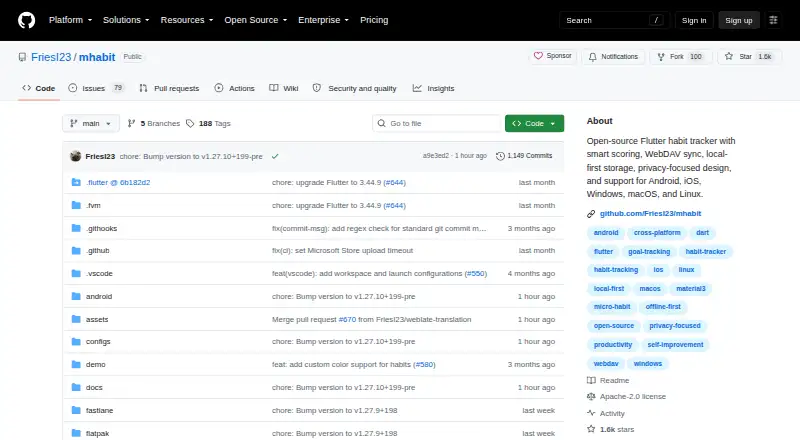
Table Habit, also called mHabit, is a free, open-source habit tracker for creating and tracking micro habits. Habits can be positive or negative, with daily and extra goals, completion rules, target days, reminders, and Markdown descriptions. Its scoring uses growth curves and separate models for habits to do and habits not to do. Habit details include heatmaps, check-in charts, and score-change graphs that can be viewed by day, week, month, or year. Habits can be arranged in collapsible groups and reordered by drag and drop. The app is fully functional offline with local-first storage; no sign-up is required, and the project says it has no telemetry. WebDAV sync works with Nextcloud, Koofr, or self-hosted servers. Users can import and export native JSON data or migrate from Loop Habit Tracker. Table Habit is available for Android, iOS, Linux, macOS, and Windows, with stable distribution through Google Play, App Store, F-Droid, Flathub, and Microsoft Store. The project uses the Apache 2.0 license.
Who it suits
Table Habit suits people who want to track positive and negative habits across mobile and desktop platforms. Its offline operation and WebDAV sync options may appeal to those who want local-first storage or their own sync server.
What it does well
- Works offline with local-first storage
- Available for Android, iOS, Linux, macOS, and Windows
- Supports WebDAV sync with Nextcloud, Koofr, or self-hosted servers
- Exports and imports native JSON data
What to know first
- No home-screen widgets
- Bug reports and questions go through GitHub issues
Plans
| Plan | Billed and limits | Price |
|---|---|---|
| Free | no ads · no in-app purchases · offline-first · no account required | Free |
As github.com lists them, read 30 Sept 2026. The maker's own page has the final word.
Getting started
- Open the Table Habit website on GitHub.
- Choose a stable distribution channel for Android, iOS, Linux, macOS, or Windows.
- Install the app from Google Play, the App Store, F-Droid, Flathub, or the Microsoft Store.
- Create habits with goals, completion rules, target days, reminders, or Markdown descriptions.
- Optionally configure WebDAV synchronization with Nextcloud, Koofr, or a self-hosted server.
Table Habit is a free, open-source tracker for building and measuring small habits, with versions for Android, iOS, Linux, macOS, and Windows. It suits people who want detailed tracking and control of their data without an account. Its offline-first design and charting are compelling; the lack of home-screen widgets may be a deal-breaker if you rely on at-a-glance check-ins.
Overview
Table Habit treats habit tracking as more than a chain of completed days. It scores positive and negative habits separately, and its growth-curve approach gives users a way to follow progress over time. That depth should appeal to people who want to inspect patterns, not just record whether they kept a routine.
The app is fully functional offline and stores data locally. Its applications do not send data to a service without user authorization, and the project says it has no telemetry. No sign-up is required. This is a strong fit for privacy-conscious users, though anyone wanting convenient home-screen tracking will need to look elsewhere.
Key features
Flexible habit tracking
Habits can be positive or negative, with daily and extra goals, completion rules, target days, reminders, and Markdown descriptions. That range can accommodate routines with more nuance than a simple yes-or-no daily check-in. Habits can also be paused or skipped, which helps when a routine needs a break rather than a permanent reset.
Scoring and charts
Smart scoring uses growth curves and distinct models for do and don't habits. Habit details include heatmaps, check-in charts, and score-change graphs aggregated by day, week, month, or year. These views make Table Habit better suited to people who want to examine consistency and changes over time than to those who only need a basic checklist.
Organization and data control
Collapsible groups and drag-and-drop reordering help keep a larger set of habits manageable. WebDAV sync works with Nextcloud, Koofr, or self-hosted servers, giving users a route to synchronization without requiring an account with Table Habit. Native JSON import and export support portability, and migration from Loop Habit Tracker offers an on-ramp for its users.
The project is open source under Apache 2.0. Community-driven translations cover more than 18 listed languages, with full right-to-left support. Bug reports and questions go to GitHub issues; the project is a one-person indie effort, so users seeking a dedicated support team should bear that in mind.
Pricing
Table Habit is free: the Free plan costs nothing and includes no ads, no in-app purchases, offline-first use, and no required account. There are no paid tiers to unlock, so the core choice is whether its feature set and sync approach suit you, not which subscription level to buy.
Reminders, skip or pause controls, and data export are supported without a paid plan. The trade-off is that home-screen widgets are not supported. Readers who want a widget-led workflow will need another tracker, while those who value a free app with local storage and detailed charts get a broad feature set at no cost.
Platforms
Table Habit supports Android, iOS, Linux, macOS, and Windows. Stable distribution channels include Google Play, the App Store, F-Droid, Flathub, and Microsoft Store, offering a choice of mainstream stores and open-source-friendly distribution. WebDAV synchronization can connect installations through Nextcloud, Koofr, or a self-hosted server.
Who it's for
Choose Table Habit if you want flexible positive and negative habit tracking, multiple chart views, and offline use without signing up. It is particularly well matched to users comfortable managing their own sync through WebDAV and to people migrating from Loop Habit Tracker.
Look elsewhere if home-screen widgets are central to your routine, or if you want support beyond GitHub issues. Table Habit puts data control and detailed tracking ahead of account-based convenience and widget access.
Pros and cons
- Pro: Offline-first use, local storage, no required account, and no telemetry make it a strong option for users who want to keep habit data under their control.
- Pro: Separate scoring for positive and negative habits, growth curves, and several chart views support deeper progress tracking than a bare check-in list.
- Pro: WebDAV sync, JSON import and export, and Loop Habit Tracker migration provide practical ways to sync or move data.
- Con: Home-screen widgets are not supported, ruling it out for users who want to check in directly from their device's home screen.
- Con: Support is directed to GitHub issues and the project is a one-person effort, rather than a dedicated support operation.
Alternatives
Habit Tracker Apps is the broader category to explore if you want to compare more trackers.
- Habitify is worth considering if you need its API, calendar integrations, Apple Health integration, or advanced reminders; its Premium plan is $10 a month.
- OpenHabitTracker is another free option if you want a tracker spanning web and self-hosted platforms as well as desktop and mobile.
- Coach.me is an alternative if community Q&A, encouragement, or paid habit coaching is more important than Table Habit’s offline-first approach.
- Everyday is an alternative if its free plan’s limit of up to 3 habits fits your needs.
- Habo is another open-source tracker, with an optional Habo Sync Monthly plan priced at $1.99 a month for users who want its secure cloud backups and multi-device sync.
- Commitments is an iOS, macOS, and Windows alternative centered on Circles, photos, nudges, and Pacts in its free plan.
- HabitBull may suit users who want a free plan capped at 5 habits or a Premium option with a one-week free trial.
- HabitKit offers a free plan capped at 4 habits, making it an alternative for a smaller habit list.
Verdict
Table Habit is the right choice for people who want a genuinely free, open-source habit tracker with detailed scoring, flexible goals, charts, and offline data control across desktop and mobile platforms. Its clearest reasons to choose it are privacy-conscious local-first use and the breadth of tracking without a subscription. Look elsewhere if you depend on home-screen widgets or need a dedicated support channel.
Verdict
Table Habit offers detailed habit tracking, charts, and WebDAV sync without requiring an account. Readers who rely on home-screen widgets should note that they are not supported.
Questions
How much does Table Habit cost?
The Free plan costs nothing. It has no ads and no in-app purchases.
Does Table Habit work without an account or internet connection?
Yes. No sign-up is required, and the app is fully functional offline with local-first storage.
Which platforms does Table Habit support?
It supports Android, iOS, Linux, macOS, and Windows.
Is Table Habit open source?
Yes. The project is licensed under Apache 2.0.
Can I sync or export my habit data?
WebDAV sync works with Nextcloud, Koofr, or self-hosted servers. You can also use native JSON import and export or migrate from Loop Habit Tracker.
Who makes Table Habit?
It is described as a one-person indie project. The project directs bug reports and questions to GitHub issues.
Facts from Table Habit (mHabit)'s own pages
- Account and telemetry
- No sign-up is required and the README states that the app has no telemetry. · github.com, 30 Sept 2026
- Charts
- Habit details include heatmaps, score-change graphs with day, week, month, or year aggregation, and check-in charts. · github.com, 30 Sept 2026
- Data portability
- Table Habit supports native JSON import/export and migration from Loop Habit Tracker. · github.com, 30 Sept 2026
- Distribution
- Stable distribution channels include Google Play, App Store, F-Droid, Flathub, and Microsoft Store. · github.com, 30 Sept 2026
- Founded
- 2023 · github.com, 28 Sept 2026
- Habit groups
- Habits can be organized into collapsible groups and reordered by drag and drop. · github.com, 30 Sept 2026
- Habit types
- Habits can be positive or negative, with daily goals, extra goals, completion rules, target days, reminders, and Markdown descriptions. · github.com, 30 Sept 2026
- Languages
- The app has community-driven translations, full RTL support, and more than 18 languages listed as growing. · github.com, 30 Sept 2026
- License
- The project is licensed under Apache 2.0. · github.com, 30 Sept 2026
- Offline use
- The app is fully functional without internet and uses local-first storage. · github.com, 30 Sept 2026
- Privacy
- The Android, iOS, Windows, macOS, and Linux applications do not send data to any service without user authorization. · github.com, 30 Sept 2026
- Purpose
- Table Habit is a free, open-source habit tracker for building and tracking micro habits. · github.com, 30 Sept 2026
- Scoring
- The app uses smart scoring with growth curves and separate scoring models for do and don't habits. · github.com, 30 Sept 2026
- Support
- The project is described as a one-person indie project and directs bug reports and questions to GitHub issues. · github.com, 30 Sept 2026
- Sync integration
- WebDAV synchronization works with Nextcloud, Koofr, or self-hosted servers. · github.com, 30 Sept 2026
Where Table Habit (mHabit) stands on Freedom251
- Habit Tracker Apps#26 of 37