Freedom251 › Call blocker apps
T-Mobile Scam Shield
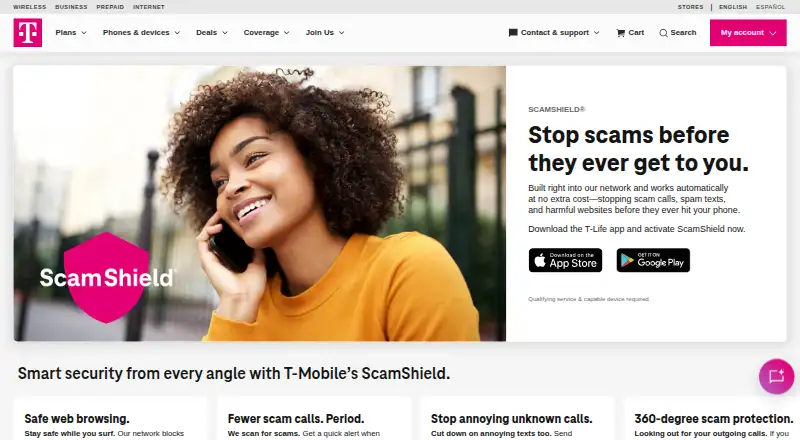
What T-Mobile Scam Shield is
T-Mobile Scam Shield uses T-Mobile’s network to help protect customers from scam calls, spam texts, and harmful websites. Calls identified by T-Mobile as likely scams can be labeled Scam Likely, giving customers a cue to answer or block them. Scam Block can block those calls automatically and can be switched off. Included anti-spam protection covers SMS and MMS, while Safe Web Browsing helps block known malicious or dangerous sites on supported devices and experiences. Callback Protection plays an audible warning when a customer calls a number on the Scam Likely list. Network protections work without the app, though ScamShield can be managed in T-Life. The service is available for Android and iOS, with T-Life downloads linked through both app stores. The free plan is at no extra cost for T-Mobile customers with qualifying service and a capable device. ScamShield Premium costs $4 a month per line and adds categorized call types sent to voicemail, reverse phone lookup, and automatic voicemail transcription by text. Safe Web Browsing availability depends on settings and supported features.
Who it suits
It suits T-Mobile customers seeking network-based call and text protection, with Android or iOS devices. Premium may suit customers who want categorized voicemail, reverse lookup, or voicemail transcription.
What it does well
- Scam Block can automatically block Scam Likely calls.
- Included anti-spam protection covers SMS and MMS.
- Network protections work without the app.
- Free plan is at no extra cost for qualifying customers.
What to know first
- Qualifying service and a capable device are required.
- Safe Web Browsing depends on settings and supported features.
- Premium costs $4 a month per line.
Limits
The free plan requires T-Mobile customers to have qualifying service and a capable device. Safe Web Browsing availability depends on settings and supported features. Premium costs $4 a month per line and is billed per line.
Plans
| Plan | Billed and limits | Price |
|---|---|---|
| ScamShield | At no extra cost · T-Mobile customers · qualifying service and capable device required | Free |
| ScamShield Premium | per line · Advanced calling features · qualifying service and capable device required | $4 a month |
As t-mobile.com lists them, read 3 Oct 2026. The maker's own page has the final word.
Getting started
- Use a capable Android or iOS device with qualifying T-Mobile service.
- Turn on Scam Block in T-Life, dial #662# from a T-Mobile device, or sign in to My T-Mobile or the T-Mobile app.
- Download T-Life through the Apple App Store or Google Play to manage ScamShield in the app.
- Choose ScamShield Premium at $4 a month per line for its advanced calling features.
Verdict
Scam Shield combines call alerts and blocking with text and web protections on T-Mobile’s network. Check device and service eligibility, and whether Premium’s voicemail features are worth the per-line charge.
Questions
How much does Scam Shield cost?
ScamShield is available at no extra cost to T-Mobile customers with qualifying service and a capable device. ScamShield Premium costs $4 a month per line.
What does the free plan include?
It includes network protections such as scam call alerts, Scam Block, SMS and MMS anti-spam protection, and Safe Web Browsing on supported devices and experiences.
What does ScamShield Premium add?
Premium adds categorized call types sent to voicemail, reverse phone number lookup, and automatic voicemail transcription by text.
Which platforms are supported?
ScamShield is available on Android and iOS. T-Mobile links to T-Life downloads in the Apple App Store and Google Play.
Do I need the app for network protections?
T-Mobile says network protections work automatically without the app. Customers can manage ScamShield in T-Life, and can turn on Scam Block through T-Life, by dialing #662#, or through My T-Mobile or the T-Mobile app.
When is Safe Web Browsing available?
It depends on settings and supported features, and requires a supported device or experience.
Facts from T-Mobile Scam Shield's own pages
- App management
- Customers can manage ScamShield in the T-Life app, and T-Mobile says network protections work automatically without the app. · t-mobile.com, 3 Oct 2026
- Availability limit
- The page says qualifying service and a capable device are required, and Safe Web Browsing availability depends on settings and supported features. · t-mobile.com, 3 Oct 2026
- Callback Protection
- If a customer calls a number on T-Mobile’s Scam Likely list, Callback Protection plays an audible warning that the number is likely a scam. · t-mobile.com, 3 Oct 2026
- Headquarters
- Bellevue, Washington, United States · t-mobile.com, 28 Sept 2026
- Mobile downloads
- The ScamShield page links to T-Life downloads in the Apple App Store and Google Play. · t-mobile.com, 3 Oct 2026
- Network protection
- ScamShield works on T-Mobile’s network to help stop scam calls, spam texts, and harmful websites. · t-mobile.com, 3 Oct 2026
- Premium features
- ScamShield Premium offers categorized call types sent to voicemail, reverse phone number lookup, and automatic voicemail transcription by text. · t-mobile.com, 3 Oct 2026
- Safe browsing
- Safe Web Browsing helps block known malicious or dangerous websites on supported devices and experiences. · t-mobile.com, 3 Oct 2026
- Scam Block
- Scam Block can automatically block Scam Likely calls, and customers can disable it at any time. · t-mobile.com, 3 Oct 2026
- Scam call alerts
- Scam Likely labels incoming calls that T-Mobile identifies as likely scams to help customers decide whether to answer or block them. · t-mobile.com, 3 Oct 2026
- Support options
- Customers can turn on Scam Block in T-Life, dial #662# from a T-Mobile device, or log in to My T-Mobile or the T-Mobile app. · t-mobile.com, 3 Oct 2026
- Text protection
- T-Mobile says its included anti-spam solution covers SMS and MMS messages. · t-mobile.com, 3 Oct 2026
Where T-Mobile Scam Shield stands on Freedom251
- Call blocker apps#13 of 41
- Spam Call Blocking Apps#18 of 41