Freedom251 › Boot Manager Software
systemd-boot
What systemd-boot is
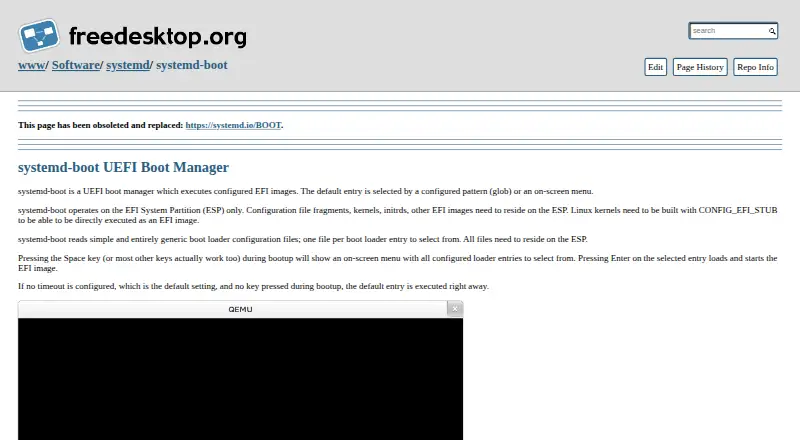
systemd-boot is a free, open-source boot manager for UEFI systems that starts configured EFI images. Its menu displays configured entries and can select a default using a configured pattern or an on-screen choice. With no timeout configured and no key pressed, it starts the default entry immediately. Configuration files, kernels, initrds, and other EFI images must be on the EFI System Partition (ESP). Linux kernels must be built with CONFIG_EFI_STUB to run directly as EFI images. Entry files can define a title, version, machine ID, EFI image, kernel, initrd, and options. Menu hotkeys can select Linux, Windows, macOS, the EFI Shell, or entries numbered 1 through 9. EFI variables can hold the default and one-shot entries, preferred entry, and timeout. The systemd project says bootctl can install it to the ESP. The project lists GPL-2.0 and LGPL-2.1 licenses, and its wiki lists GitHub releases and distribution package repositories as download sources. It supports multiboot, but not BIOS firmware.
Who it suits
It suits people configuring a multiboot setup on a UEFI system. Linux users who want to boot a kernel directly should check that it was built with CONFIG_EFI_STUB.
What it does well
- Free and open source.
- Supports multiboot and boot-entry editing.
- Menu hotkeys can select listed systems and EFI Shell.
- bootctl can install it to the EFI System Partition.
What to know first
- EFI images and related files must reside on the ESP.
- Linux kernels need CONFIG_EFI_STUB for direct execution.
Limits
systemd-boot requires UEFI rather than BIOS, and its configuration files and EFI images must be on the EFI System Partition. Direct Linux kernel execution requires kernels built with CONFIG_EFI_STUB.
Getting started
- Open the systemd-boot project page.
- Obtain systemd through a GitHub release or a distribution package repository.
- Use bootctl to install systemd-boot to the EFI System Partition.
- Place configuration files and EFI images, including kernels and initrds, on the EFI System Partition.
- Configure boot entries and the default-entry pattern or menu timeout.
Verdict
systemd-boot provides configurable entry selection for UEFI multiboot systems. Its ESP and kernel requirements make firmware and image placement key setup considerations.
Questions
Is systemd-boot free and open source?
Yes. The public systemd repository lists GPL-2.0 and LGPL-2.1 licenses.
Does it support BIOS?
No. Its stated firmware support is UEFI, not BIOS.
Where must boot files be stored?
Configuration files, kernels, initrds, and other EFI images must reside on the EFI System Partition.
Can it boot Linux kernels directly?
Yes, when the kernels are built with CONFIG_EFI_STUB.
How can I install systemd-boot?
The systemd project says bootctl can install it to the EFI System Partition.
Where can users find downloads and support?
The project wiki lists GitHub releases and distribution package repositories as download sources. Support contacts include a mailing list, IRC, and Matrix.
Facts from systemd-boot's own pages
- Boot assessment
- The systemd boot assessment mechanism can track boot attempts and prioritize entries that have not exhausted their configured attempt counters. · systemd.io, 8 Oct 2026
- Boot configuration
- The loader configuration supports a default-entry pattern and a menu timeout, while entry files can specify a title, version, EFI image, kernel, initrd, and options. · systemd.io, 8 Oct 2026
- Boot control
- EFI variables can store the default entry, preferred entry, timeout, and one-shot entry selection. · systemd.io, 8 Oct 2026
- Boot hotkeys
- Menu hotkeys can directly select Linux, Windows, macOS, the EFI Shell, or entries numbered 1 through 9. · systemd.io, 8 Oct 2026
- Boot menu
- It selects a default entry by configured pattern or on-screen menu, and boots the default immediately when no timeout is configured and no key is pressed. · systemd.io, 8 Oct 2026
- Default behavior
- With no configured timeout and no key pressed during startup, systemd-boot executes the default entry immediately. · systemd.io, 8 Oct 2026
- Download
- The systemd project’s wiki lists GitHub releases and distribution package repositories as download sources for systemd. · wiki.freedesktop.org, 8 Oct 2026
- EFI System Partition
- Configuration files, kernels, initrds, and other EFI images must reside on the EFI System Partition. · systemd.io, 8 Oct 2026
- EFI variables
- systemd-boot uses EFI variables for settings and state including the default entry, one-shot entry, menu timeout, and ESP partition UUID. · systemd.io, 8 Oct 2026
- Entry configuration
- Boot entries can specify a title, version, machine ID, EFI image, kernel options, Linux kernel, and initrd. · systemd.io, 8 Oct 2026
- ESP requirement
- systemd-boot operates on the EFI System Partition (ESP), where its configuration files, kernels, initrds, and other EFI images must reside. · systemd.io, 8 Oct 2026
- Kernel requirement
- Linux kernels need CONFIG_EFI_STUB to be directly executed as EFI images by systemd-boot. · systemd.io, 8 Oct 2026
- Linux kernel requirement
- Linux kernels must be built with CONFIG_EFI_STUB to run directly as EFI images. · systemd.io, 8 Oct 2026
- Management utility
- The systemd project says bootctl can install systemd-boot to the EFI System Partition. · systemd.io, 8 Oct 2026
- Other boot choices
- The menu lists configured entries and documents hotkeys for Linux, Windows, macOS, and the EFI Shell. · systemd.io, 8 Oct 2026
- Purpose
- systemd-boot is a UEFI boot manager that executes configured EFI images. · systemd.io, 8 Oct 2026
- Security
- The systemd repository says it has a security bug bounty program sponsored by the Sovereign Tech Fund and hosted on YesWeHack. · github.com, 8 Oct 2026
- Security program
- The systemd project repository says it has a security bug bounty program sponsored by the Sovereign Tech Fund and hosted on YesWeHack. · github.com, 8 Oct 2026
- Source and license
- The systemd source repository lists GPL-2.0 and LGPL-2.1 licenses. · github.com, 8 Oct 2026
- Source availability
- The systemd repository is public and lists GPL-2.0 and LGPL-2.1 licenses. · github.com, 8 Oct 2026
- Support
- The systemd project lists its mailing list, IRC channel, and Matrix channel as support contacts. · github.com, 8 Oct 2026
Where systemd-boot stands on Freedom251
- Boot Manager Software#29 of 29