Freedom251 › Sound Design Software
Synplant 2
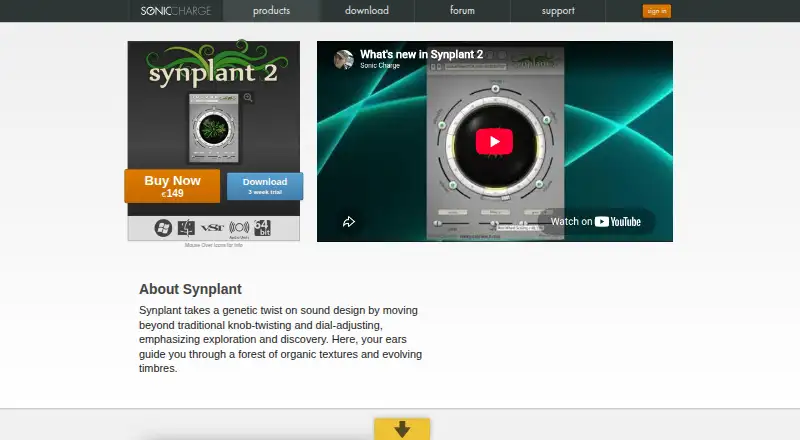
What Synplant 2 is
Synplant 2 is a synthesizer for sound design, centered on exploring organic textures and changing timbres. Its Genopatch feature uses an audio recording to find synth settings for a patch, and the process runs locally without an internet connection. The DNA Editor shows settings such as envelopes, oscillator types, and filters graphically. For performance, it supports variations by MIDI note and velocity, layer mode, polyphonic and monophonic play, portamento, and tempo sync. Hundreds of patches are included, with more available to download after purchase. Synplant 2 runs on macOS and Windows as VST 2.4, VST3, and Audio Unit 2 plug-ins. The Mac version also includes a standalone app; on Windows, a host supporting VST 2.4 or VST3 is required. The one-time purchase is $149, paid once, and a 21-day trial begins the first time it is opened in a host sequencer. Purchasing includes free support and service updates.
Who it suits
Synplant 2 suits sound designers who want to explore evolving timbres and create patches from audio recordings. It also fits musicians who need a synthesizer with MIDI performance options and can use the required plug-in or standalone setup on their platform.
What it does well
- Genopatch creates patches from audio recordings locally.
- The DNA Editor displays synth settings graphically.
- Includes hundreds of patches.
- Supports VST 2.4, VST3, and Audio Unit 2.
What to know first
- No free plan is offered.
- Windows requires a VST-compatible host.
- The trial lasts 21 days.
Limits
The trial lasts 21 days from the first time Synplant 2 opens in a host sequencer. Windows has no standalone application and requires a host supporting VST 2.4 or VST3.
Plans
| Plan | Billed and limits | Price |
|---|---|---|
| Synplant 2 | One-time purchase; page does not state a billing schedule. · Full usage rights · free support · service updates | $149, paid once |
| Synplant 2 upgrade | One-time upgrade; eligibility is checked after sign-in. · For Synplant v1 owners | $50, paid once |
As soniccharge.com lists them, read 7 Oct 2026. The maker's own page has the final word.
Getting started
- Open the Sonic Charge Synplant website
- Choose the Synplant 2 purchase or start the 21-day trial
- Install the macOS or Windows version
- On Mac, open the standalone app or load a listed plug-in format
- On Windows, load the plug-in in a host supporting VST 2.4 or VST3
- Open Synplant 2 in a host sequencer to start the trial
Verdict
Synplant 2 pairs audio-driven patch creation with a graphical editor and performance controls. Its Windows host requirement and one-time purchase price are important considerations before choosing it.
Questions
How much does Synplant 2 cost?
The Synplant 2 plan costs $149, paid once as a one-time purchase. Synplant v1 owners can buy the upgrade for $50, paid once after eligibility is checked after sign-in.
Is there a free trial?
Yes. The 21-day trial begins the first time Synplant 2 is opened in a host sequencer.
Which platforms and plug-in formats are supported?
Synplant 2 supports macOS and Windows, with VST 2.4, VST3, and Audio Unit 2 plug-ins.
Does Genopatch require internet access?
No. Genopatch runs entirely on the local computer and needs no internet connection.
Can Synplant 2 run standalone?
The Mac version includes a standalone application. The Windows version has no standalone application and needs a compatible VST host.
What support comes with a purchase?
Purchasing includes free support and service updates. Sonic Charge provides a support forum and accepts private support questions by email.
Facts from Synplant 2's own pages
- DNA Editor
- The DNA Editor displays settings such as envelopes, oscillator types, and filters graphically. · soniccharge.com, 7 Oct 2026
- Genopatch
- Genopatch uses AI to create synth patches from audio recordings by finding synth settings based on the source sample. · soniccharge.com, 7 Oct 2026
- Local processing
- Genopatch runs entirely on the local computer and requires no internet connection. · soniccharge.com, 7 Oct 2026
- Mac standalone
- The Mac version includes a standalone application as well as plug-ins. · soniccharge.com, 7 Oct 2026
- Patches
- It includes hundreds of patches, with additional patches available to download after purchase. · soniccharge.com, 7 Oct 2026
- Performance
- Synplant supports sound variations by MIDI note and velocity, layer mode, polyphonic and monophonic play, portamento, and tempo sync. · soniccharge.com, 7 Oct 2026
- Plug-in formats
- Synplant 2 provides VST 2.4, VST3, and Audio Unit 2 plug-ins. · soniccharge.com, 7 Oct 2026
- Privacy
- The maker says Genopatch needs no internet connection; its privacy policy says it stores essential data and does not sell or rent personal information. · soniccharge.com, 7 Oct 2026
- Purpose
- Synplant is a synthesizer for sound design that emphasizes exploration of organic textures and evolving timbres. · soniccharge.com, 7 Oct 2026
- Support
- Purchasing Synplant 2 includes free support and service updates. · soniccharge.com, 7 Oct 2026
- Support channels
- Sonic Charge provides a support forum and accepts private support questions by email. · soniccharge.com, 7 Oct 2026
- Trial
- The three-week trial starts the first time Synplant 2 is opened in a host sequencer. · soniccharge.com, 7 Oct 2026
- Windows host requirement
- The Windows version has no standalone application and requires a host supporting VST 2.4 or VST3. · soniccharge.com, 7 Oct 2026
Where Synplant 2 stands on Freedom251
- Sound Design Software#18 of 32
- AI Instrument Generators#16 of 28