Freedom251 › AI Video Restoration Software
Surveillant Forensic Video Enhancement
Visit Surveillant Forensic Video Enhancement Alternatives Pricing
What Surveillant Forensic Video Enhancement is
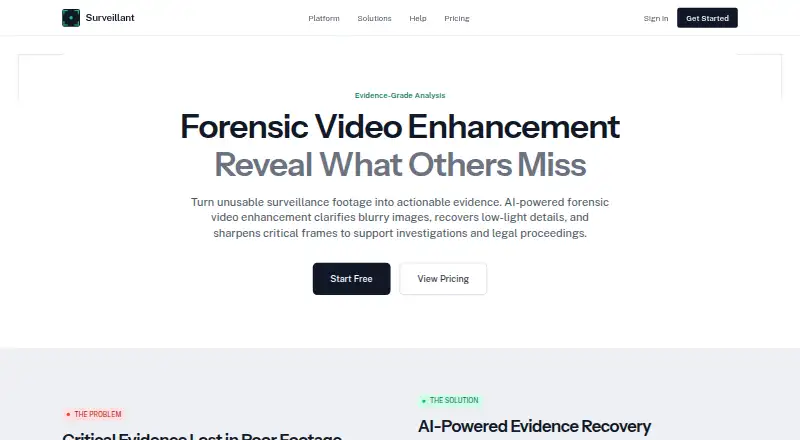
Surveillant Forensic Video Enhancement applies AI to surveillance footage and images used in investigations, insurance claims, and legal proceedings. Its enhancement methods include super-resolution, frame averaging, low-light enhancement, stabilization, deblurring, and defogging. The product supports H.264, H.265, MJPEG, and MPEG-4 footage, MP4, AVI, and MKV files, proprietary DVR formats, RTSP sources, and exports from major VMS platforms. RTSP and ONVIF support and compatibility with Hikvision, Dahua, Uniview, Axis, Bosch, and Hanwha NVR systems are listed.
Enhancement activity can be documented with timestamps, algorithm parameters, and operator identification, and the system can generate court-ready reports. The maker estimates that standard enhancement of a typical 30-second clip takes about two to five minutes; batch processing is available. Subscriptions start at $49 a month for Starter, which covers one camera, five videos per day, videos up to one hour, and 20 GB of cloud storage. Native iOS and Android apps are included with subscriptions. Traffic uses TLS, stored video and database volumes are encrypted at rest with AES-256, and role-based access control is available. Video retention is configurable per account, and customer footage is not used to train AI models. Legal admissibility varies by jurisdiction and proceeding.
Who it suits
It suits security professionals handling footage for investigations, insurance claims, or legal proceedings, especially when they need enhancement records and court-ready reports. Teams using supported camera or VMS systems can also connect footage through RTSP, ONVIF, or listed system compatibility.
What it does well
- Offers super-resolution, stabilization, deblurring, and low-light enhancement.
- Documents operators, timestamps, and algorithm parameters.
- Supports listed video files, DVR formats, RTSP, and VMS exports.
- Batch processing is available.
- Includes native iOS and Android apps with subscriptions.
- Customer video is not used to train AI models.
What to know first
- Starter is limited to one camera and five videos per day.
- Starter videos can be up to one hour, with 20 GB cloud storage.
- Enterprise pricing requires contacting the maker.
- The maker has no SOC 2 attestation or ISO 27001 certificate.
Limits
The free demo covers one video or live camera feed up to five minutes; the separate described allowance covers two clips a day up to two minutes each after email confirmation. Starter costs $49 a month per camera and includes one camera, five videos per day, videos up to one hour, and 20 GB cloud storage.
Plans
| Plan | Billed and limits | Price |
|---|---|---|
| Plus | $149/month; $888 billed annually · Up to 2 cameras · 10 videos/day · videos up to 1 hour · 50 GB cloud storage | $149 a month |
| Elite | $1,499/month; $8,988 billed annually · Up to 20 cameras · 200 videos/day · videos up to 12 hours · 2 TB cloud storage | $1,499 a month |
| Pro | $449/month; $2,688 billed annually · Up to 6 cameras · 50 videos/day · videos up to 4 hours · 500 GB cloud storage | $449 a month |
| Starter | $49/camera/mo billed monthly; $288 billed annually · 1 camera · 5 videos/day · videos up to 1 hour · 20 GB cloud storage | $49 a month |
| Enterprise | Contact for limits beyond Elite · 20+ cameras, no camera cap · unlimited video uploads · unlimited storage · on-premise deployment option · custom integrations & API | On request |
As surveillant.ai lists them, read 30 Sept 2026. The maker's own page has the final word.
Getting started
- Visit the Surveillant Forensic Video Enhancement website.
- Use the one-time free demo to analyze one video or live camera feed up to five minutes; no credit card is required.
- After email confirmation, use the described allowance of two clips per day, up to two minutes each.
- Choose a subscription plan, starting with Starter at $49 a month per camera.
- Use the web platform or the included native iOS and Android apps.
- Connect compatible footage using listed formats, RTSP, ONVIF, or supported NVR systems.
Verdict
Choose Surveillant if your work involves improving surveillance footage and retaining a record of how enhancements were made. Starter begins at $49 a month per camera, and higher plans raise camera, daily video, clip-length, and storage limits. Look elsewhere if you require an existing SOC 2 attestation or ISO 27001 certificate; neither is held, and the maker says no audit is underway.
Questions
Is there a free plan?
No. The pricing model is paid, and a one-time free demo is available without a credit card.
How much does Surveillant cost?
Starter is $49 a month per camera, billed monthly, or $288 billed annually. Plus is $149 per month or $888 billed annually; Pro is $449 per month or $2,688 billed annually; Elite is $1,499 per month or $8,988 billed annually. Enterprise pricing is available by contacting the maker.
Which platforms are supported?
The listed platforms are Android, API, iOS, self-hosted, and web. Native iOS and Android apps are included with subscriptions.
Can it connect to cameras and video systems?
RTSP and ONVIF support are listed, along with compatibility with Hikvision, Dahua, Uniview, Axis, Bosch, and Hanwha NVR systems.
What security and compliance details does the maker state?
Traffic uses TLS, stored video and database volumes are encrypted at rest with AES-256, and role-based access control is in place. The maker says it has no SOC 2 attestation or ISO 27001 certificate and describes GDPR readiness; a DPA is available on request.
Will enhanced footage be admissible in court?
The maker says admissibility depends on the jurisdiction and legal proceeding and recommends consulting legal counsel.
Facts from Surveillant Forensic Video Enhancement's own pages
- Admissibility caveat
- The maker says admissibility depends on the jurisdiction and legal proceeding and recommends consulting legal counsel. · surveillant.ai, 30 Sept 2026
- Audit trail
- Enhancement operations are documented with timestamps, algorithm parameters, and operator identification, and the product can generate court-ready reports. · surveillant.ai, 30 Sept 2026
- Camera and VMS compatibility
- The maker lists RTSP and ONVIF support and compatibility with Hikvision, Dahua, Uniview, Axis, Bosch, and Hanwha NVR systems. · surveillant.ai, 30 Sept 2026
- Compliance status
- The maker says it has no SOC 2 attestation or ISO 27001 certificate and no audit underway; it describes GDPR readiness and says a DPA is available on request. · surveillant.ai, 30 Sept 2026
- Data use and retention
- The maker says customer video is not used to train AI models and footage retention is configurable per account. · surveillant.ai, 30 Sept 2026
- Enhancement methods
- Its page describes super-resolution, frame averaging, low-light enhancement, stabilization, deblurring, and defogging. · surveillant.ai, 30 Sept 2026
- Footage formats
- The product page lists H.264, H.265, MJPEG, and MPEG-4, with MP4, AVI, MKV, proprietary DVR formats, RTSP sources, and exports from major VMS platforms. · surveillant.ai, 30 Sept 2026
- Free demo
- The pricing page offers a one-time free demo without a credit card, analyzing one video or live camera feed up to five minutes; it also describes an allowance of two short clips a day, up to two minutes each, after email confirmation. · surveillant.ai, 30 Sept 2026
- Integrations
- The platform lists webhook and Slack notifications on Pro and above, plus custom integrations and API for Enterprise. · surveillant.ai, 30 Sept 2026
- Intended users
- The forensic enhancement page presents the product for security professionals and describes use in investigations, insurance claims, and legal proceedings. · surveillant.ai, 30 Sept 2026
- Mobile apps
- The maker describes native iOS and Android apps for video access and security management, included with subscriptions at no additional cost. · surveillant.ai, 30 Sept 2026
- Processing time
- The maker says a typical 30-second clip with standard enhancement takes approximately two to five minutes and that batch processing is available. · surveillant.ai, 30 Sept 2026
- Purpose
- The product uses AI to clarify blurry images, recover low-light details, and sharpen surveillance footage for investigations and legal proceedings. · surveillant.ai, 30 Sept 2026
- Security
- The trust page states that traffic uses TLS, stored video and database volumes are encrypted at rest with AES-256, and role-based access control is in place. · surveillant.ai, 30 Sept 2026
- Support
- Pricing lists tier-based SLA support for subscribers, priority support on Pro, and 24/7 dedicated support on Elite. · surveillant.ai, 30 Sept 2026
Where Surveillant Forensic Video Enhancement stands on Freedom251
- AI Video Restoration Software#17 of 25