Freedom251 › Remote Monitoring and Management Software
SupportRMM
What SupportRMM is
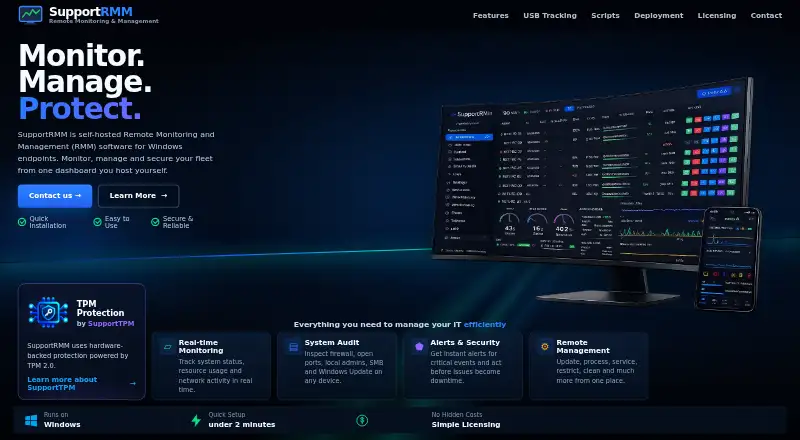
SupportRMM is an on-premises management tool for Windows devices. Its listed functions include patch management, script automation, and multi-tenant management. The product is available through the web and Windows, while Windows is the supported operating system. Its SupportRMM Perpetual License covers unlimited managed Windows devices, although no price is published for that plan. SupportRMM uses a paid pricing model with pricing available on request and offers a 30-day trial. There is no free plan. On-premises deployment keeps the management system within the buyer’s environment rather than using a hosted deployment. The company is headquartered in Măcin, Tulcea, Romania. Organizations can use the trial to review how device patching, scripted actions, and tenant separation align with their Windows administration requirements before requesting commercial terms.
Who it suits
It suits organizations managing Windows devices that need patching, scripted automation, and multiple-tenant oversight. The on-premises model fits teams that want deployment in their own environment.
What it does well
- Unlimited managed Windows devices in listed plan
- Patch management included
- Script automation included
- Multi-tenant management supported
- 30-day trial available
What to know first
- No free plan
- Pricing requires a request
- Windows-focused operating system support
- On-premises deployment required
Plans
| Plan | Billed and limits | Price |
|---|---|---|
| SupportRMM Perpetual License | Unlimited managed Windows devices | On request |
As supportrmm.com lists them, read 23 Sept 2026. The maker's own page has the final word.
Verdict
SupportRMM focuses on Windows administration with patching, scripts, and tenant management. Its trial and unlimited-device perpetual plan are useful starting points, but buyers must request pricing and operate it on premises.
Facts from SupportRMM's own pages
- Headquarters
- Măcin, Tulcea, Romania · supportrmm.com, 4 Oct 2026