Freedom251 › File repair tools
Stellar Repair for Photo
What Stellar Repair for Photo is
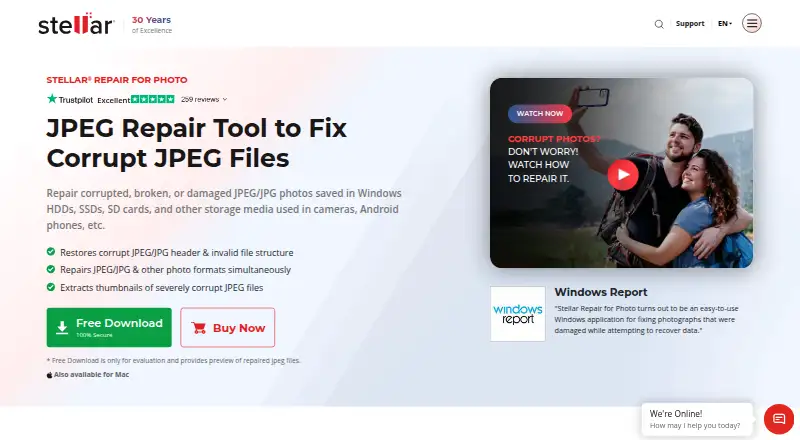
Stellar Repair for Photo is desktop software for repairing damaged or corrupt JPEG/JPG and other photo files on Windows and macOS. It can repair multiple photos in one operation, and the Windows edition lists support for JPEG, RAW, TIFF, HEIC, MxPEG, and numerous camera formats. For severely corrupt JPEG files, Advanced Repair uses a sample JPEG from the same camera as the damaged file. The free evaluation download lets users preview repaired photos, but saving them requires registration. The product FAQ describes the software as read-only, so it does not edit or modify JPEG files. Windows users should note that compressed JPEG repair is unsupported and repair may fail if a JPEG marker is missing. Windows support includes 64-bit Windows 11, 10, 8.1, 8, and Windows Server 2022, 2019, and 2016; the Mac edition supports macOS X 10.11 and later. Licenses cover one system. Listed plans are Standard at $39.99 a year, Professional at $59.99 a year, and Premium at $69.99 a year. The listed paid-from price is $49.99/yr. Purchases have a 30-day money-back guarantee.
Who it suits
This software suits Windows or Mac users who need local repair for damaged photos, including batches or supported camera formats. Windows users with compressed JPEGs or files missing a JPEG marker should check the stated repair limits first.
What it does well
- Repairs multiple photos in one operation.
- Supports a wide range of photo formats.
- Advanced Repair uses a same-camera sample JPEG.
- Previews repaired photos before registration.
- Repairs photos locally.
What to know first
- Saving repaired photos requires registration.
- Windows repair does not support compressed JPEGs.
- Repair may fail when a JPEG marker is missing.
- Each license covers one system.
Limits
The evaluation download allows previews, but saving repaired files requires registration. Windows does not support compressed JPEG repair, and repair may fail when a JPEG marker is missing; each license is for one system.
Plans
| Plan | Billed and limits | Price |
|---|---|---|
| Standard | 1 Year License · Repairs corrupt photos · previews repaired photos · extracts thumbnails · batch repair | $39.99 a year |
| Professional | 1 Year License · Everything in Standard · recovers lost or deleted photos | $59.99 a year |
| Premium | 1 Year License · Everything in Professional · repairs corrupt or damaged videos | $69.99 a year |
As stellarinfo.com lists them, read 3 Oct 2026. The maker's own page has the final word.
Getting started
- Open the Stellar Repair for Photo website
- Download the evaluation edition for Windows or macOS
- Select damaged photos for repair
- Use a same-camera sample JPEG for Advanced Repair when needed
- Preview the repaired photos
- Register to save repaired files
- Choose a one-year plan for continued use
Verdict
Stellar Repair for Photo offers preview, batch repair, and broad format support, with specific caveats for some Windows JPEG files. Check the supported formats and single-system license terms before purchasing.
Questions
What platforms does it support?
It supports Windows and macOS. Windows requirements include 64-bit Windows 11, 10, 8.1, 8, and specified Windows Server versions; Mac requires macOS X 10.11 or later.
How much do the plans cost?
Standard is $39.99 a year, Professional is $59.99 a year, and Premium is $69.99 a year.
Can I try it before buying?
Yes. The evaluation download previews repaired photos, but registration is required to save them.
What does Professional add?
Professional includes everything in Standard and recovers lost or deleted photos.
What does Premium add?
Premium includes everything in Professional and repairs corrupt or damaged videos.
Is the software read-only?
Yes. The product FAQ describes it as read-only and says it does not edit or modify JPEG files.
Facts from Stellar Repair for Photo's own pages
- Advanced repair
- For severely corrupt JPEG files, Advanced Repair uses a sample JPEG from the same camera as the damaged file. · stellarinfo.com, 3 Oct 2026
- Batch repair
- The software can repair multiple photos in one operation. · stellarinfo.com, 3 Oct 2026
- Headquarters
- Gurugram, Haryana, India · stellarinfo.com, 28 Sept 2026
- License
- The listed license is for a single system. · stellarinfo.com, 3 Oct 2026
- Mac requirements
- The Mac edition supports macOS X 10.11 and later and repairs photos on Mac-compatible storage media. · stellarinfo.com, 3 Oct 2026
- Notable limits
- The FAQ says the Windows software does not support repair of compressed JPEG files and may fail when a JPEG marker is missing. · stellarinfo.com, 3 Oct 2026
- Preview and demo
- The free evaluation download lets users preview repaired photos, but saving repaired files requires registration. · stellarinfo.com, 3 Oct 2026
- Purpose
- Stellar Repair for Photo repairs corrupt or damaged JPEG/JPG and other photo files. · stellarinfo.com, 3 Oct 2026
- Read-only
- The product FAQ says the software is read-only and does not edit or modify JPEG files. · stellarinfo.com, 3 Oct 2026
- Refund policy
- The product FAQ states that purchases have a 30-day money-back guarantee. · stellarinfo.com, 3 Oct 2026
- Security certification
- Stellar describes its organization as ISO 9001 and ISO 27001 certified; its posted ISO 27001 certificate covers information security management and product development related to data safety, recovery, migration, and erasure. · stellarinfo.com, 3 Oct 2026
- Supported formats
- The Windows version lists JPEG, RAW, MxPEG, ARW, CR3, CR2, CRW, DNG, ERF, HEIC, MRW, NEF, NRW, ORF, PEF, RAF, SR2, SRF, TIFF, and RW2 support. · stellarinfo.com, 3 Oct 2026
- Support resources
- The product page links to a user manual and knowledge base for help. · stellarinfo.com, 3 Oct 2026
- Windows requirements
- The Windows edition supports 64-bit Windows 11, 10, 8.1, 8, and Windows Server 2022, 2019, and 2016. · stellarinfo.com, 3 Oct 2026
Where Stellar Repair for Photo stands on Freedom251
- File repair tools#15 of 33
- File Repair Software#25 of 34