Freedom251 › ETL and ELT Tools
SQL Server Integration Services
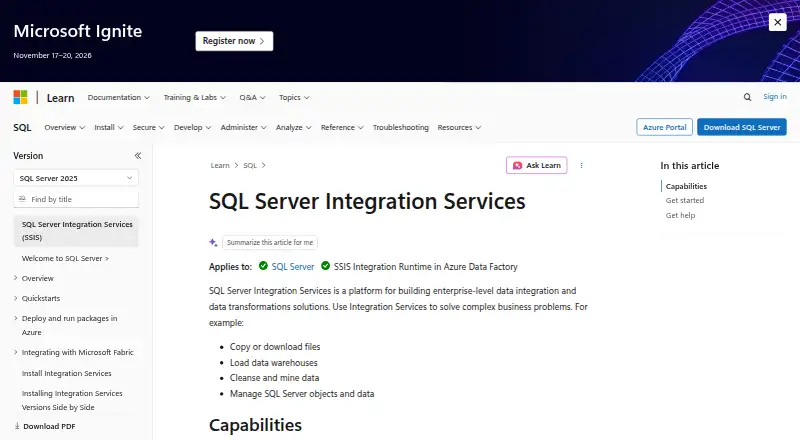
What SQL Server Integration Services is
SQL Server Integration Services, or SSIS, is paid software for enterprise data integration and transformation. It extracts information from XML, flat files, and relational sources, transforms it, and loads results into one or more destinations. Teams can copy files, load warehouses, cleanse data, and manage SQL Server objects and data. Graphical tools, built-in tasks, and transformations support sorting, merging, aggregation, distribution, modification, sampling, and lookups. Packages connect to text, XML, Excel, and relational databases, while developers can create packages and custom tasks programmatically. The SSIS Catalog stores, runs, manages, and monitors packages. SQL Server Data Tools is used for design, and SQL Server Management Studio manages production packages. Deployment tools move packages and related configurations between computers. Packages can run in Azure through an Azure-SSIS integration runtime in Azure Data Factory or Azure Synapse Pipelines. Package protection can use passwords, user keys, or server storage; password encryption uses AES with a 256-bit key. SSIS is installed through SQL Server Setup, but it is not included with SQL Server Express.
Who it suits
SSIS suits enterprise teams building repeatable extraction, transformation, loading, and workflow packages. It supports Windows, Linux, self-hosted, and API-related environments, with edition-specific capabilities.
What it does well
- Extracts, transforms, and loads multiple source types
- Graphical package design tools
- Custom tasks and programmatic package creation
- Catalog stores and monitors packages
- Azure execution options
What to know first
- Pricing is available on request
- No free plan
- Not included with SQL Server Express
- Advanced features vary by edition
Limits
SSIS is not included with SQL Server Express, and a standalone SSIS installation does not install package design and development tools. Available connectors, tasks, transformations, and profiling features vary by edition, with several advanced capabilities limited to Enterprise.
Getting started
- Open the Microsoft SSIS documentation
- Install SSIS through SQL Server Setup on Windows or Linux
- Install SQL Server Data Tools and the Integration Services project extension
- Design packages with SSIS Designer
- Deploy and manage packages with SQL Server Management Studio or the SSIS Catalog
- Run packages locally or through an Azure-SSIS integration runtime
Verdict
SSIS provides a broad package-based environment for enterprise integration, transformation, deployment, and management. Confirm edition capabilities and tooling requirements before installation, especially when using Express or installing SSIS separately.
Questions
What does SSIS cost?
SSIS is paid, with pricing available on request. There is no free plan.
Which platforms support SSIS?
Its platform listings include Windows, Linux, self-hosted deployments, and API access.
What tools design and manage packages?
SQL Server Data Tools with the Integration Services project extension is used for design, while SQL Server Management Studio manages production packages.
Can SSIS run packages in Azure?
Yes. An Azure-SSIS integration runtime in Azure Data Factory or Azure Synapse Pipelines can run packages deployed to supported SSISDB, file system, Azure Files, or SQL Server MSDB on Azure SQL Managed Instance.
How are SSIS packages protected?
Protection levels can secure sensitive data or an entire package with a password, user key, or server storage. Password-based protection uses AES with a 256-bit key.
Facts from SQL Server Integration Services's own pages
- Azure connections
- The Azure Feature Pack lets SSIS packages connect to Azure Blob Storage, Azure HDInsight, Azure Data Lake Store, Azure Synapse Analytics, and Azure Data Lake Storage Gen2. · learn.microsoft.com, 7 Oct 2026
- Azure execution
- An Azure-SSIS integration runtime in Azure Data Factory or Azure Synapse Pipelines can run packages deployed to SSISDB, file system, Azure Files, or SQL Server MSDB on Azure SQL Managed Instance. · learn.microsoft.com, 7 Oct 2026
- Connections
- Packages can connect to data stores including text, XML, and Excel files and relational databases for extracting, loading, lookups, SQL statements, and maintenance tasks. · learn.microsoft.com, 7 Oct 2026
- Data movement
- SSIS extracts and transforms data from sources such as XML files, flat files, and relational data sources, then loads it into one or more destinations. · learn.microsoft.com, 7 Oct 2026
- Data transformations
- Built-in transformations can aggregate, merge, distribute, modify, sort, sample, and look up data, among other operations. · learn.microsoft.com, 7 Oct 2026
- Deployment
- SSIS deployment tools can move packages to another computer and manage dependencies such as configurations and files. · learn.microsoft.com, 7 Oct 2026
- Design tooling
- SSIS Designer is available in SQL Server Data Tools as part of an Integration Services project; SSDT and the appropriate extension are used to design and deploy packages. · learn.microsoft.com, 7 Oct 2026
- Development and management
- SQL Server Data Tools is used to develop packages, while SQL Server Management Studio is used to manage packages in production. · learn.microsoft.com, 7 Oct 2026
- Edition limits
- The feature matrix lists built-in connectors, tasks, transformations, ODBC, Azure, Hadoop/HDFS, and basic profiling for Enterprise and Standard editions, while several advanced sources and transformations are Enterprise-only. · learn.microsoft.com, 7 Oct 2026
- ETL
- SSIS extracts and transforms data from sources such as XML files, flat files, and relational data sources, then loads it into one or more destinations. · learn.microsoft.com, 7 Oct 2026
- Extensibility
- Developers can create packages programmatically and write custom tasks and other package objects. · learn.microsoft.com, 7 Oct 2026
- Linux support
- Microsoft's feature matrix lists Linux support for Enterprise, Standard, and Express editions, and notes that DTSWizard.exe is not provided with SQL on Linux. · learn.microsoft.com, 7 Oct 2026
- Notable limit
- SSIS is not included with SQL Server Express, and installing SSIS alone does not install the tools needed to design and develop packages. · learn.microsoft.com, 7 Oct 2026
- Other connectors
- The installation guidance lists optional Microsoft connectors for Oracle, Teradata, and SAP BW. · learn.microsoft.com, 7 Oct 2026
- Package design
- It includes graphical tools, built-in tasks and transformations, and an SSIS Catalog database for storing, running, and managing packages. · learn.microsoft.com, 7 Oct 2026
- Package management
- The SSIS Catalog database stores, runs, and manages packages; the SSISDB catalog can store, manage, run, and monitor them. · learn.microsoft.com, 7 Oct 2026
- Package security
- Package protection levels can protect sensitive data or the whole package using a password, user key, or server storage; password-based protection uses AES with a 256-bit key. · learn.microsoft.com, 7 Oct 2026
- Platform and installation
- SSIS is installed through SQL Server Setup on a computer, either by itself or alongside other SQL Server components. · learn.microsoft.com, 7 Oct 2026
- Programmability
- Developers can program the Integration Services object model to create packages and custom tasks and other package objects. · learn.microsoft.com, 7 Oct 2026
- Purpose
- SSIS is a platform for building enterprise-level data integration and data transformation solutions, including copying files, loading data warehouses, cleansing and mining data, and managing SQL Server objects and data. · learn.microsoft.com, 7 Oct 2026
- Security
- Package protection levels can protect sensitive data or an entire package using a password, a user key, or database storage; password-based package encryption uses AES with a 256-bit key in current versions described by the page. · learn.microsoft.com, 7 Oct 2026
- Support
- The SSIS documentation directs users to the SSIS forum, Stack Overflow, the SSIS team blog, and issue and feature reporting. · learn.microsoft.com, 7 Oct 2026
- What it does
- SQL Server Integration Services is a platform for enterprise data integration and transformation, including copying files, loading data warehouses, cleansing data, and managing SQL Server objects and data. · learn.microsoft.com, 7 Oct 2026
- Workflow tasks
- Tasks can run packages, programs, and batch files; send emails and messages; work with XML; and access or modify SQL Server objects and data. · learn.microsoft.com, 7 Oct 2026
Where SQL Server Integration Services stands on Freedom251
- ETL and ELT Tools#13 of 18
- ETL Software#22 of 28