Freedom251 › AI Game Asset Generators
Spritedrop
What Spritedrop is
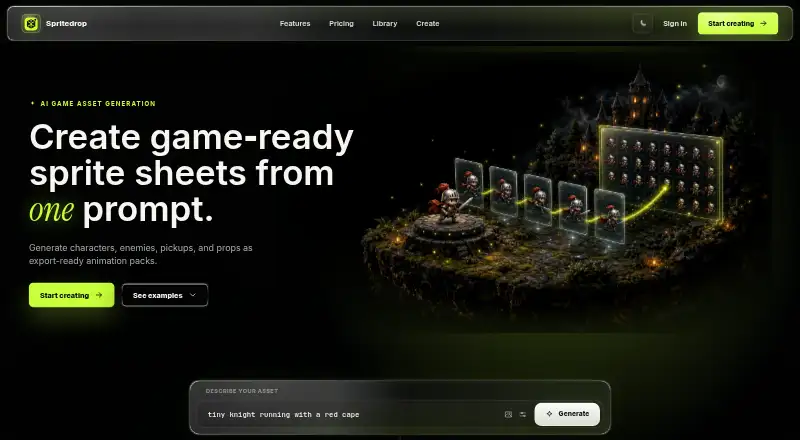
Spritedrop turns prompts or reference images into game animation packs and sprite sheets. You can adjust motion settings, then preview the animation loop before exporting the full package. It supports characters, enemies, pickups, props, effects, and environments, making it suitable for a range of game assets. An export can include a GIF, sprite sheet, individual PNG frames, and JSON metadata for use in an existing game engine workflow. You can also review the loop and download each frame as a transparent PNG. Spritedrop says its generated loops keep character proportions consistent across frames. Completed packs are attached to an account so users and teams can return to them later. The web app’s Free plan provides one game animation, a preview GIF, and sprite sheet export without requiring a card. Creator costs $9 a month and includes 60 animations monthly, no watermark, PNG frames, and metadata. Studio costs $29 a month and includes 250 animations monthly, a priority queue, and capacity for larger asset libraries. Creator is described for indie developers making prototypes and small games; Studio is for teams building larger game asset libraries.
Who it suits
Spritedrop suits game makers who need animation assets from prompts or reference images, especially indie developers creating prototypes and small games. Teams building larger asset libraries may prefer the Studio plan’s higher monthly animation allowance.
What it does well
- Starts from a prompt or reference image, with adjustable motion settings.
- Supports characters, enemies, pickups, props, effects, and environments.
- Preview the loop before exporting the full package.
- Exports can include GIF, sprite sheet, PNG frames, and JSON metadata.
- Completed packs remain attached to an account for later access.
What to know first
- The Free plan includes one game animation.
- Creator is limited to 60 animations monthly.
- Studio is limited to 250 animations monthly.
Limits
The Free plan includes one animation, a preview GIF, and sprite sheet export. Creator allows 60 animations monthly; Studio allows 250 animations monthly.
Plans
| Plan | Billed and limits | Price |
|---|---|---|
| Free | 1 animation · Preview GIF · Sprite sheet export | Free |
| Studio | 250 animations monthly · Priority queue · Large library volume | $29 a month |
| Creator | 60 animations monthly · No watermark · PNG frames and metadata | $9 a month |
As spritedrop.com lists them, read 7 Oct 2026. The maker's own page has the final word.
Getting started
- Open the Spritedrop website in a web browser.
- Start with a prompt or reference image.
- Tune the motion settings and preview the loop.
- Choose the Free plan for one animation without providing a card, or select a paid plan.
- Export the animation package in the available formats.
Verdict
Choose Spritedrop if you want to create game animation packs from a prompt or reference and use sprite sheets and metadata in an existing game engine workflow. The Free plan offers one animation, while Creator and Studio provide higher monthly allowances for individual developers and teams. Look elsewhere if you need an animation volume beyond the selected plan’s allowance.
Questions
Is Spritedrop free?
Yes. The Free plan costs nothing and includes one game animation, a preview GIF, and sprite sheet export without requiring a card.
What do the paid plans cost?
Creator costs $9 a month. Studio costs $29 a month.
What platforms does Spritedrop support?
Spritedrop is available on the web.
What can I export?
An animation package can include a GIF, sprite sheet, PNG frames, and JSON metadata. Export formats include GIF, PNG, ZIP, and JSON.
Can I use the output in a game engine?
Spritedrop provides a sheet PNG and metadata for use in an existing game engine workflow.
Facts from Spritedrop's own pages
- Asset types
- The product supports characters, enemies, pickups, props, effects, and environments. · spritedrop.com, 7 Oct 2026
- Engine workflow
- The product provides sheet PNG and metadata for use in an existing game engine workflow. · spritedrop.com, 7 Oct 2026
- Exports
- A completed animation package can include a GIF, sprite sheet, PNG frames, and JSON metadata. · spritedrop.com, 7 Oct 2026
- Free access
- The free plan offers one game animation without requiring a card. · spritedrop.com, 7 Oct 2026
- Intended users
- The Creator plan is described for indie developers shipping prototypes and small games, while Studio is for teams building larger game asset libraries. · spritedrop.com, 7 Oct 2026
- Motion consistency
- Spritedrop says it generates clean loops with matching character proportions across frames. · spritedrop.com, 7 Oct 2026
- Preview
- Users can preview the animation loop before committing to the full export pack. · spritedrop.com, 7 Oct 2026
- Product
- Spritedrop creates game-ready sprite sheets and animation packs from a prompt. · spritedrop.com, 7 Oct 2026
- Reference input
- Users can start from a prompt or reference image and tune motion settings. · spritedrop.com, 7 Oct 2026
- Saved library
- Completed packs are attached to an account so users and teams can revisit them. · spritedrop.com, 7 Oct 2026
- Transparent frames
- Users can review the loop and download each frame as a transparent PNG. · spritedrop.com, 7 Oct 2026
Where Spritedrop stands on Freedom251
- AI Game Asset Generators#21 of 26