Freedom251 › Disk Diagnostic Software
SpinRite
What SpinRite is
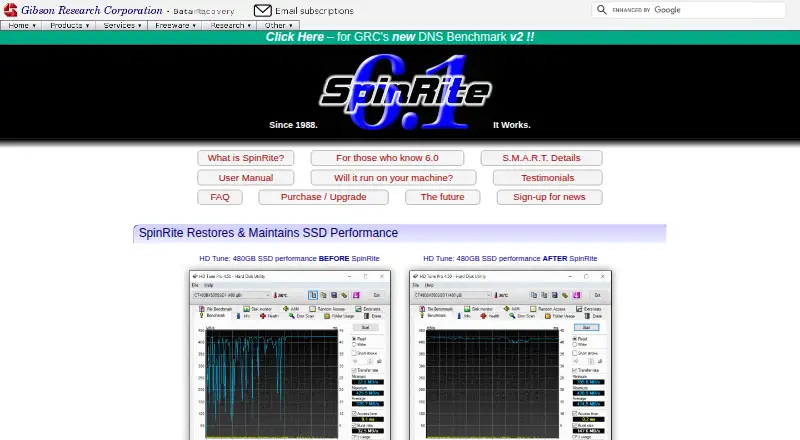
SpinRite is a storage maintenance program that scans magnetic and solid-state media to check and improve data readability. Its maker says it attempts to recover unreadable or barely readable data and rewrite what it recovers to the storage device. It can refresh solid-state media, and the maker recommends an annual run on SSDs. SpinRite also monitors SMART feedback while reading and writing. It works with mass-storage devices regardless of operating system or file system, but version 6.1 is a DOS application. Its executable runs under Windows to create bootable media, which launches the program with FreeDOS. Version 6.1 requires an Intel or AMD PC with BIOS or compatible firmware; it does not run on ARM PCs or systems without BIOS support. USB connections can be used, though direct PATA or SATA connections are preferred. GRC estimates about two hours per terabyte for modern directly connected SATA drives and warns that large drives may take a long time. SpinRite v6.1 costs $89 one-time, with no free plan.
Who it suits
SpinRite may suit people maintaining or attempting data recovery on compatible Intel or AMD PCs with BIOS support. Users should account for its DOS boot requirement and potentially long scan times.
What it does well
- Attempts recovery of unreadable or barely readable data.
- Works across file systems and operating systems.
- Monitors SMART feedback during drive workload.
- Supports magnetic and solid-state media.
- Bootable media can be created from Windows.
What to know first
- No free plan is listed.
- Does not currently run on ARM PCs.
- Requires BIOS or compatible firmware.
- Large drives can take a long time.
Limits
SpinRite v6.1 requires BIOS or BIOS-compatible firmware and cannot run on ARM PCs. GRC gives about two hours per terabyte as a rule of thumb for modern directly connected SATA drives, so large drives can take a long time.
Plans
| Plan | Billed and limits | Price |
|---|---|---|
| SpinRite v6.1 | Personally licensed copy · runs on compatible Intel/AMD PCs with BIOS support | On request |
As grc.com lists them, read 30 Sept 2026. The maker's own page has the final word.
Getting started
- Open the SpinRite website
- Run the SpinRite executable under Windows
- Create bootable SpinRite media
- Boot the compatible PC from that media
- Run SpinRite through its included FreeDOS system
Verdict
SpinRite offers drive scanning, attempted data recovery, and SSD refresh functions, but it requires compatible BIOS-based PC hardware. Its $89 one-time price and possible scan duration are worth considering before purchase.
Questions
How much does SpinRite cost?
SpinRite is paid from $89 as a one-time purchase. The listed plan is SpinRite v6.1, a personally licensed copy.
Is there a free plan?
No. GRC separately offers BootAble freeware to check boot compatibility.
Which computers can run SpinRite 6.1?
It runs on compatible Intel or AMD PCs with 32- or 64-bit processors and BIOS or BIOS-compatible firmware. It does not currently run on ARM PCs.
What storage does SpinRite support?
It works with mass-storage devices independently of operating system and file system, including spinning and solid-state media.
Can SpinRite use USB drives?
USB connections can be used when necessary, although GRC says direct PATA or SATA connections are best.
Does SpinRite low-level format drives?
No. It does not low-level format IDE, EIDE, SATA, or SCSI drives.
Facts from SpinRite's own pages
- Boot requirement
- SpinRite 6.1 is a DOS application and cannot boot on systems without BIOS support; GRC offers the BootAble freeware to check compatibility. · grc.com, 30 Sept 2026
- Computer compatibility
- Version 6.1 requires an Intel or AMD PC with a 32- or 64-bit processor and BIOS or BIOS-compatible firmware; it does not currently run on ARM PCs. · grc.com, 30 Sept 2026
- Data recovery
- The maker says SpinRite attempts to recover unreadable or barely readable data and rewrite recovered data to the media. · grc.com, 30 Sept 2026
- Download and boot media
- The SpinRite executable runs under Windows to create bootable media, which starts SpinRite under its included FreeDOS system. · grc.com, 30 Sept 2026
- Founded
- 1985 · grc.com, 28 Sept 2026
- Future platform plans
- GRC says it is exploring Windows and RTOS-32 versions but cannot commit to a release date. · grc.com, 30 Sept 2026
- Headquarters
- Laguna Hills, California, USA · grc.com, 28 Sept 2026
- No low-level formatting
- SpinRite does not low-level format IDE, EIDE, SATA, or SCSI drives. · grc.com, 30 Sept 2026
- Performance limit
- GRC says SpinRite 6.1 can take a long time on large drives and gives about two hours per terabyte as a rule of thumb for modern directly connected SATA drives. · grc.com, 30 Sept 2026
- Purpose
- SpinRite scans magnetic and solid-state storage to verify, restore, repair, and improve data readability. · grc.com, 30 Sept 2026
- SMART monitoring
- SpinRite monitors SMART feedback while a drive is under read and write workload. · grc.com, 30 Sept 2026
- SSD maintenance
- The maker says SpinRite can refresh solid-state media and recommends running it annually on SSDs. · grc.com, 30 Sept 2026
- Support
- GRC says it provides pre- and post-sales assistance and directs users to its technical support resources. · grc.com, 30 Sept 2026
- Supported storage
- SpinRite works on mass-storage devices independently of operating system and file system, including spinning and solid-state media. · grc.com, 30 Sept 2026
- Updates and replacement
- GRC says purchasers can use their receipt links or transaction code to retrieve the latest version or replace a lost download. · grc.com, 30 Sept 2026
- USB connections
- USB connections can be used when necessary, though GRC says direct PATA or SATA connections are best. · grc.com, 30 Sept 2026
Where SpinRite stands on Freedom251
- Disk Diagnostic Software#26 of 26