Freedom251 › Active Directory Management Software
Specops uReset
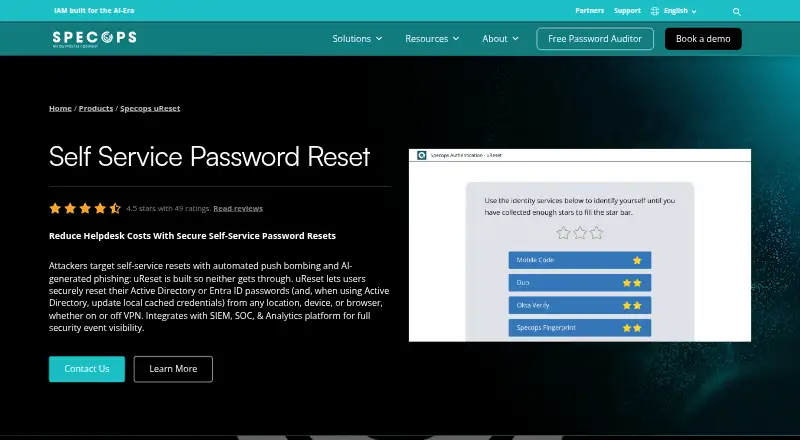
What Specops uReset is
Specops uReset lets employees reset or change passwords for Active Directory or Entra ID without relying on a helpdesk reset. Users can start through a browser, the Windows logon screen or a mobile app, whether they are on or off VPN. For remote users in Active Directory environments, uReset can update cached credentials on their device even when it cannot reach a domain controller.
Administrators can require one or more identity checks and choose from more than 20 identity providers. Listed methods include authenticator apps, YubiKey, mobile codes and passkeys. User enrollment can be automatic using Active Directory identifier data, or prompted through email or a full-screen Windows logon browser. Geographic rules and IP address ranges can determine where password resets are allowed. The Specops Event API streams login, reset and identity-check events to SIEM or SOC platforms for monitoring and audit logging. With Specops Breached Password Protection, uReset can block known compromised passwords during resets. A First Day Password add-on lets new hires verify their identity before setting their first Active Directory password.
The product supports on-premises Active Directory, hybrid Active Directory and Entra ID, and native Entra ID environments. Its authentication engine, web and identity services are cloud hosted; the datasheet says it is configured with Group Policy and stores user data in Active Directory. Pricing is by user count and available on request. Annual subscriptions include technical support, upgrades, SMS authentication costs and training. Prospective customers can contact Specops to arrange a demo or free trial.
Who it suits
Specops uReset suits organizations that want users to manage Active Directory or Entra ID passwords through web, Windows logon or mobile access. It is also relevant to administrators who need configurable identity checks, geographic controls or password event visibility in SIEM or SOC platforms.
What it does well
- Users can reset passwords on or off VPN.
- Remote Active Directory users can update cached credentials.
- More than 20 identity providers are supported.
- Admins can restrict resets by country or IP range.
- Annual subscriptions include support, upgrades and admin or helpdesk training.
What to know first
- There is no free plan.
- Pricing depends on user volume and is available on request.
- A hybrid authentication add-on may cost extra.
Plans
| Plan | Billed and limits | Price |
|---|---|---|
| Specops uReset | Annual subscription; volume-based tier pricing by users in scope · Technical support and product upgrades included · hybrid hosting included · hybrid authentication may cost extra | On request |
As specopssoft.com lists them, read 15 Oct 2026. The maker's own page has the final word.
Getting started
- Visit the Specops uReset product website.
- Contact Specops to arrange a demo or free trial.
- Select a subscription based on the number of users in scope.
- Configure uReset using Group Policy for the directory environment.
- Set up enrollment and identity verification for users.
Specops uReset is a password self-service system for Active Directory and Entra ID organizations. It is particularly suitable for distributed workforces that need recovery away from the corporate network and administrators who require configurable identity checks and audit visibility. Its broad access and verification coverage is persuasive, but user-count pricing and a potentially extra-cost hybrid authentication add-on make procurement a quoting exercise.
Overview
uReset lets employees reset or change directory passwords through a web browser, Windows logon screen, or mobile app, whether they are on or off VPN. It supports on-premises Active Directory, hybrid Active Directory/Entra ID, and native Entra ID environments. For Active Directory users working remotely, it can update cached local credentials even when a domain controller cannot be reached. That directly addresses the common problem of a successful password change leaving an off-network laptop with an unusable cached password.
The hybrid architecture keeps user data in Active Directory and uses Group Policy for configuration, while the authentication engine, web service, and identity services are cloud-hosted. This is a sensible compromise for organizations retaining an AD-centered data model but not necessarily for teams that require every service to run on their own infrastructure.
Key features
Flexible verification and enrollment
More than 20 identity providers can be used for verification, with administrators able to require one factor or several. Supported choices include Duo Security, Google and Microsoft Authenticator, Okta, PingID, Symantec VIP, YubiKey, mobile codes, passkeys, and Entra ID; the product also supports Specops:ID biometrics, push notifications, SMS, and offline OTP. That range helps organizations preserve an existing authentication investment while applying stronger checks to password recovery.
Enrollment can be automated from Active Directory identifier data or initiated by email, balloon notifications, or a full-screen Windows logon browser. Those routes give administrators options for both planned rollout and users who have not yet enrolled, although the most suitable approach will depend on how tightly the Windows estate is managed.
Remote access and controls
Country rules and specific IP ranges can allow or block resets, giving security teams a way to restrict recovery in higher-risk locations. Resets, logins, and identity checks stream to SIEM or SOC platforms through the Specops Event API, supporting centralized monitoring and audit trails. Specops Breached Password Protection can also prevent users from choosing known compromised passwords during a reset.
The First Day Password add-on lets new hires verify their identity before creating their first Active Directory password, avoiding shared welcome passwords. RADIUS integration covers VPN and RDP access, while OIDC and SAML support broader application integration. Lifecycle automation, reporting, and AD auditing extend the product beyond a basic reset page.
Pricing
Specops uReset uses custom, volume-based pricing tied to the number of users in scope. The plan is sold on annual subscription terms; hosting for the hybrid solution is included, while hybrid authentication may cost extra. Annual subscriptions include technical support, product upgrades, SMS authentication costs, and training for administrators or helpdesk staff. There is no free plan.
Specops offers a demo or free trial by arrangement, but no trial duration is stated. Organizations should therefore confirm the evaluation period, the scope of users counted, and whether required add-ons are included before signing. The model is best suited to organizations that value bundled support and predictable annual entitlement; smaller teams seeking a published, low-commitment price will find comparison harder.
Platforms
uReset supports Android, iOS, Windows, web access, API integrations, and hybrid deployment. Its Windows logon, RADIUS, OIDC, SAML, and Specops Event API connections make it usable across endpoint, VPN, RDP, and application workflows rather than limiting recovery to a browser.
Who it's for
Choose uReset when remote or hybrid employees must recover Active Directory or Entra ID access without helpdesk intervention, especially where cached-credential updates, multiple MFA choices, geographic policy, and SIEM integration matter. It is also a strong fit for organizations that want to retain Active Directory as the authoritative user-data store while consuming cloud-hosted identity services. It is less suitable for buyers that need a fully self-hosted authentication stack or a transparent per-seat price.
Pros and cons
- Pros: resets work on or off VPN through browser, Windows, and mobile channels; cached Active Directory credentials can be updated when a domain controller is unreachable; more than 20 identity providers and multi-factor policies support varied security requirements; SIEM/SOC streaming, geographic restrictions, and breached-password blocking strengthen oversight; annual support, upgrades, SMS costs, and training are bundled.
- Cons: pricing is quote-based and depends on users in scope; the hybrid authentication add-on may increase cost; cloud-hosted authentication services may not satisfy fully self-hosted requirements; trial length is not defined.
Alternatives
ManageEngine ADSelfService Plus is the better value for teams that want a free edition for up to 50 users, unlimited domains, and 10 endpoint MFA users, or a published Standard Edition price of $595 a year.
Softerra Adaxes suits buyers wanting a 30-day, full-function evaluation with technical support and deployment across macOS, self-hosted, web, and Windows.
Blazam is an option for organizations seeking free, MIT-licensed, self-hosted software.
LTB Self Service Password fits teams wanting free, GPL-3.0 self-hosted password self-service for LDAP, provided they can supply PHP and LDAP connectivity.
ManageEngine ADAudit Plus is oriented toward auditing, with a free edition covering 25 workstations and a 30-day trial covering five domain controllers, two file servers, and one NetApp or EMC file server.
PWM is a free, open-source password self-service application for LDAP directories.
ManageEngine ADManager Plus offers a Governance, Risk and Compliance add-on at $495 a year for Professional Edition users.
INGOS Active Directory Manager is a Windows-focused paid alternative with quote-based pricing.
For broader comparisons, see Active Directory Management Software and Multi-Factor Authentication Software.
Verdict
Specops uReset is a strong choice for organizations with Active Directory or Entra ID users who need dependable remote self-service, cached-credential handling, and configurable identity verification backed by audit integration. Look elsewhere if a fully self-hosted service, a free tier, or a clearly published per-user price is more important than its integrated controls and subscription support.
Verdict
Choose Specops uReset if your organization needs password self-service across Active Directory or Entra ID environments, including remote access and configurable identity verification. Its annual subscription includes support, upgrades, SMS authentication costs and training. Organizations comparing costs will need a quote based on users in scope, and the hybrid authentication add-on may add cost.
Questions
Is Specops uReset free?
No free plan is listed. A free trial can be arranged by contacting Specops; no trial duration is stated.
How is the product priced?
Pricing is available on request and depends on the number of users in scope. Subscriptions are annual, and a hybrid authentication add-on may cost extra.
Which environments does uReset support?
It supports on-premises Active Directory, hybrid Active Directory and Entra ID, and native Entra ID environments.
How can users access password resets?
Users can use a web browser, Windows logon screen or mobile app, from any location and on or off VPN.
Which identity checks are available?
Listed options include Duo Security, Google and Microsoft Authenticator, Okta, PingID, Symantec VIP, YubiKey, mobile code, passkeys and Entra ID. The product supports more than 20 identity providers.
What is included in an annual subscription?
The maker says annual subscriptions include technical support, product upgrades, SMS-based authentication costs and training for admins or helpdesk staff.
Facts from Specops uReset's own pages
- Access
- Users can access resets through a web browser, Windows logon screen, or mobile app, from any location and on or off VPN. · specopssoft.com, 4 Oct 2026
- Active Directory integration
- uReset uses existing Active Directory and Group Policy, with no directory migration and no external database for password-related information. · specopssoft.com, 15 Oct 2026
- API access
- Administrators create a 72-character API key in Authentication Web, using separate US and EU API base URLs. · specopssoft.com, 15 Oct 2026
- Cached credentials
- For Active Directory, uReset can update local cached credentials for remote users, including when a domain controller cannot be reached. · specopssoft.com, 4 Oct 2026
- Cloud architecture
- Authentication, web and identity services run in Specops Cloud, while customers install only the Gatekeeper component in their domain. · specopssoft.com, 15 Oct 2026
- Cloud support
- uReset supports on-premises Active Directory, hybrid Active Directory/Entra ID, and native Entra ID environments. · specopssoft.com, 4 Oct 2026
- Company identity
- LinkedIn describes Specops Software as a privately held enterprise password-management and authentication company founded in 2001 and headquartered in Stockholm, Sweden. · linkedin.com, 15 Oct 2026
- Company size
- LinkedIn lists Specops Software in the 51–200 employee range and says it has offices in the United States, Canada, France, Germany and the United Kingdom. · linkedin.com, 15 Oct 2026
- Compromised-password blocking
- When paired with Specops Breached Password Protection, uReset can block passwords appearing in a database of more than five billion known compromised passwords. · specopssoft.com, 15 Oct 2026
- Directory and deployment
- The datasheet says uReset is natively integrated with Active Directory, configured using Group Policy, stores user data in Active Directory, and hosts its authentication engine, web, and identity services in the cloud. · specopssoft.com, 4 Oct 2026
- Documentation depth
- Specops lists 38 uReset knowledge-base articles covering passkeys, Gatekeeper migration and upgrades, event troubleshooting and related administration topics. · specopssoft.com, 15 Oct 2026
- Enrollment
- Administrators can auto-enroll from Active Directory identifiers or guide enrollment through email, Windows notification balloons and a full-screen logon browser. · specopssoft.com, 15 Oct 2026
- Event API
- The public Event API exposes authentication and security events for SIEM, monitoring and automation; it uses cursor pagination, supports a maximum seven-day initial history, and requires clients to handle retries, throttling and deduplication. · specopssoft.com, 15 Oct 2026
- First Day Password
- The optional First Day Password workflow lets new hires verify themselves with mobile code or personal email before setting their first Active Directory password. · specopssoft.com, 15 Oct 2026
- Founded
- 2001 · specopssoft.com, 28 Sept 2026
- Gatekeeper
- Gatekeeper runs on a domain server, reads Active Directory data and performs enrollment-data reads and writes. · specopssoft.com, 15 Oct 2026
- Geo and IP controls
- Administrators can allow or block password resets by country or specified IP ranges. · specopssoft.com, 15 Oct 2026
- Geographic controls
- Admins can allow or block password resets by country or specific IP address ranges. · specopssoft.com, 4 Oct 2026
- Headquarters
- Stockholm, Sweden · specopssoft.com, 28 Sept 2026
- Licence
- The Specops license agreement states that Specops retains sole and exclusive title to all parts of the software and service, indicating proprietary licensing. · outpost24.com, 15 Oct 2026
- Limit: administration and Azure controls
- Reviewers report an administrator learning curve and say the product was not registered as an Azure AD application, preventing Conditional Access management. · softwareadvice.com, 15 Oct 2026
- Limit: app hardware compatibility
- Google Play reviewers report that Pixel 4 and 4 XL devices without fingerprint hardware cannot use Specops Fingerprint and that registration instructions are unclear. · play.google.com, 15 Oct 2026
- Limit: deployment complexity
- A Software Advice reviewer reported that enabling logon reset required distributing the client, secure browser and a registry change, creating difficulties for remote laptops and prompting a request for an Intune package. · softwareadvice.com, 15 Oct 2026
- MFA
- uReset supports more than 20 identity providers and can require one or multiple factors for identity verification. · specopssoft.com, 4 Oct 2026
Where Specops uReset stands on Freedom251
- Active Directory Management Software#15 of 25
- Self-Service Password Reset Software#14 of 23