Freedom251 › AI Photoshoot Generators

Snaproom
What Snaproom is
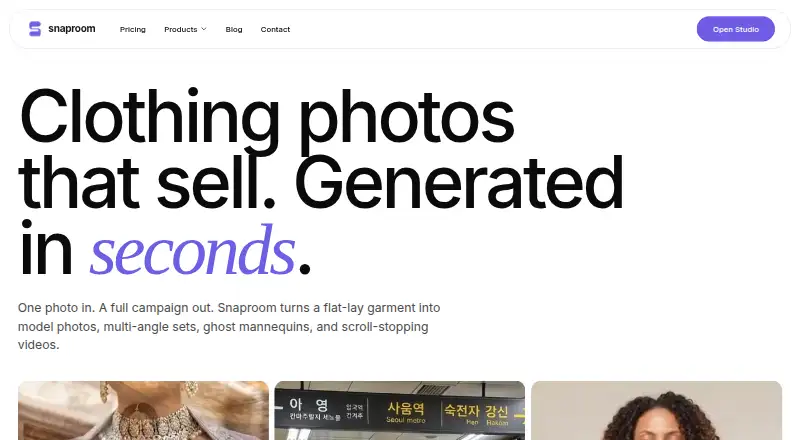
Snaproom turns clothing photos into model imagery, product photo sets, ghost mannequin images, and short videos for ecommerce and marketing. Its studio tools include AI Fashion Photoshoot, Ghost Mannequin, Smart Retouch, AI Image to Video, Chat to Edit, Multi-Angle Photography, Background Remover, and Virtual Try-On. Virtual Try-On creates model-worn images from clothing photos; Snaproom says it preserves garment color, prints, logos, drape, and fit. Chat to Edit accepts plain-language instructions for refining images, while AI Image to Video makes five-second product clips for TikTok, Reels, and Shopee. The company names Shopify, WooCommerce, Squarespace, TikTok Shop, Instagram, Meta Ads, Amazon, Shopee, Lazada, and eBay among the channels and marketplaces it serves, and says generated content can be used commercially. The free plan includes 150 one-time credits. Starter costs $10 a month for 1,000 monthly credits. Standard-quality images use 20 credits and videos 75; failed generations are refunded.
Who it suits
Snaproom suits ecommerce and marketing teams that need fashion imagery or short product videos from clothing photos. It may also suit sellers who want generated content for the listed storefronts, marketplaces, and ad channels.
What it does well
- Free plan includes 150 one-time credits
- Creates model, ghost mannequin, product, and video imagery
- Plain-language image editing instructions
- Commercial use permitted for generated images and videos
- Failed generations are refunded
What to know first
- No free trial
- Starter provides 1,000 credits per month
- Image and video generation use credits
- Home upload control accepts files up to 10 MB
Limits
The Free plan provides 150 credits one time, roughly enough for seven standard-quality photos or two five-second product videos. Standard-quality images cost 20 credits each, 1K images 45, 2K images 60, 4K images 70, and videos 75 credits each.
Plans
| Plan | Billed and limits | Price |
|---|---|---|
| Free | one-time · 100 credits · ~10 standard photos · ~5 seconds product video · all 8 tools · up to 4K · commercial rights | Free |
| One-time pack | one-time · 1,000 credits · ~100 model photos · ~65 seconds product video · ~100 retouched photos | $10, paid once |
| Starter | monthly · 1,500 credits/month · ~150 photos · ~100 seconds video · ~150 retouched photos · priority queue · up to 4K | $15 a month |
| Pro | monthly · 5,000 credits/month · ~500 photos · ~330 seconds video · ~500 retouched photos · priority queue · early tool access · up to 4K | $30 a month |
As snaproom.app lists them, read 15 Oct 2026. The maker's own page has the final word.
Getting started
- Open snaproom.app in a browser.
- Create an account and start with the Free plan, which requires no credit card.
- Upload a clothing or product image in an accepted format and within the upload limit.
- Choose a studio tool such as Virtual Try-On, Ghost Mannequin, or AI Image to Video.
- Select a plan or buy a one-time 1,000-credit pack if you need more credits.
Verdict
Snaproom offers several ways to turn clothing photos into ecommerce-ready imagery and videos, with free and paid credit plans. Review the credit costs and upload limits before planning a production workflow.
Questions
Does Snaproom have a free plan or free trial?
It has a Free plan with 150 one-time credits and no credit card requirement. It does not offer a free trial.
How much does Snaproom cost?
Starter is $10 a month for 1,000 credits per month. Pro is $30 a month for 3,500 credits per month, and a one-time pack costs $10.00 USD for 1,000 credits.
What platforms can I use Snaproom on?
Snaproom is available on the web. The Ghost Mannequin tool works in a browser and requires no installation.
How many credits do images and videos use?
Standard-quality images cost 20 credits, 1K images 45, 2K images 60, 4K images 70, and videos 75 credits each.
Can I use generated content commercially?
Yes. Snaproom says generated images and videos can be used commercially on marketplaces, websites, ads, and social media.
Can I cancel a subscription?
Subscribers can cancel at any time through the billing portal. Their credits remain active until the current billing period ends.
Facts from Snaproom's own pages
- AI disclosure limit
- Snaproom's EU AI Act guidance says generated model and scene images will generally require visible disclosure for EU-facing use, while ghost-mannequin and background-removal edits are less likely to qualify as deepfakes. · snaproom.app, 15 Oct 2026
- AI fashion photoshoot
- AI Fashion Photoshoot can create up to seven pose images from one garment upload, with selectable scenes, aspect ratios and resolutions up to 4K. · snaproom.app, 15 Oct 2026
- Background remover
- Background Remover is presented as a one-click tool for producing clean product images. · snaproom.app, 15 Oct 2026
- Browser access
- The Ghost Mannequin page says the tool works in a browser and requires no installation. · snaproom.app, 30 Sept 2026
- Cancellation
- Subscriptions can be cancelled through the billing portal without contracts, lock-ins or cancellation fees; remaining credits stay active through the billing period. · snaproom.app, 15 Oct 2026
- Chat to Edit
- Chat to Edit lets users request plain-language changes such as background, lighting and detail edits. · snaproom.app, 15 Oct 2026
- Commercial-rights caveat
- Snaproom's commercial-rights article explains that commercial permission does not itself guarantee copyright, exclusivity or likeness rights for uploaded people and source images. · snaproom.app, 15 Oct 2026
- Commercial use
- Snaproom says generated images and videos can be used commercially on marketplaces, websites, ads, and social media. · snaproom.app, 30 Sept 2026
- Company identity
- The public pages reviewed identify the product brand as Snaproom but do not state a legal company name, headquarters or founding year. · snaproom.app, 15 Oct 2026
- Complex garments
- Snaproom says shoes, bags and structured tailoring work best when source photos are well lit and taken against a clean background. · snaproom.app, 15 Oct 2026
- Credit accounting
- Credits are deducted only after successful generations, and failed generations are automatically refunded. · snaproom.app, 15 Oct 2026
- Credit costs
- Standard image generations start at 10 credits, multi-angle and chat edits start at 20 credits, background removal costs 5 credits and a five-second video costs 75 credits. · snaproom.app, 15 Oct 2026
- Credit top-ups
- The pricing page offers a one-time top-up of 1,000 credits for $10. · snaproom.app, 30 Sept 2026
- Credit use
- The pricing page says standard-quality images cost 20 credits, 1K images 45, 2K images 60, 4K images 70, and videos 75 credits each; failed generations are refunded. · snaproom.app, 30 Sept 2026
- Documentation and API
- The official home and pricing pages document browser tools, credits and outputs but do not describe a public API, SDK, self-hosting option or developer documentation. · snaproom.app, 15 Oct 2026
- Garment try-on
- Virtual Try-On generates model-worn fashion images from a clothing photo and says it preserves garment color, prints, logos, drape, and fit. · snaproom.app, 30 Sept 2026
- Generation speed
- Snaproom advertises an average of 15 seconds from upload to finished model photo and generally describes results in under 60 seconds. · snaproom.app, 15 Oct 2026
- Ghost mannequin
- Ghost Mannequin creates hollow-mannequin product images from front-only or front-and-back clothing photos and accepts uploads up to 25 MB. · snaproom.app, 15 Oct 2026
- Image editing
- Chat to Edit accepts plain-language instructions to refine product and model images. · snaproom.app, 30 Sept 2026
- Image to Video
- Image to Video turns a still product image into a short MP4 with motion presets such as model movement, dolly, zoom, fabric flow and 360 spin. · snaproom.app, 15 Oct 2026
- Input limits
- The home page upload control accepts JPG, PNG, and WebP files up to 10 MB, while the Ghost Mannequin page states a 25 MB maximum. · snaproom.app, 30 Sept 2026
- Integrations and channels
- Snaproom names Shopify, WooCommerce, Squarespace, TikTok Shop, Instagram, Meta Ads, Amazon, Shopee, Lazada, and eBay as storefronts, ad channels, or marketplaces it serves. · snaproom.app, 30 Sept 2026
- Limit: independent evidence
- PeerPush has no user reviews or comments for Snaproom, so that directory provides no independent praise or complaint narratives. · peerpush.com, 15 Oct 2026
- Model library
- All plans include access to Snaproom's model library, and Virtual Try-On also allows uploading a user's own model image. · snaproom.app, 15 Oct 2026
Where Snaproom stands on Freedom251
- AI Photoshoot Generators#7 of 25
- AI Fashion Model Generators#17 of 27