Freedom251 › AI Presentation Makers
Sliding.io
What Sliding.io is
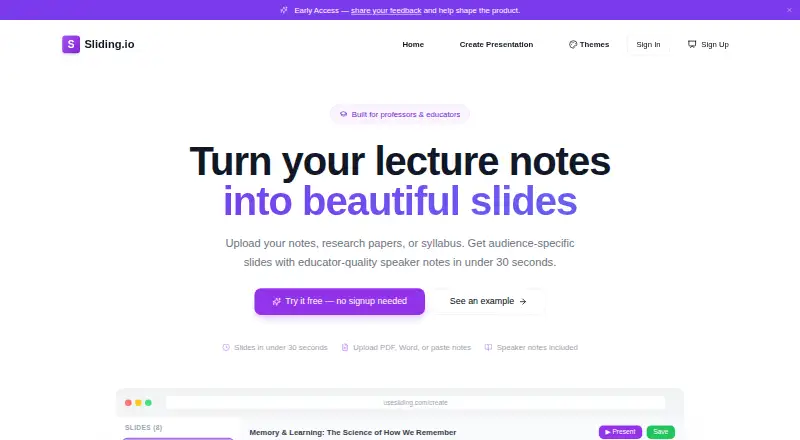
Sliding.io is a web service that converts teaching materials into presentation decks with speaker notes. You can upload PDF or Word files, or paste notes directly; uploaded files may be up to 20MB. Audience choices include undergraduates, PhD students, and executives, with vocabulary, depth, and examples adjusted for the selected group. Speaker notes can include cues for pausing, asking questions, and moving to the next slide. After generation, slides can be reordered, added, or deleted, and themes can be changed. The site lists more than eight educator themes and says switching themes does not require regenerating a deck. Presentations can be shown fullscreen with keyboard navigation and notes. Downloads include editable PowerPoint files with embedded notes, PDF, individual slide images, and an image ZIP for LMS uploads. Sliding.io supports solo work, is free to start free, requires no credit card, and launched in April 2026.
Who it suits
It suits professors, K-12 teachers, adjuncts, graduate teaching assistants, and corporate trainers who need decks from existing teaching materials. It is intended for solo, browser-based work.
What it does well
- Accepts PDF, Word, or pasted notes
- Adjusts content for selected audiences
- Includes speaker notes with teaching cues
- Exports editable PowerPoint and PDF
- Offers more than eight educator themes
What to know first
- No prompt-to-deck generation
- Uploaded materials limited to 20MB
- Designed for solo collaboration
Plans
| Plan | Billed and limits | Price |
|---|---|---|
| Free | Free to start · no credit card needed | Free |
As usesliding.com lists them, read 12 Oct 2026. The maker's own page has the final word.
Verdict
Sliding.io focuses on turning existing educational documents into editable, audience-adjusted presentations. Its notes, theme switching, and multiple export formats support classroom and training workflows.
Facts from Sliding.io's own pages
- Audience settings
- Users can choose an audience such as undergraduates, PhD students, or executives, and the slides adjust vocabulary, depth, and examples accordingly. · usesliding.com, 12 Oct 2026
- Collaboration level
- solo · usesliding.com, 24 Sept 2026
- Document-to-deck generation
- Yes · usesliding.com, 24 Sept 2026
- Editing and presenting
- Users can reorder, add, and delete slides, change themes, and present in fullscreen mode with keyboard navigation and speaker notes. · usesliding.com, 12 Oct 2026
- Exports
- Decks can be downloaded as editable PowerPoint with embedded speaker notes, PDF, or individual slide images; the site also mentions an image ZIP for LMS uploads. · usesliding.com, 12 Oct 2026
- Input formats
- Users can upload PDF or Word files, or paste notes directly. · usesliding.com, 12 Oct 2026
- Intended users
- The site names professors, K-12 teachers, adjuncts, graduate teaching assistants, and corporate trainers as supported roles. · usesliding.com, 12 Oct 2026
- Launch
- The site says Sliding.io launched in April 2026. · usesliding.com, 12 Oct 2026
- PDF export
- Yes · usesliding.com, 24 Sept 2026
- PPTX export
- Yes · usesliding.com, 24 Sept 2026
- Prompt-to-deck generation
- No · usesliding.com, 24 Sept 2026
- Speaker notes
- Speaker notes include teaching cues such as when to pause, what question to ask, and how to transition to the next slide. · usesliding.com, 12 Oct 2026
- Themes
- The site lists 8+ educator themes and says users can switch themes after generating a deck without regenerating it. · usesliding.com, 12 Oct 2026
- Upload limit
- Uploaded materials can be up to 20MB. · usesliding.com, 12 Oct 2026
- What it does
- Sliding.io turns lecture notes and other teaching materials into audience-ready slide decks with speaker notes. · usesliding.com, 12 Oct 2026
Where Sliding.io stands on Freedom251
- AI Presentation Makers#83 of 109