Slides With Friends
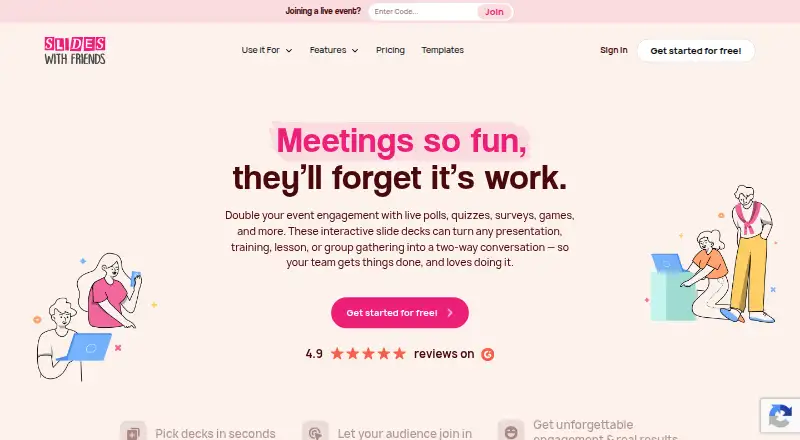
What Slides With Friends is
Slides With Friends provides interactive slide decks for presentations, training, lessons, meetings, events, and group gatherings. Hosts can add live polls, quizzes, surveys, games, word clouds, photo sharing, and other interaction slides. Participants join by scanning a QR code, with no downloads involved, and presenters can share their screen in Zoom, Google Meet, MS Teams, or Webex. The service displays live responses and lets hosts download response data as charts or participant-by-answer results. Decks can use PowerPoint or Google Slides integration, or uploaded PPT, PDF, Google Slides, and external presentations. Hosts can password-protect events, remove players, and mute the soundboard. The Free plan costs nothing and allows up to 10 players. Starter is $35 a month, billed monthly · 30 days only; Pro is $99 a month, billed monthly · 30 days only. The pricing note also lists paid plans from $8/mo (annual). Enterprise pricing is custom, with shared deck libraries, collaboration, oversight, and reporting features.
Who it suits
Slides With Friends suits presenters, trainers, teachers, and event hosts who want audience participation alongside slides. Its plans are described for small groups, classrooms and teams, larger groups, and organizations.
What it does well
- Participants join by QR code without downloads
- Includes polls, quizzes, surveys, games, and word clouds
- Displays live audience responses
- Hosts can download response data
- Event controls include passwords and removing players
What to know first
- Free plan allows up to 10 players
- Starter and Pro are limited to 30 days
- Listed audience limit is 50 participants
Limits
The Free plan costs nothing and allows up to 10 players. Starter supports up to 50 people at $35 a month, billed monthly · 30 days only; Pro supports up to 250 players at $99 a month, billed monthly · 30 days only.
Plans
| Plan | Billed and limits | Price |
|---|---|---|
| Free | Up to 10 players · All interaction slides · Builder features · Custom fonts and design | Free |
| Starter | Billed monthly · 30 days only · Up to 50 people · Import PPTs and PDFs · Unlimited slides and events · After-event data · Custom event codes | $35 a month |
| Pro | Billed monthly · 30 days only · Up to 250 players · Remove SlidesWith logo · Add your logo · Unlimited PPT and PDF imports · Export event data | $99 a month |
| Enterprise | Custom · Repeatable events · Multiple account licenses · Shared deck library · Administrative oversight · Reporting and analytics | On request |
As slideswith.com lists them, read 9 Oct 2026. The maker's own page has the final word.
Getting started
- Open the Slides With Friends website
- Choose the Free, Starter, Pro, or Enterprise plan
- Create or import a deck from PowerPoint, PDF, Google Slides, or an external presentation
- Add interaction slides such as polls, quizzes, surveys, games, or word clouds
- Share the event and let participants join by scanning its QR code
- Present through a screen-sharing service such as Zoom, Google Meet, MS Teams, or Webex
Verdict
Slides With Friends combines slide presentations with several audience interaction formats and response exports. Check the plan-specific participant limits and billing terms when choosing a tier.
Questions
Is Slides With Friends free?
Yes. The Free plan costs nothing and supports up to 10 players.
What do the paid plans cost?
Starter is $35 a month, billed monthly · 30 days only. Pro is $99 a month, billed monthly · 30 days only. Enterprise uses custom billing; the pricing note also lists paid plans from $8/mo (annual).
Do participants need an app download?
No. Participants can join an event by scanning a QR code without downloading anything.
Can it work with Zoom or Teams?
Yes. The live polling page lists Zoom, Google Meet, MS Teams, and Webex when presenters can share their screen.
Can I import existing presentations?
Yes. The service lists PowerPoint and Google Slides integration and uploads for PPT, PDF, Google Slides, and external presentations.
What does Enterprise add?
Enterprise includes shared deck libraries, collaboration, administrative oversight, team management, and advanced reporting and analytics.
Facts from Slides With Friends's own pages
- Audience responses
- Hosts can display live responses and download response data in charts or participant-by-answer formats. · slideswith.com, 9 Oct 2026
- Enterprise capabilities
- Enterprise features include shared deck libraries, collaboration, administrative oversight, team management, and advanced reporting and analytics. · slideswith.com, 9 Oct 2026
- Event controls
- The pricing page says hosts can password-protect events, remove players, and mute the soundboard. · slideswith.com, 9 Oct 2026
- How participants join
- Participants can join an event by scanning a QR code, and the site says no downloads are involved. · slideswith.com, 9 Oct 2026
- Intended users
- The pricing page describes plans for small groups, medium-sized teams and classrooms, larger groups, and organizations. · slideswith.com, 9 Oct 2026
- Interactions
- The site lists live polls, quizzes, surveys, games, word clouds, photo sharing, and other interaction slides. · slideswith.com, 9 Oct 2026
- Large groups
- The pricing comparison lists a maximum of up to 1,000 participants for Pro and Enterprise. · slideswith.com, 9 Oct 2026
- Meeting platforms
- The live polling page says it works anywhere presenters can share their screen, including Zoom, Google Meet, MS Teams, and Webex. · slideswith.com, 9 Oct 2026
- Personal information
- The privacy policy says collected information may include name, phone number, postal address, and browser log data such as IP address and pages visited. · slideswith.com, 9 Oct 2026
- Presentation integrations
- The pricing comparison lists PowerPoint and Google Slides integration and uploading PPT, PDF, Google Slides, or external presentations. · slideswith.com, 9 Oct 2026
- Security and privacy
- The privacy policy says it uses commercially acceptable means to protect personal information but cannot guarantee absolute security. · slideswith.com, 9 Oct 2026
- Support
- The contact page says the team will respond in 2–6 business days and recommends the chat button for a faster reply. · slideswith.com, 9 Oct 2026
- What it does
- Slides With Friends provides interactive slide decks for presentations, training, lessons, meetings, events, and group gatherings. · slideswith.com, 9 Oct 2026
Where Slides With Friends stands on Freedom251
- Polling Software#25 of 32