Slackware pkgtools
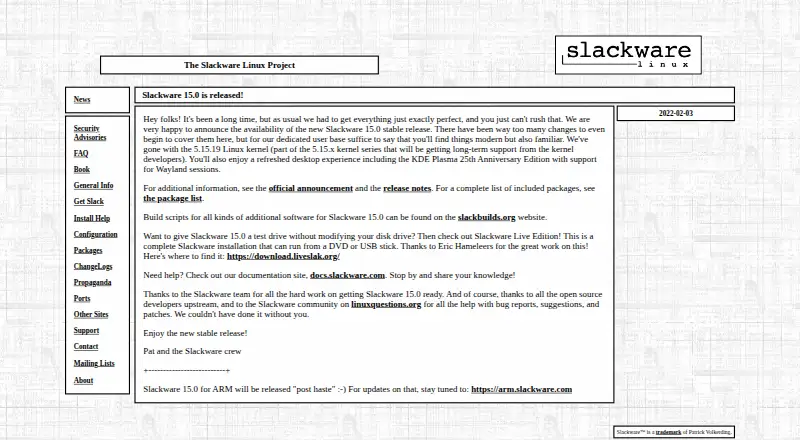
What Slackware pkgtools is
Slackware pkgtools is a free collection of local package-management applications included with Slackware’s base installation. It runs on Slackware Linux for x86, x86_64, and ARM ports, and handles TGZ, TXZ, TBZ, and TLZ formats. installpkg adds packages, removepkg deletes them, and upgradepkg installs a replacement while removing old files absent from it. explodepkg unpacks an archive into the current directory for inspection. pkgtool offers a menu-driven way to install, remove, or view packages and rerun installation scripts for basic reconfiguration. makepkg builds a package from the current directory. Packages are compressed TGZ or TXZ archives containing files, directories, post-installation scripts, and a description. Offline installation is supported. Dependencies are not tracked or installed automatically. Slackware’s separate slackpkg handles official network packages and updates. The tools reflect Slackware’s focus on simple, stable systems for custom installations, desktops, workstations, and servers.
Who it suits
It suits Slackware users who need basic local package operations, including offline installs and package creation. Users wanting automatic dependency handling need another approach.
What it does well
- Included with Slackware
- Offline installation
- Menu-driven package operations
- Package inspection before installation
- Supports ARM ports
What to know first
- No automatic dependency resolution
- Network updates use separate slackpkg
- Designed for Slackware Linux
Plans
| Plan | Billed and limits | Price |
|---|---|---|
| pkgtools | Included with Slackware; basic local package management | Free |
As slackware.com lists them, read 11 Oct 2026. The maker's own page has the final word.
Verdict
pkgtools covers essential local package tasks through commands and an interactive menu. Its manual dependency model and separate network-update tool are important parts of using it.
Facts from Slackware pkgtools's own pages
- Create packages
- makepkg creates a new Slackware package from the contents of the current directory. · docs.slackware.com, 11 Oct 2026
- Dependency handling
- Slackware package tools do not automatically track dependencies or install dependencies when installing a package. · docs.slackware.com, 11 Oct 2026
- Dependency resolution
- No · slackware.com, 22 Sept 2026
- Documentation
- The Slackware overview says the distribution includes extensive online documentation and a menu-driven package system. · docs.slackware.com, 11 Oct 2026
- Free plan
- Yes · slackware.com, 22 Sept 2026
- Inspect packages
- explodepkg uncompresses and untars a package into the current directory so its contents can be reviewed before installation. · docs.slackware.com, 11 Oct 2026
- Install packages
- installpkg installs a new Slackware package. · docs.slackware.com, 11 Oct 2026
- Interactive interface
- pkgtool provides an interactive, menu-driven interface to install, remove, or view packages, and can rerun installation menu scripts for basic reconfiguration. · docs.slackware.com, 11 Oct 2026
- Network updates
- Slackware’s separate slackpkg tool installs official packages from Slackware servers and manages updates and upgrades. · docs.slackware.com, 11 Oct 2026
- Offline installation
- Yes · slackware.com, 22 Sept 2026
- Package format
- Slackware packages are compressed TGZ or TXZ archives that contain a file and directory tree, post-installation scripts, and a package description. · docs.slackware.com, 11 Oct 2026
- Package formats
- tgz,txz,tbz,tlz · slackware.com, 22 Sept 2026
- Platforms
- The Slackware overview describes a 32-bit and 64-bit system that runs on x86 and AMD64-compatible machines. · docs.slackware.com, 11 Oct 2026
- Project history
- Slackware’s first beta release was in April 1993. · docs.slackware.com, 11 Oct 2026
- Purpose
- pkgtools is a set of applications for basic package management included in Slackware’s base installation. · docs.slackware.com, 11 Oct 2026
- Remove packages
- removepkg removes a package from the system. · docs.slackware.com, 11 Oct 2026
- Supported platforms
- Slackware Linux on x86,x86_64,and ARM ports · slackware.com, 22 Sept 2026
- Target users
- Slackware describes its focus on simplicity and stability and says the distribution suits users who want to create custom systems or use a desktop, workstation, or server. · docs.slackware.com, 11 Oct 2026
- Upgrade packages
- upgradepkg upgrades a Slackware package by installing the new package and removing old-package files that are not present in it. · docs.slackware.com, 11 Oct 2026
Where Slackware pkgtools stands on Freedom251
- Package Managers#84 of 93