Freedom251 › Sketching Software
Sketchable Plus
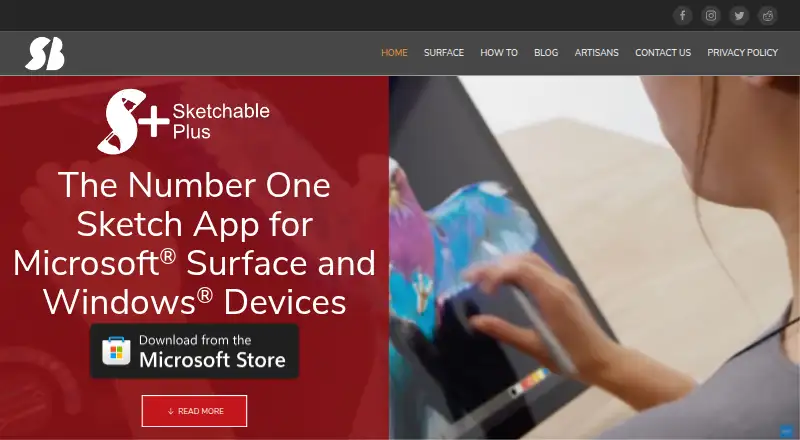
What Sketchable Plus is
Sketchable Plus is a Windows drawing app for digital artists that also supports note writing and image editing. Its single-document editor imports, exports, crops, trims and customizes a canvas. Up to 32 layers are supported, while the native Sketchable Document (.sda) format preserves layers, palette information and canvas textures; those files can only be reopened in Sketchable Plus. PNG, JPG, TIF and BMP files can be imported, and those formats export as flat images. PSD export retains layer information. Users can save and share tools and create up to eight custom presets per tool. DirectX acceleration supports real-time sketching on documents up to 4K. The app describes pressure-sensitive active-stylus input, touch gestures, keyboard shortcuts, stroke stabilization and basic color management. It is distributed through the Microsoft Store as a Windows application. The one-time price is 19.99 USD. The maker says personal information is not collected or stored, apart from anonymous crash-report information.
Who it suits
It suits Windows users who want drawing, notes and basic image editing in one document workspace. Layered work, stylus input and PSD export may help digital artists.
What it does well
- Supports up to 32 layers
- Imports and exports common image formats
- PSD export preserves layer information
- Pressure-sensitive stylus and touch controls
- One-time 19.99 USD purchase
What to know first
- Windows-only platform
- No free plan or trial
- Native .sda files reopen only in Sketchable Plus
- Manual and flip book are listed as coming soon
Plans
| Plan | Billed and limits | Price |
|---|---|---|
| Sketchable Plus | One-time durable purchase · Single document editor · up to 32 layers | $19.99, paid once |
As siliconbenders.com lists them, read 11 Oct 2026. The maker's own page has the final word.
Verdict
Sketchable Plus offers a focused Windows workspace with layers, stylus controls and broad image-format handling. Its platform restriction and proprietary document format should be considered before choosing it for shared workflows.
Facts from Sketchable Plus's own pages
- Custom tools
- Users can save and share tools and create up to eight custom presets per tool. · siliconbenders.com, 11 Oct 2026
- Headquarters
- Gainesville, Florida, United States · siliconbenders.com, 28 Sept 2026
- Image formats
- The app imports PNG, JPG, TIF, and BMP files; it exports PNG, JPG, TIF, and BMP as flat images, and PSD with layer information. · siliconbenders.com, 11 Oct 2026
- Layers
- Sketchable Plus supports up to 32 layers. · siliconbenders.com, 11 Oct 2026
- Maker location
- The maker's January 2023 release announcement identifies Silicon Benders as being in Gainesville, Florida. · siliconbenders.com, 11 Oct 2026
- Manual
- The Sketchable Plus user manual and flip book are listed as coming soon. · siliconbenders.com, 11 Oct 2026
- Native document format
- Sketchable Document (.sda) stores layers, color palette information, and canvas textures, and can only be read back into Sketchable Plus. · siliconbenders.com, 11 Oct 2026
- Performance
- The app uses DirectX acceleration for real-time sketching on documents up to 4K. · siliconbenders.com, 11 Oct 2026
- Platform
- The maker released Sketchable Plus to the Microsoft Store and describes it as a Windows application built with Windows App SDK and WinUI 3. · siliconbenders.com, 11 Oct 2026
- Privacy
- The privacy policy says Sketchable Plus does not collect or store personal information and collects anonymous information only for crash reports. · siliconbenders.com, 11 Oct 2026
- Purpose
- Sketchable Plus is a drawing app for digital artists that can also be used to write notes and import, edit, and share images. · siliconbenders.com, 11 Oct 2026
- Single document editing
- The app is a single document editor for importing, exporting, cropping, trimming, and customizing the canvas. · siliconbenders.com, 11 Oct 2026
- Stylus and touch
- The site describes Active Stylus pressure sensitivity, touch navigation gestures, and keyboard shortcuts. · siliconbenders.com, 11 Oct 2026
- Support
- The maker invites users to contact it with questions about Sketchable Plus, upcoming changes, or release dates. · siliconbenders.com, 11 Oct 2026
Where Sketchable Plus stands on Freedom251
- Sketching Software#18 of 20
- Digital Painting Software#46 of 46