Freedom251 › AI Face Swap Tools
SimSwap
What SimSwap is
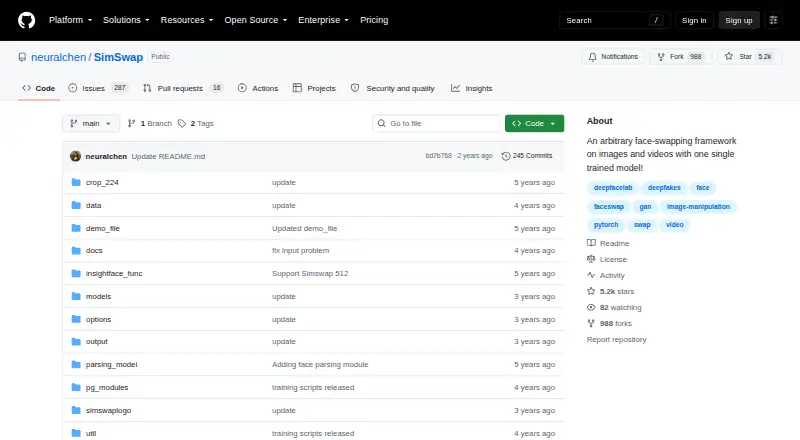
SimSwap is a free, open-source framework for swapping faces in images and videos with one trained model. It supports aligned and arbitrary images, allowing one face or every face in an image to be replaced. Video modes can target the highest-confidence face, all faces, one specified face, or multiple specified faces. The project documents mask-based blending and bounding-box pasting, recommending a mask for visual results. A beta SimSwap 512 model is available when crop size is set to 512. Example commands add a SimSwap logo watermark by default, with an option to remove it. The documented setup uses Python 3.6+, PyTorch, torchvision, OpenCV, Pillow, NumPy, imageio, moviepy, InsightFace, and timm. Recommended systems are Windows and Ubuntu, with a GPU of at least 3 GB; users without one are directed to a Colab implementation. The CC-BY-NC 4.0 licence limits use to academic and non-commercial purposes.
Who it suits
SimSwap suits technical or academic users working with image and video face replacement on Windows or Ubuntu. It is not intended for commercial use.
What it does well
- Free and open source
- Supports images and videos
- Handles multiple specified faces
- Mask and bounding-box blending
- Colab option without a GPU
What to know first
- Commercial use is not permitted
- Recommended GPU needs at least 3 GB
- Logo watermark is enabled by default
- Setup has several listed dependencies
Verdict
SimSwap provides configurable face replacement for images and videos, including multiple-face selections and mask-based blending. Its hardware expectations, dependency list, and non-commercial licence should be checked before use.
Facts from SimSwap's own pages
- Blending options
- It supports mask-based and bounding-box methods for placing the changed face back into the original image, and recommends using a mask. · github.com, 11 Oct 2026
- Dependencies
- The README lists Python 3.6+, PyTorch 1.5+, torchvision, OpenCV, Pillow, NumPy, imageio, moviepy, InsightFace, and timm 0.5.4 as dependencies. · github.com, 10 Oct 2026
- Face selection
- It supports swapping the detected face with the highest confidence, all faces, or specified faces, including multiple specified faces. · github.com, 11 Oct 2026
- Hardware requirement
- The maker expects users to have a GPU with at least 3 GB of memory and points users without one to a Colab notebook implementation. · github.com, 11 Oct 2026
- High resolution
- The usage guide describes an open-sourced 512-pixel beta model trained on VGGFace2-HQ. · github.com, 11 Oct 2026
- Image and video modes
- The usage guide documents face swapping in both images and videos. · github.com, 11 Oct 2026
- Image support
- It supports swapping faces in aligned images and arbitrary images, including replacing one face or all faces in an image. · github.com, 10 Oct 2026
- Installation
- The preparation guide recommends Anaconda and lists PyTorch, torchvision, InsightFace, ONNX Runtime, and MoviePy among the setup dependencies. · github.com, 11 Oct 2026
- Integrations
- The README links to a Colab demo and an image-swapping demo and Docker image on Replicate. · github.com, 10 Oct 2026
- Intended use and license
- The repository says the project is for technical and academic use and is licensed for academic and non-commercial use under CC-BY-NC 4.0. · github.com, 11 Oct 2026
- License and use
- The project states it is for academic and non-commercial use only and is released under CC-BY-NC 4.0. · github.com, 10 Oct 2026
- Masking
- The usage guide recommends using a mask for better visual effects and also describes bounding-box pasting as an alternative. · github.com, 10 Oct 2026
- Operating systems
- The maker says its recommended setup has been tested on Windows and Ubuntu. · github.com, 10 Oct 2026
- Purpose
- SimSwap is a face-swapping framework for images and videos that uses one trained model. · github.com, 11 Oct 2026
- Requirements
- The preparation guide recommends a GPU with at least 3 GB of memory and points users without one to a Colab notebook implementation. · github.com, 10 Oct 2026
- Support
- The maker invites users to ask questions in GitHub issues or contact the listed project email addresses. · github.com, 11 Oct 2026
- Supported operating systems
- The maker says the documented setup has been tested on Windows and Ubuntu. · github.com, 11 Oct 2026
- Use guidance
- The README says the project is for technical and academic use and asks users not to apply it to illegal or unethical scenarios. · github.com, 10 Oct 2026
- Video support
- Video options include swapping the highest-confidence face, all faces, a specified face, or multiple specified faces. · github.com, 10 Oct 2026
- Watermark
- The example commands add the SimSwap logo watermark by default, and the `--no_simswaplogo` option controls its removal. · github.com, 10 Oct 2026
Where SimSwap stands on Freedom251
- AI Face Swap Tools#57 of 57