Freedom251 › VoIP calling apps

Signal
What Signal is
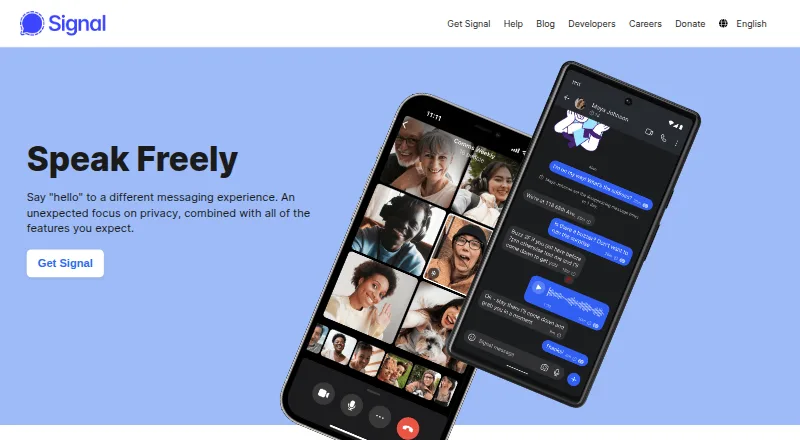
Signal is a private messaging app for text conversations and internet calls, available on Android, iOS, Linux, macOS and Windows. Users can share voice messages, photos, videos, GIFs and files, and make voice or video calls, including group calls. Group chats support admins, permissions and @mentions. Signal says messages and calls are always end-to-end encrypted and inaccessible to Signal, and that it does not sell, rent or monetize personal data or content. Users can connect through a unique username without sharing their number with contacts, though a phone number is still required to register. Desktop use requires first installing Signal on a phone, and an account can link up to five devices. Its free plan includes messaging and calls. Signal describes itself as an independent 501(c)(3) nonprofit funded by grants and donations. Its terms require users to be at least 13, while local minimum ages may be higher. A Support Center covers setup, features, security, troubleshooting and general questions.
Who it suits
It suits people seeking messaging and internet calls across mobile and desktop platforms, with group chat controls and end-to-end encryption. Desktop users need a phone-based account to get started.
What it does well
- Messages and calls are end-to-end encrypted by default.
- Supports voice and video group calls.
- Group chats include admins, permissions and @mentions.
- Users can connect through a unique username.
- Available across mobile and desktop platforms.
What to know first
- Phone number registration is required.
- Desktop app requires prior phone installation.
- Accounts can link up to five devices.
- Minimum age is 13, subject to higher local requirements.
Limits
The free plan includes messaging and calls. Desktop use requires a mobile account, and an account can link up to five devices.
Plans
| Plan | Billed and limits | Price |
|---|---|---|
| Signal | Free messaging and calling · mobile account required for desktop | Free |
As signal.org lists them, read 29 Sept 2026. The maker's own page has the final word.
Getting started
- Open https://signal.org/.
- Install Signal on an Android or iOS phone.
- Register with a phone number and meet the applicable minimum age.
- Use the free plan for messaging and calls.
- Install the desktop app after setting up Signal on a phone, if needed.
- Link up to five devices to the account.
Verdict
Signal covers everyday messaging, file sharing and voice or video calls, with encryption and group controls. Keep the phone-registration and desktop setup requirements in mind.
Questions
Is Signal free?
Yes. Its listed free plan costs nothing and includes messaging and calling. The pricing note also says paid plans start at $1.99/mo.
Which platforms does Signal support?
Signal is available on Android, iOS, Linux, macOS, and Windows.
Can I use Signal without sharing my phone number?
You can connect with a unique username without sharing your number with others. A phone number is still required to register.
Does Signal offer end-to-end encryption?
Signal says messages and calls are end-to-end encrypted by default and cannot be accessed by Signal. Encrypted backups are also listed.
Can I use Signal on desktop?
Yes. You must first install Signal on a phone, and the account can link up to five devices.
Who supports Signal?
Signal says it is an independent 501(c)(3) nonprofit supported by grants and donations.
Facts from Signal's own pages
- Age and registration
- Signal's terms require users to be at least 13 and to register using a phone number, with local minimum age possibly higher. · signal.org, 29 Sept 2026
- Calls
- Signal offers voice and video calls, including group calls. · signal.org, 29 Sept 2026
- Desktop requirement
- Signal must first be installed on a phone to use the desktop app. · signal.org, 29 Sept 2026
- Encryption
- Signal says messages and calls are always end-to-end encrypted and cannot be accessed by Signal. · signal.org, 29 Sept 2026
- Funding
- Signal says it is an independent 501(c)(3) nonprofit supported by grants and donations. · signal.org, 29 Sept 2026
- Groups
- Group chats support admins, permissions, and @mentions. · signal.org, 29 Sept 2026
- Headquarters
- Mountain View, California, United States · signal.org, 23 Sept 2026
- Integrations
- Signal's privacy policy names YouTube, Spotify, and Giphy as third-party services users may interact with in connection with Signal. · signal.org, 29 Sept 2026
- Linked device limit
- An account can have up to five linked devices. · support.signal.org, 29 Sept 2026
- Messaging
- Users can share text, voice messages, photos, videos, GIFs, and files for free. · signal.org, 29 Sept 2026
- Phone number privacy
- Users can connect with a unique username without sharing their phone number, though a phone number is still required to register. · signal.org, 29 Sept 2026
- Platforms
- Signal lists Android, iPhone and iPad, Windows, Mac, and Linux downloads. · signal.org, 29 Sept 2026
- Privacy
- Signal says it does not sell, rent, or monetize personal data or content. · signal.org, 29 Sept 2026
- Product
- Signal is a private messaging app for sending messages and making internet calls. · signal.org, 29 Sept 2026
- Support
- Signal provides a Support Center with Getting Started, Features, Security, Troubleshooting, and General categories. · support.signal.org, 29 Sept 2026
Where Signal stands on Freedom251
- VoIP calling apps#5 of 21
- Secure messaging apps#16 of 36
- Encrypted Messaging Apps#20 of 43
- Instant Messaging Software#15 of 30
- Iphone Apps#10 of 17
- Free Tools#21 of 31