Freedom251 › Digital Product Selling Platforms
SellApp
What SellApp is
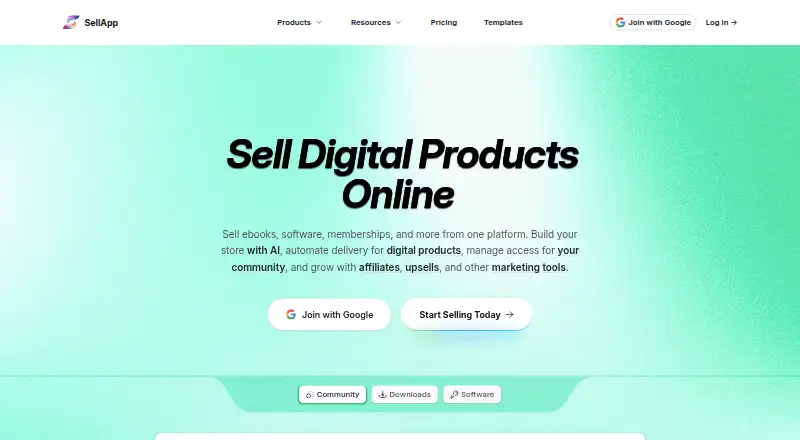
SellApp is a platform for selling digital products such as software, memberships, videos, templates, and paid community access. Its no-code store builder includes templates and premade sections, and it describes AI-assisted creation and personalization of storefronts. Sellers can accept PayPal, Stripe, Square, Paddle, Apple Pay, Google Pay, regional payment methods, and cryptocurrencies. After payment, SellApp can automatically deliver downloads, license keys, memberships, and community access. Sellers can set recurring payments at chosen intervals and offer percentage or value discounts, pay-what-you-want pricing, and bulk discounts. Community integrations can grant configurable roles after purchase and remove access after disputes or subscription loss. Developer tools include an API, webhooks, scoped API key permissions, webhook secrets, and product-linked fulfillment hooks. SellApp says payments go instantly to the seller's linked payment method and that it does not hold funds or perform payouts. The free Standard plan lists unlimited products and resources, a custom domain, and any payment method, with fees calculated per sale. Advanced costs $199.99 a month and lists 0% platform fees.
Who it suits
SellApp may suit sellers of digital products who want a no-code storefront with automated delivery and recurring payments. Its API, webhooks, and community access controls may also fit sellers with product fulfillment or membership workflows.
What it does well
- Automatically delivers downloads, license keys, memberships, or community access.
- Supports recurring payments and several discount types.
- Standard plan includes unlimited products and a custom domain.
- Advanced plan lists 0% platform fees.
What to know first
- Standard plan fees are calculated per sale.
- Advanced costs $199.99 a month.
- SellApp says it does not hold funds or perform payouts.
Limits
The Standard plan calculates fees per sale and bills them at the start of the following month. Advanced costs $199.99/mo and lists 0% platform fees.
Plans
| Plan | Billed and limits | Price |
|---|---|---|
| Standard | Fees calculated per sale and billed at the start of the following month · Unlimited resources & products · custom domain · any payment method · store builder | Free |
| Advanced | $199.99 a month · All features on the Standard plan · 0% platform fees | $199.99 a month |
As sell.app lists them, read 2 Oct 2026. The maker's own page has the final word.
Getting started
- Visit https://sell.app/
- Start with the Standard free plan or choose Advanced at $199.99/mo
- Build a storefront with the no-code store builder
- Connect a listed payment method
- Add digital products and configure delivery or recurring payments
Overview
SellApp is a digital-commerce platform for selling software, memberships, videos, templates, and paid community access. It suits sellers who need automated fulfillment alongside subscriptions or community permissions, but its Standard plan’s per-sale fees should be weighed against Advanced’s $199.99 monthly charge.
Key features
A no-code storefront builder combines templates and premade sections with a connected selling flow; AI-assisted creation can help sellers build and personalize a store without code. Standard includes a store builder and custom domain, so sellers can establish a branded storefront without committing to the paid plan.
Payment options include PayPal, Stripe, Square, Paddle, Apple Pay, Google Pay, regional methods, and cryptocurrencies. SellApp says payments go directly to the seller’s linked payment method rather than being held for later payout. That keeps funds moving through the seller’s chosen payment setup, which sellers must manage.
Following payment, SellApp can deliver downloads, license keys, memberships, and community access automatically. Recurring payments can be charged at an interval the seller chooses. Discounts can be percentage-based or fixed-value, while pay-what-you-want and bulk discounts give sellers additional pricing options.
For community sales, sellers can grant configurable roles after purchase and remove access automatically after a dispute or subscription loss. This can reduce manual membership administration, particularly for recurring communities. Developer tools include an API, webhooks, scoped API-key permissions, webhook secrets, and product-linked fulfillment hooks, giving technical sellers ways to connect store activity to their systems.
The pricing page describes AI-based fraud filters, a proxy checker, and blacklist rules covering customers, IP addresses, or countries. SellApp’s privacy policy says it does not store credit card information except as needed to complete transactions or meet related obligations. Platform and developer documentation and an official Discord community provide support channels.
Pricing
Standard: free. The free plan includes unlimited resources and products, a custom domain, any payment method, and the store builder. Fees are calculated per sale and billed at the start of the following month. It is the practical starting point for sellers who want to launch without a monthly subscription, but the per-sale charge can make costs less predictable as sales grow.
Advanced: $199.99 a month. It includes all Standard features and 0% platform fees. Sellers with sufficient sales may prefer the fixed monthly price to Standard’s per-sale fees; for lower-volume stores, the $199.99 monthly commitment may be harder to justify. The plans differ chiefly on platform fees, so compare the fixed cost with the fees generated by your sales before choosing.
Platforms
SellApp is available on the web and through an API. The API and webhooks are relevant to sellers building integrations or custom fulfillment flows; the web storefront serves buyers and sellers using the store builder.
Who it's for
SellApp is a strong fit for digital sellers whose products need immediate delivery, including software and license keys, and for membership or community businesses that need recurring billing and automated access changes. Sellers seeking a free starting point get unlimited resources and products, but should account for per-sale fees. Sellers with enough volume to favor predictable platform costs can assess Advanced; those who do not need SellApp’s combination of fulfillment and access controls may find a simpler selling model more suitable.
Pros and cons
- Pros: Standard includes unlimited resources and products, a custom domain, and any payment method, allowing a broad store setup without a monthly plan price.
- Pros: Automatic delivery covers downloads, license keys, memberships, and community access, reducing manual fulfillment work across different digital products.
- Pros: Configurable community roles can be removed after disputes or subscription loss, helping keep access aligned with a customer’s status.
- Cons: Standard fees are calculated per sale and billed monthly, so costs can rise with transaction volume.
- Cons: Advanced costs $199.99 per month, a substantial fixed commitment for stores whose sales would not otherwise generate comparable platform fees.
- Cons: Payments go to the seller’s linked payment method rather than through SellApp payouts, leaving payment setup and management with the seller.
Alternatives
For a broader comparison, see Digital Product Selling Platforms.
Bandcamp is a better fit for artists focused on direct-to-fan selling: its free artist account includes a customizable store, fan messaging and automatic notifications, listening parties, and live streaming. Sellix is worth comparing for sellers who want a free plan with no subscription, take-rate, or expiry and support for digital, physical, subscription, and license-key products.
Sellwire may suit a file-focused shop seeking a low monthly entry point: its free plan is limited to one file, while Solo is $9.00 per month for up to 10 files and unlimited file versions and orders. Lemon Squeezy is an alternative with no monthly ecommerce charge and a 5% + $0.50 transaction fee, which may be preferable to a fixed monthly plan for sellers who want no monthly fee.
Payhip offers a free plan with unlimited products and revenue, a possible fit for sellers prioritizing those stated free-plan limits. 3DIMLI is another freemium alternative. Gumroad offers direct sales and marketplace options. InPlayer uses custom pricing that scales from one subscriber to millions, making it an option to consider for subscriber-based businesses seeking a tailored plan.
Verdict
Choose SellApp if you sell digital products and want fulfillment, recurring billing, and community access management in one platform, with a free plan that supports unlimited products and resources. Its central trade-off is clear: Standard charges per sale, while Advanced costs $199.99 per month. Sellers should compare those costs with their expected sales; those who do not need the platform’s broader fulfillment and access controls should consider a more specialized alternative.
Verdict
SellApp combines digital storefronts with automated fulfillment, subscriptions, and community access controls. Review the per-sale fees on Standard and the monthly Advanced price against your selling needs.
Questions
Is SellApp free?
Yes. The Standard plan is free, with fees calculated per sale and billed at the start of the following month.
How much does Advanced cost?
Advanced costs $199.99/mo and lists 0% platform fees.
What can I sell with SellApp?
SellApp supports digital products such as software, memberships, videos, templates, and paid community access.
What platforms does SellApp support?
SellApp is listed for web and API.
Which payment methods can sellers use?
Listed options include PayPal, Stripe, Square, Paddle, Apple Pay, Google Pay, regional methods, and cryptocurrencies.
Who makes SellApp?
The company is Toffee, Inc., a Delaware C-Corp.
Facts from SellApp's own pages
- AI builder
- SellApp describes AI-assisted store creation for building and personalizing storefronts without code. · sell.app, 2 Oct 2026
- Community integrations
- SellApp can add customers to a community and grant configurable roles after purchase, with automatic removal after disputes or subscription loss. · sell.app, 2 Oct 2026
- Company
- The privacy policy identifies the company as Toffee, Inc., a Delaware C-Corp. · sell.app, 2 Oct 2026
- Company history
- SellApp’s About page says it raised an oversubscribed crowdfunding round in early 2021 with more than 450 investors. · sell.app, 2 Oct 2026
- Developer tools
- SellApp provides an API, webhooks, scoped API key permissions, webhook secrets, and product-linked fulfillment hooks. · sell.app, 2 Oct 2026
- Fraud protection
- The pricing page describes AI-based fraud filters, a proxy checker, and blacklist rules for customers, IP addresses, or countries. · sell.app, 2 Oct 2026
- Fulfillment
- After payment, SellApp can automatically deliver downloads, license keys, memberships, and community access. · sell.app, 2 Oct 2026
- Marketing
- The pricing page lists percentage or value discounts, pay-what-you-want pricing, and bulk discounts. · sell.app, 2 Oct 2026
- Payments
- Listed payment options include PayPal, Stripe, Square, Paddle, Apple Pay, Google Pay, regional methods, and cryptocurrencies. · sell.app, 2 Oct 2026
- Payouts
- SellApp says customer payments go instantly to the seller’s linked payment method and that it does not hold funds or perform payouts. · sell.app, 2 Oct 2026
- Privacy
- The privacy policy says SellApp does not store credit card information except as necessary to complete transactions or meet related obligations. · sell.app, 2 Oct 2026
- Product
- SellApp is a platform for selling digital products such as software, memberships, videos, templates, and paid community access. · sell.app, 2 Oct 2026
- Storefront
- Its no-code store builder includes templates, premade sections, and a connected selling flow. · sell.app, 2 Oct 2026
- Subscriptions
- Sellers can charge recurring payments at an interval they choose. · sell.app, 2 Oct 2026
- Support and documentation
- SellApp links to platform documentation, developer documentation, and an official Discord community. · sell.app, 2 Oct 2026
Where SellApp stands on Freedom251
- Digital Product Selling Platforms#10 of 31