Freedom251 › Virtual Try-On Software
See On Me
What See On Me is
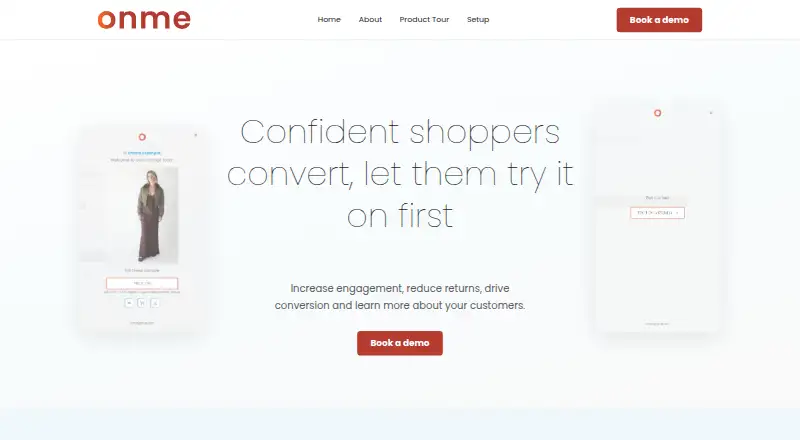
See On Me is a Shopify app for fashion retailers that adds an AI-generated garment try-on to product pages. A shopper uploads a full-body photo and sees an image of the garment on themselves; the try-on flow opens without leaving the store. Retailers can see which products shoppers try and how often, with those insights intended to inform merchandising, sizing, and returns decisions. The See On Me button can be customized in Shopify’s theme editor, with custom CSS available for more advanced changes. Setup involves installing the app, onboarding with the team, and starting a trial. The maker provides onboarding guidance and ongoing technical support with a direct point of contact. It says the Shopify Theme App Extension adds no JavaScript and its CSS loads in approximately 10 ms. The Shopify App Store listing says the app accesses store-owner contact details and product and collection data, and that Google single sign-on is enabled for shopper login and account creation. See On Me is available globally to Shopify brands and was built in Australia. Pricing depends on plan and expected usage; the maker asks retailers to contact them for options.
Who it suits
It suits fashion retailers using Shopify who want shoppers to preview clothing on a photo of themselves. Retailers looking for try-on insights to inform merchandising, sizing, or returns decisions may also find it relevant.
What it does well
- Try-on flow opens without shoppers leaving the store.
- Retailers can see which products shoppers try and how often.
- Button customization is available in Shopify’s theme editor.
- Onboarding and ongoing technical support are provided.
What to know first
- Pricing depends on plan and expected usage.
- Shoppers must upload a full-body photo.
- The listed platform is web-based.
Plans
| Plan | Billed and limits | Price |
|---|---|---|
| See On Me | Pricing depends on plan and expected usage; contact the maker for options | On request |
As onmegroup.com lists them, read 30 Sept 2026. The maker's own page has the final word.
Getting started
- Install the Shopify app.
- Complete onboarding with the team.
- Start a trial.
- Customize the See On Me button in Shopify’s theme editor if needed.
Verdict
See On Me adds a photo-based garment preview and retailer try-on insights to Shopify product pages. Retailers should ask the maker for plan options, since pricing depends on plan and expected usage.
Questions
How much does See On Me cost?
Pricing is on request and depends on the plan and expected usage. Contact the maker for options.
Is there a free plan or trial?
Yes. See On Me has a free plan and a free trial.
Which platforms does it support?
The listed platform is web. The app is for Shopify stores.
What do shoppers do to try on a garment?
They upload a full-body photo and use the See On Me button on a product page to view an AI-generated image of the garment on themselves.
What Shopify data does the app access?
The Shopify App Store listing says it accesses store-owner contact details and product and collection data.
Who founded See On Me?
The About page identifies Dana McDonald as founder.
Facts from See On Me's own pages
- Audience
- The product is built for fashion retailers using Shopify. · onmegroup.com, 30 Sept 2026
- Availability
- See On Me is available for Shopify brands globally and was built in Australia. · onmegroup.com, 30 Sept 2026
- Button customization
- The button can be customized in Shopify’s theme editor, with custom CSS available for more advanced changes. · onmegroup.com, 30 Sept 2026
- Maker
- The About page identifies Dana McDonald as founder and says the team has backgrounds in software engineering, data engineering, and commerce. · onmegroup.com, 30 Sept 2026
- Performance
- The maker says the Shopify Theme App Extension adds no JavaScript and that its CSS loads in approximately 10 ms. · onmegroup.com, 30 Sept 2026
- Product
- See On Me is a Shopify app that lets shoppers upload a full-body photo and see an AI-generated image of a garment on themselves on a product page. · onmegroup.com, 30 Sept 2026
- Retailer insights
- Retailers can see which products shoppers try on and how often, with insights intended to inform merchandising, sizing, and returns decisions. · onmegroup.com, 30 Sept 2026
- Setup
- Setup involves installing the Shopify app, onboarding with the team, and starting a trial. · onmegroup.com, 30 Sept 2026
- Shopify data access
- The Shopify App Store listing says the app accesses store-owner contact details and product and collection data. · apps.shopify.com, 30 Sept 2026
- Shopper login
- The Shopify App Store listing says Google single sign-on is enabled for shopper login and account creation. · apps.shopify.com, 30 Sept 2026
- Storefront flow
- A See On Me button on the product page opens the try-on flow without shoppers leaving the site. · onmegroup.com, 30 Sept 2026
- Support
- The maker provides onboarding guidance and ongoing technical support with a direct point of contact. · onmegroup.com, 30 Sept 2026
Where See On Me stands on Freedom251
- Virtual Try-On Software#7 of 26