Freedom251 › DNS Filtering Services

Securly Filter
What Securly Filter is
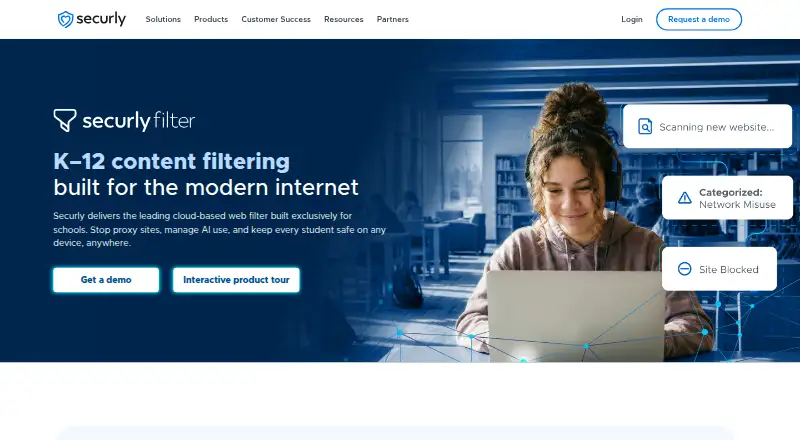
Securly Filter is a paid, cloud-based web filter for K–12 schools that blocks inappropriate content and protects students on and off campus. Administrators can create custom blocklists, safe-search controls, filtering schedules, take-home policies, guest policies, time-based rules, and custom groups without requiring Google or Azure directories. AI controls support topic-level policies for student conversations and prompt-level insights. PageScan examines webpage text, metadata, images, and structure to detect proxy and circumvention sites. YouTube settings can hide thumbnails or block videos by category. Activity feeds and reports can be downloaded, scheduled, and emailed by organizational unit. Extension, SmartPAC, SmartDNS, and GuestDNS provide different deployment methods. SmartPAC filters iPads without agents, proxies, or on-premise appliances and can report by user without student login. Securly Home is included free for families. The product supports ChromeOS, Windows, macOS, iOS, Android, Chrome, Edge, and named DNS methods. Pricing is available on request.
Who it suits
Securly Filter is designed for K–12 schools managing student access across campus, take-home, and unmanaged-device settings. It also suits schools needing family controls and detailed activity reporting.
What it does well
- Custom blocklists and safe-search controls
- AI conversation policies with prompt insights
- Proxy detection examines page structure and images
- SmartPAC filters iPads without agents
- Family controls included free with Filter
What to know first
- Pricing requires contacting Securly
- Off-campus filtering excludes SmartDNS and GuestDNS
- Deployment methods have different feature availability
- SmartDNS and SmartPAC cannot use bypass-capable VPN browsers
Limits
Off-campus filtering is available through Extension and SmartPAC, but not SmartDNS or GuestDNS. Browsers with built-in VPNs can bypass filtering through SmartPAC and SmartDNS.
Plans
| Plan | Billed and limits | Price |
|---|---|---|
| Securly Filter | K–12 schools · demo/contact sales | On request |
As securly.com lists them, read 11 Oct 2026. The maker's own page has the final word.
Getting started
- Open the Securly Filter website
- Contact Securly for a demonstration and pricing
- Choose a deployment method: Extension, SmartPAC, SmartDNS, or GuestDNS
- Connect supported device or management systems such as Google Admin Console, Microsoft Intune, or JAMF
- Configure blocklists, safe search, schedules, groups, and other policies
- Provide families with Securly Home access for included home controls
Verdict
Securly Filter combines school web controls, reporting, AI policy options, and several deployment paths. Schools should match their chosen method to required off-campus, browser, iPad, and BYOD coverage.
Questions
How much does Securly Filter cost?
Securly lists the product as paid, with pricing on request. The Filter plan is for K–12 schools and uses demo or sales contact.
Which platforms does it support?
Listed support includes Android, iOS, macOS, Windows, ChromeOS, Chrome, Edge, SmartDNS, SmartPAC, and GuestDNS.
Is there a family-control option?
Yes. Securly Home is included free with Filter and lets families view activity, pause internet access, adjust filtering rules, and receive safety alerts.
Can it filter iPads without requiring young students to log in?
SmartPAC provides iPad filtering without agents, proxies, or on-premise appliances, with user-level reporting that does not require young students to log in.
What deployment integrations are named?
Securly names Google Admin Console, Microsoft Intune, Filewave, JAMF Pro, JAMF School, Airwatch, and Meraki for deployment or device management.
Facts from Securly Filter's own pages
- AI controls
- It supports custom topic-level policies for student AI interactions and provides prompt-level insights. · securly.com, 11 Oct 2026
- AI filtering
- Administrators can set custom topic-level policies for student AI conversations and view prompt-level insights. · securly.com, 11 Oct 2026
- Audience
- Securly Filter is a cloud-based web filter built for K–12 schools. · securly.com, 11 Oct 2026
- BYOD
- Securly says SmartDNS can apply filtering and visibility to unmanaged BYOD devices without an appliance. · securly.com, 11 Oct 2026
- Compliance
- Securly says it complies with GDPR, COPPA, FERPA, and CSPA, and holds SOC 2 Type 2 certification for its solutions. · securly.com, 11 Oct 2026
- Deployment methods
- Securly documents four filtering methods—Extension, SmartPAC, SmartDNS, and GuestDNS—with different feature availability. · support.securly.com, 11 Oct 2026
- Device and browser limits
- The compatibility guide says Extension supports ChromeOS, Windows, and macOS with Chrome or Edge; SmartPAC and SmartDNS do not support browsers with built-in VPNs that can bypass filtering. · support.securly.com, 11 Oct 2026
- Family controls
- Securly Home lets families view device activity, pause internet access, customize filtering rules, and receive safety alerts; the page says it is included free with Filter. · securly.com, 11 Oct 2026
- Integrations
- Securly's off-campus filtering guide names Google Admin Console, Microsoft Intune, Filewave, JAMF Pro, JAMF School, Airwatch, and Meraki for deployment or device management. · support.securly.com, 11 Oct 2026
- iPad filtering
- SmartPAC provides iPad filtering without agents, proxies, or on-premise appliances, with user-level reporting that does not require young students to log in. · securly.com, 11 Oct 2026
- iPad support
- SmartPAC filters iPads without agents, proxies, or on-premise appliances and can provide user-level reporting without student login. · securly.com, 11 Oct 2026
- Notable limitation
- The support comparison says off-campus filtering is offered by Extension and SmartPAC, but not SmartDNS or GuestDNS. · support.securly.com, 11 Oct 2026
- Off-campus filtering
- Take-home policies control filtering when school devices are off-network. · securly.com, 11 Oct 2026
- Policies
- Filter supports take-home, guest, and time-based policies, custom groups, and policy management without requiring Google or Azure directories. · securly.com, 11 Oct 2026
- Proxy detection
- PageScan analyzes webpage text, metadata, images, and structure to detect and block proxy and circumvention sites. · securly.com, 11 Oct 2026
- Purpose
- Securly Filter is a cloud-based web filter built for K–12 schools to block inappropriate content and protect students on and off campus. · securly.com, 11 Oct 2026
- Reporting
- The product provides activity feeds and reports that can be downloaded, scheduled, and emailed by organizational unit. · securly.com, 11 Oct 2026
- Security
- Securly describes AES-256 encryption for data at rest, TLS for data in transit, access controls, monitoring, vulnerability testing, and an incident response plan. · securly.com, 11 Oct 2026
- Security and compliance
- Securly says it holds SOC 2 Type 2 certification and iKeepSafe certification for FERPA, COPPA, CSPA, and relevant state privacy laws. · securly.com, 11 Oct 2026
- Student data
- Securly says it does not sell, rent, or trade student data, does not use it for targeted advertising, and retains logged data as directed by schools. · securly.com, 11 Oct 2026
- Support
- Securly lists school support at [email protected] and by phone at 1 (855) 732-8759. · securly.com, 11 Oct 2026
- YouTube controls
- Filter offers customizable YouTube controls, including hiding thumbnails and blocking videos by category. · securly.com, 11 Oct 2026
Where Securly Filter stands on Freedom251
- DNS Filtering Services#40 of 60
- Internet Filtering Software#53 of 65