Freedom251 › Business Card Scanning Software

Sansan
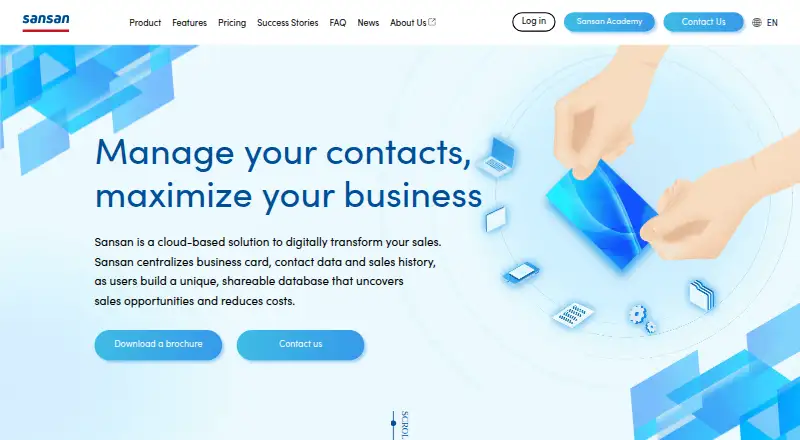
What Sansan is
Sansan is a cloud-based service for bringing business cards, contact details, and sales history together for organization-wide sharing. It digitizes cards using AI recognition followed by human data entry; the maker states an accuracy rate of 99.9%. Users can attach emails, calls, and meeting information to person or company records. Organization trees help show key people and existing connections. Marketing features create targeted email lists and report opens, clicks, and recipient responses. The service lists email, Salesforce, and API integrations, and contact data can connect with SFA, CRM, and marketing automation systems. Its iOS and Android apps let users scan cards by taking a photo. Sansan is available in English, Japanese, and Simplified Chinese, and can digitize cards in 11 languages. Security features include two-factor and SAML authentication, IP and device restrictions, and usage log downloads. Pricing is by quote after assessing company needs, and at least 10 users are required.
Who it suits
Sansan suits organizations that need to centralize business card and contact data, share sales history, and connect contact records with sales or marketing systems. It requires a minimum of 10 users.
What it does well
- Digitizes cards with AI recognition and human data entry
- Tracks email, call, and meeting details on contact records
- Creates organization trees for companies
- Mobile apps scan cards from photos
- Available in English, Japanese, and Simplified Chinese
What to know first
- Requires at least 10 users
- Pricing is provided by quote
- Standard contract term is one year
Limits
The custom plan requires at least 10 users.
Plans
| Plan | Billed and limits | Price |
|---|---|---|
| Custom plan | Custom quote; monthly license fee and options; standard contract term is 1 year · At least 10 users · initial card digitization costs · scanner set has a minimum device count based on office floors and/or locations | On request |
As sansan.com lists them, read 9 Oct 2026. The maker's own page has the final word.
Getting started
- Visit https://www.sansan.com/.
- Request a quote based on your company’s needs.
- Plan for a minimum of 10 users and initial card digitization costs.
- Use the iOS or Android app to scan business cards by photo.
- Use the available training, help site, and Customer Success support after installation.
Verdict
Sansan combines contact digitization, shared contact records, sales activity tracking, and targeted email tools. Its minimum user count and quote-based pricing make it more suited to organizations than smaller teams seeking a single-user service.
Questions
How is Sansan priced?
Pricing is provided by quote after the company’s needs are assessed. The pricing structure includes initial costs, monthly operating costs, monthly license fees, and monthly options.
Is there a minimum team size?
Yes. Sansan requires at least 10 users.
Which platforms are supported?
Sansan is available on web, iOS, Android, and through an API.
Which languages can users work in?
The service can be used in English, Japanese, or Simplified Chinese. It can digitize cards in 11 languages.
What integrations are listed?
Sansan lists email, Salesforce, and API integrations. Contact data can also integrate with SFA, CRM, and marketing automation systems.
Who makes Sansan?
Sansan, Inc. is headquartered in Shibuya-ku, Tokyo, Japan, and was founded on June 11, 2007.
Facts from Sansan's own pages
- Activity tracking
- Users can store emails, calls, and meeting information alongside a person or company’s contact record. · sansan.com, 9 Oct 2026
- Company
- Sansan, Inc. is headquartered in Shibuya, Tokyo, Japan, and was founded on June 11, 2007. · corp-sansan.com, 9 Oct 2026
- Contact digitization
- The service digitizes business cards using AI recognition followed by human data entry, and the maker states 99.9% accuracy. · sansan.com, 9 Oct 2026
- Contact intelligence
- Sansan can generate organization trees for companies to help users see key people and existing connections. · sansan.com, 9 Oct 2026
- Founded
- 2007 · sansan.com, 28 Sept 2026
- Headquarters
- Shibuya-ku, Tokyo, Japan · sansan.com, 28 Sept 2026
- Integrations
- The maker lists email, Salesforce, and API integrations, and says contact data can integrate with SFA, CRM, and marketing automation systems. · sansan.com, 9 Oct 2026
- Languages
- Sansan can be used in English, Japanese, or Simplified Chinese and can digitize cards in 11 languages. · sansan.com, 9 Oct 2026
- Limit
- A minimum of 10 users is required. · sansan.com, 9 Oct 2026
- Marketing
- The service can create targeted email lists from contact information and report email opens, clicks, and recipient responses. · sansan.com, 9 Oct 2026
- Mobile
- The mobile app is available for iOS and Android, and users can scan business cards by taking a photo. · sansan.com, 9 Oct 2026
- Pricing
- Sansan provides a quote after assessing each company’s needs; its pricing page describes initial costs, monthly operating costs, monthly license fees, and monthly options. · sansan.com, 9 Oct 2026
- Product
- Sansan is a cloud-based solution that centralizes business card, contact, and sales history data for organization-wide sharing. · sansan.com, 9 Oct 2026
- Security
- The feature list includes two-factor authentication, SAML authentication, IP address restrictions, device usage restrictions, and usage log downloads; Sansan, Inc. says it is certified under international information security management standards. · sansan.com, 9 Oct 2026
- Support
- Customer Success provides tailored post-installation support, with an online user community, usage website, help site, training, and Sansan Academy materials. · sansan.com, 9 Oct 2026
Where Sansan stands on Freedom251
- Business Card Scanning Software#18 of 22
- Business Card Scanner Software#22 of 24
- Contact Management Software#38 of 39