Freedom251 › AI Reverse Image Search Tools
Reverse Photos
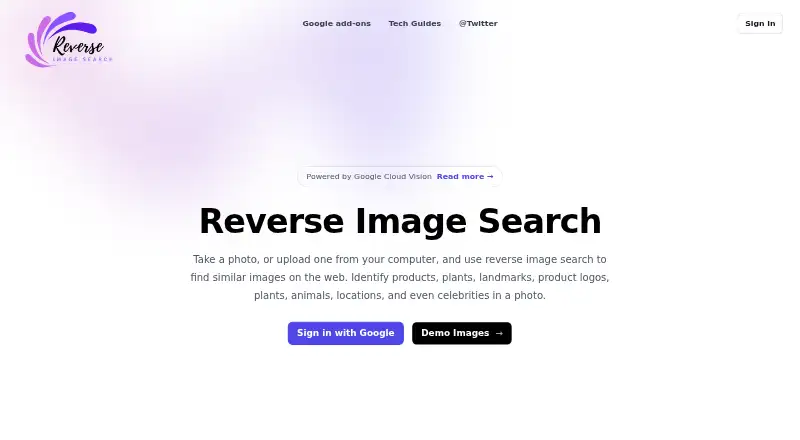
What Reverse Photos is
Reverse Photos is a web app that searches for images visually similar to a photo you provide. It uses Google Cloud Vision to analyze and classify images, with examples including products, plants, landmarks, logos, animals, locations and celebrities. You can upload an image from a desktop, phone gallery, iCloud, Dropbox or Google Drive, or take a new picture with your phone camera. Sample images are available for trying searches, and the maker says their results are cached for improved performance. Signing in with a Google account gives users free search credits, after which the site asks them to choose a subscription plan. The maker says the service charges because Google Cloud Vision is paid. Images are sent to Cloud Vision through Google Cloud and stored there only while a subscription is active; they can be deleted at any time. The maker says uploads are not used for other purposes, sold or shared with third parties. Journalists, fact-checking sites and content creators are among the users identified by the FAQ.
Who it suits
It may suit journalists and fact-checking sites checking image sources, as well as content creators checking whether their images appear on other websites without permission. It is also suited to anyone seeking visually similar images from a photo.
What it does well
- Searches for visually similar images.
- Accepts uploads from desktop, phone gallery and cloud services.
- Can use a new phone photo as input.
- Google sign-up provides free search credits.
- Uploads can be deleted at any time.
What to know first
- A Google account is required to sign in.
- Searches use a paid service, and pricing could not be verified.
- Uploaded images are stored in Google Cloud while a subscription is active.
Limits
Google sign-up provides free image-search credits, while searches otherwise use the paid Google Cloud Vision service. Uploaded images remain stored in Google Cloud only while the subscription is active.
Getting started
- Open Reverse Photos in a web browser
- Sign in with a Google account
- Choose a subscription plan
- Upload an image from a device or supported cloud service
- Take a new photo with your phone camera if preferred
- Start a visual similarity search
Verdict
Reverse Photos offers several ways to submit an image and find visually similar results, with free credits available through Google sign-in. Check the subscription terms before proceeding, as the maker’s pricing could not be verified.
Questions
What does Reverse Photos search for?
It searches the web for images visually similar to a photo you upload or take.
Which image sources can I use?
Images can come from a desktop, phone gallery, iCloud, Dropbox, Google Drive, or a new phone-camera photo.
Does it offer free searches?
Signing up with a Google account provides free credits for image searches.
Why are searches charged?
The service uses Google Cloud Vision, which is a paid service.
Who is it intended for?
The FAQ identifies journalists and fact-checking websites verifying sources, plus content creators checking image use on other sites.
What happens to uploaded images?
Images are sent through Google Cloud to Cloud Vision and stored there while the subscription is active. They can be deleted anytime, and the service says they are not sold or shared with third parties.
Facts from Reverse Photos's own pages
- Features
- The maker’s homepage is titled “Search by Image - Reverse Photos App.” · reverse.photos, 4 Oct 2026
- Free credits
- The FAQ says signing up with a Google account gives you free credits for image searches. · reverse.photos, 9 Oct 2026
- Image processing
- The maker says uploaded images are sent directly to Cloud Vision through Google Cloud. · reverse.photos, 9 Oct 2026
- Image recognition
- The service says it uses Google Cloud Vision to analyze and classify images. · reverse.photos, 9 Oct 2026
- Image sources
- You can upload images from a desktop, phone gallery, iCloud, Dropbox, or Google Drive, or take a new photo with your phone camera. · reverse.photos, 9 Oct 2026
- Image storage
- The page says uploaded images are stored in Google Cloud, can be deleted anytime, and are kept only while the subscription is active. · reverse.photos, 9 Oct 2026
- Intended users
- The FAQ names journalists and fact-checking websites verifying image sources, and content creators checking whether images are used on other websites without permission. · reverse.photos, 9 Oct 2026
- Platforms
- The opened maker page identifies Reverse Photos as an app but does not specify supported platforms. · reverse.photos, 4 Oct 2026
- Pricing
- I could not open a pricing page or verify any plan prices on the maker’s site. · reverse.photos, 4 Oct 2026
- Pricing rationale
- The FAQ says Google Cloud Vision is a paid service and that its usage is why the app charges for searches. · reverse.photos, 9 Oct 2026
- Privacy
- The maker says it does not use uploaded images for other purposes, sell them, or share them with third parties. · reverse.photos, 9 Oct 2026
- Purpose
- Reverse Photos searches the web for images visually similar to a photo you take or upload. · reverse.photos, 9 Oct 2026
- Sample searches
- The page offers sample images for trying reverse search and says their results are cached for improved performance. · reverse.photos, 9 Oct 2026
- Sign-in
- The page says users sign in with a Google account, choose a subscription plan, and then start searching. · reverse.photos, 9 Oct 2026
- Things it can identify
- It lists products, plants, landmarks, product logos, animals, locations, and celebrities as examples it can identify in a photo. · reverse.photos, 9 Oct 2026
- What it does
- The maker describes Reverse Photos as an app for searching by image. · reverse.photos, 4 Oct 2026
Where Reverse Photos stands on Freedom251
- AI Reverse Image Search Tools#31 of 31
- Reverse Image Search Software#21 of 21