Freedom251 › Retrospective Software
Retro Harbour
What Retro Harbour is
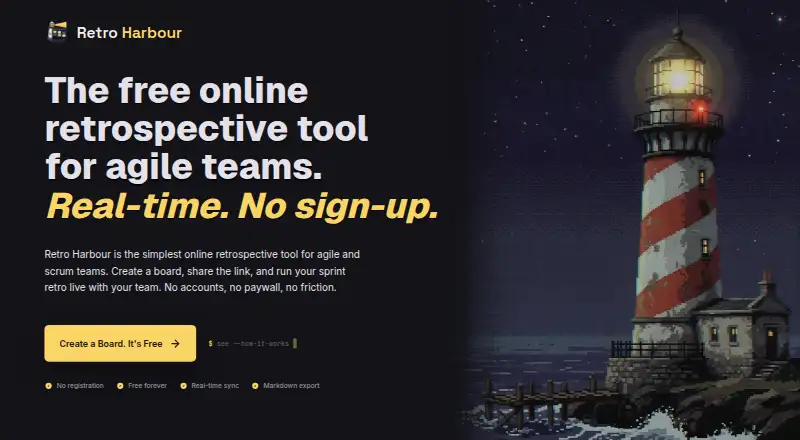
Retro Harbour is a web-based retrospective tool for agile and scrum teams, including remote teams. Participants can write cards privately, reveal and group them, vote, and record action items. Cards, votes, timers, and phase changes sync live through WebSocket. The site lists 10 retrospective templates, and teams can add, remove, or rename columns. Participants join through a shared link without creating accounts. Card text is masked while people write, and votes remain private until the round ends. Boards sit behind an unguessable URL and disappear when users are done. Teams can download a Markdown file containing cards, votes, and actions for use in wikis and issue trackers. The free plan costs nothing, with no limits on boards or participants and no paid tier. The access model has limits: the board URL acts as the access token, with no authentication layer behind it. There is no built-in long-term board history, no SSO or enterprise admin features, and Jira and Confluence integrations are not available yet.
Who it suits
Retro Harbour suits agile and scrum teams, including remote groups, that want to run a retrospective without requiring participant accounts. It may fit teams comfortable using a shared board URL and exporting records themselves.
What it does well
- Free plan has no board or participant limits.
- Participants join without accounts.
- Ten retrospective templates are listed.
- Markdown export includes cards, votes, and actions.
- Votes stay private until the round ends.
What to know first
- Board URL acts as the access token.
- No authentication layer behind boards.
- No built-in long-term board history.
- No SSO or enterprise admin features.
Limits
The Free plan costs nothing and has no limits on boards or participants. Boards disappear when users are done, and the tool has no built-in long-term board history.
Plans
| Plan | Billed and limits | Price |
|---|---|---|
| Free | No limits on boards or participants · no paid tier | Free |
As retroharbour.com lists them, read 7 Oct 2026. The maker's own page has the final word.
Getting started
- Open https://retroharbour.com/ in a web browser.
- Start a board using one of the listed retrospective templates.
- Share the board link so participants can join without accounts.
- Write cards, reveal and group them, vote, and capture action items.
- Download the board as Markdown if you want to keep a record.
Verdict
Retro Harbour provides a focused browser-based workflow for retrospective sessions and Markdown exports. Its link-based access and lack of built-in history may not suit teams needing stronger access controls or retained board records.
Questions
How much does Retro Harbour cost?
Its Free plan costs nothing, with no limits on boards or participants. There is no paid tier.
Does Retro Harbour have a free trial?
No. The facts list no free trial; Retro Harbour has a free plan.
What platforms does Retro Harbour support?
It runs on the web.
Do participants need accounts?
No. Participants join a board through its shared link without creating accounts.
Can teams export retrospective records?
Yes. They can download a Markdown file containing the board's cards, votes, and actions.
Does it integrate with Jira or Confluence?
No. Jira and Confluence integrations are unavailable.
Facts from Retro Harbour's own pages
- Access
- Participants join a board through its shared link without creating accounts. · retroharbour.com, 7 Oct 2026
- Board access and lifetime
- The site says boards are behind an unguessable URL and disappear when users are done. · retroharbour.com, 7 Oct 2026
- Board workflow
- Teams can write cards privately, reveal and group them, vote, and capture action items. · retroharbour.com, 7 Oct 2026
- Enterprise features
- The site says Retro Harbour has no SSO or enterprise admin features. · retroharbour.com, 7 Oct 2026
- Export
- Users can download the board, including cards, votes, and actions, as a Markdown file. · retroharbour.com, 7 Oct 2026
- History limit
- The site says the tool has no built-in long-term board history and recommends Markdown export for keeping records. · retroharbour.com, 7 Oct 2026
- Integrations
- The site describes Markdown export for use in wikis and issue trackers; it says Jira and Confluence integrations are not available yet. · retroharbour.com, 7 Oct 2026
- Live collaboration
- Cards, votes, timers, and phase changes sync live via WebSocket. · retroharbour.com, 7 Oct 2026
- Privacy
- The site says card text is masked during writing and votes remain private until the round ends. · retroharbour.com, 7 Oct 2026
- Purpose
- Retro Harbour is an online retrospective tool for agile and scrum teams. · retroharbour.com, 7 Oct 2026
- Security limits
- The site says the board URL acts as the access token and that there is no authentication layer behind it. · retroharbour.com, 7 Oct 2026
- Templates
- The site lists 10 retrospective templates, and says columns can be added, removed, or renamed. · retroharbour.com, 7 Oct 2026
- Who it is for
- The site describes the product as a browser-based board for software, agile, and scrum teams, including remote teams. · retroharbour.com, 7 Oct 2026
Where Retro Harbour stands on Freedom251
- Retrospective Software#16 of 31