Freedom251 › AI Avatar Video Software
Rendora
What Rendora is
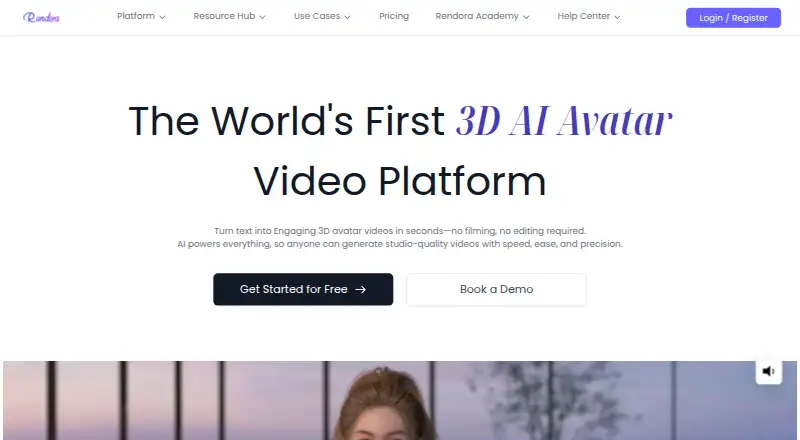
Rendora is a 3D avatar AI video platform that creates videos from scripts or uploaded slides. Projects can start from scratch, a template, an AI-generated script, or a PowerPoint presentation. Editing options cover scripts and slides, avatar and studio customization, gestures, emotions, camera shots, and video effects. Its described AI tools include text-to-speech, script writing, text-to-animation, and automatic camera movement. The homepage advertises more than 3,000 customizable 3D avatars and support for voices and languages in more than 100 languages, while paid tiers list 800 or more avatars. Exports support MKV, MOV, MP4, and WEBM, at resolutions from 540P through 4K. Rendora lists uses including training, marketing, education, sales enablement, customer experience, IT and cybersecurity, business operations, news media, and content creation. API and SDK services can embed avatar video capabilities in business platforms and workflows. The free plan is for trial use; the Starter plan is $16 a month, billed $30/Month. Commercial rights depend on the subscription.
Who it suits
Rendora suits people and organizations creating avatar-led videos for uses such as training, education, marketing, or content creation. Teams seeking to embed avatar video capabilities can consider its API and SDK integration services.
What it does well
- Accepts scripts, templates, and PowerPoint presentations.
- Offers editing for avatars, gestures, and camera shots.
- Exports four listed video formats.
- Supports resolutions up to 4K.
- Provides API and SDK integration services.
What to know first
- Free plan is for trial use only.
- Starter price is $16 a month, billed $30/Month.
- Commercial rights depend on the subscription.
Limits
The free plan provides 300 credits per month, about four minutes at 540P, with a maximum video length of three minutes and up to three exports. Exports are 540P and watermark removal is unavailable; commercial use is for trial only.
Plans
| Plan | Billed and limits | Price |
|---|---|---|
| Freemium | 300 credits (≈4 minutes 540P)/month · max 3-minute videos · up to 3 exports · 50+ avatars · 50+ studios and scenes · 50+ voiceovers · 540P · watermark removal unavailable | Free |
| Starter | $30/Month · 3,000 credits (≈15 minutes 1080P)/month · max 10-minute videos · unlimited exports · 800+ avatars · 500+ studios and scenes · 300+ voiceovers · 1080P · watermark removal | $16 a month |
| Team | 9,000 credits (≈45 minutes 1080P)/month · max 10-minute videos · unlimited exports · 800+ avatars · 500+ studios and scenes · 300+ voiceovers · 1080P · watermark removal | On request |
| Enterprise | Credits by contacting sales · unlimited video length and exports · custom avatars, studios, scenes, and voiceovers · 4K · watermark removal | On request |
As rendora.ai lists them, read 7 Oct 2026. The maker's own page has the final word.
Getting started
- Open the Rendora website
- Choose the free plan or a paid subscription
- Start from scratch, a template, an AI generated script or a PowerPoint presentation
- Edit the script or slides and customize the avatar and studio
- Adjust gestures, emotions, camera shots or effects
- Export the video in a supported format and resolution
Overview
Rendora makes avatar-led videos from scripts and slide decks, with options to shape the presenter, scene, and delivery. It is strongest for creators and organizations that need those controls or want to integrate avatar-video capabilities into a workflow. The free tier is a constrained trial; ongoing commercial work requires a paid plan with rights suited to the use.
Key features
Projects can begin from scratch, a template, an AI-generated script, or a PowerPoint presentation. That mix makes Rendora useful both for original videos and for turning existing material into narrated content. The free plan’s three-minute maximum is a meaningful constraint for longer lessons and explainers.
Editing covers scripts and slides as well as avatars, studios, gestures, emotions, camera shots, and effects. Text-to-speech, script writing, text-to-animation, and automatic camera movement add production options; together, they suit teams seeking more control than a fixed presenter format, though that breadth matters less for simple, short clips.
Rendora advertises more than 3,000 customizable 3D avatars and support for over 100 languages. Its paid tiers specify 800+ avatars, 500+ studios and scenes, and 300+ voiceovers; the free tier provides 50+ of each. Voice cloning and custom avatar creation are supported. The tier-specific library counts are the more useful guide when comparing subscriptions.
API and SDK integration can embed avatar-video capabilities in business platforms and workflows, a stronger fit for organizations than for individuals who only need a standalone editor. Exports include MKV, MOV, MP4, and WEBM, from 540P through 4K; 4K is an Enterprise feature. Rendora says its SOC 2 Type I report covers security and confidentiality controls as of March 31, 2025, and that customers can request it by email.
Pricing
Rendora has a free plan and paid subscriptions from $16/mo. The free plan costs nothing and provides 300 credits (≈4 minutes 540P) per month, videos up to three minutes, up to three exports, 50+ avatars, 50+ studios and scenes, 50+ voiceovers, and 540P output. Watermark removal is unavailable, and the plan is for trial use only, not commercial use. It is enough to explore the workflow, but the monthly credits, export cap, and rights make it unsuitable for regular monetized publishing.
Starter costs $16 a month, billed $30/Month. It includes 3,000 credits (≈15 minutes 1080P) per month, videos up to 10 minutes, unlimited exports, 800+ avatars, 500+ studios and scenes, 300+ voiceovers, 1080P, and watermark removal. Starter permits monetized creator and freelance use. It is the practical step up for an individual or freelancer who needs commercial rights and longer videos, but its monthly generation allowance still puts a ceiling on output.
Team has custom pricing and the same stated monthly allowance of 9,000 credits (≈45 minutes 1080P), a 10-minute video maximum, unlimited exports, 800+ avatars, 500+ studios and scenes, 300+ voiceovers, 1080P, and watermark removal. It suits teams needing a larger generation quota, though its price should be weighed against that allowance.
Enterprise also has custom pricing. Credits are set by contacting sales; the plan includes unlimited video length and exports, custom avatars, studios, scenes, and voiceovers, 4K, and watermark removal. Corporate commercial rights make it the relevant tier for organizations needing those rights and fewer stated length constraints. The free plan is the only tier explicitly described as trial-only; Starter and Team permit monetized creator and freelance use, while Enterprise offers corporate commercial rights.
Platforms
Rendora is available on the web and through an API. SDK integration is also offered for embedding video capabilities into business platforms and workflows.
Who it's for
Rendora names training, marketing, education, sales enablement, customer experience, IT and cybersecurity, business operations, news media, and content creation as use cases. Its slide input and script tools are particularly relevant when teams are converting existing material into video; its API and SDK matter most when video generation needs to sit inside a business workflow. Buyers seeking commercial use should match the plan to their work: Starter or Team for monetized creator and freelance projects, Enterprise for corporate rights.
Pros and cons
- Pros: Multiple starting points, including PowerPoint and AI-generated scripts, accommodate both new production and repurposing.
- Pros: Controls for scenes, gestures, emotions, camera shots, and effects allow direction beyond a basic presenter video.
- Pros: API and SDK integration, broad export-format support, and 1080P paid tiers cover both workflow integration and standard production needs.
- Cons: The free plan is trial-only, limits users to three exports and 540P, and does not allow watermark removal.
- Cons: Starter’s 3,000 credits are about 15 minutes at 1080P per month, so frequent production may require a higher quota.
- Cons: Team and Enterprise use custom pricing, making their cost harder to compare upfront.
Alternatives
For a broader set of avatar-video options, browse AI Avatar Video Software.
HeyGen is worth considering if Android or iOS access matters: it supports mobile as well as web and API, and its free plan allows up to three videos per month, each up to one minute. Duix is another freemium option with Android, iOS, web, and API platforms; its maker describes it as an AI and human-computer interaction research lab with an international team in Singapore.
AiVATAR offers a free plan with 600 credits one-time at sign-up, enough for one minute of video, and is limited to web. Makefun AI may suit users who want daily free credits and mobile, API, or self-hosted access: its free plan provides 30 bonus credits per day, 720P video, a watermark, and low-priority AI processing.
Vimotion is a different option for a single polished starting deliverable: its free Pilot includes one hero video up to 60 seconds, two social cuts, brand-kit onboarding, and 1080p MP4 export. Cuevo AI offers 500 free points daily and 1080p Full HD video on its Starter plan.
JoggAI is an API-focused alternative with a free plan of 200 credits valid for 31 days, one custom avatar, and standard processing. LipSynthesis may suit web users who only need a small free allowance: its free plan provides one minute of video generation without a credit card.
Verdict
Choose Rendora if you need to turn scripts or slides into avatar videos with adjustable scenes and performance, or want to integrate generation through an API or SDK. Starter is the clearest fit for monetized creator and freelance work; teams needing corporate rights, custom assets, or 4K should consider Enterprise. Look elsewhere if you need a generous ongoing free plan, predictable team pricing, or more than the paid tiers’ stated monthly generation quota.
Verdict
Rendora offers several ways to create and edit avatar videos, with a broad set of listed uses and export formats. Review plan limits and commercial rights for the subscription you choose.
Questions
Is Rendora free?
Yes. Its Freemium plan costs nothing and provides 300 credits per month, up to three exports and videos up to three minutes. The plan is for trial use.
What does Starter cost?
Starter is listed at $16 a month, with a separate billing note of $30/Month. It includes 3,000 credits per month, unlimited exports and 1080P output.
Which platforms does it support?
Rendora lists web and API platforms. It also says API and SDK services can embed avatar video capabilities in business platforms and workflows.
What formats and resolutions can I export?
Exports support MKV, MOV, MP4 and WEBM, with resolutions from 540P through 4K.
Can I use Rendora videos commercially?
Commercial rights depend on the subscription. Free is for trial use, Starter or Team permits monetized creator and freelance use, and Enterprise offers corporate commercial rights.
Can I create a custom avatar?
Yes. Custom avatar creation is listed, and Enterprise includes custom avatars, studios, scenes and voiceovers.
Facts from Rendora's own pages
- AI capabilities
- The product pages describe text-to-speech, script writing, text-to-animation, and automatic camera movement generation. · rendora.ai, 7 Oct 2026
- API and SDK
- The FAQ says Rendora provides API and SDK integration services for embedding avatar video capabilities into business platforms and workflows. · rendora.ai, 7 Oct 2026
- Avatar library
- The homepage advertises more than 3,000 customizable 3D avatars, while the paid pricing tiers list access to 800 or more avatars. · rendora.ai, 7 Oct 2026
- Commercial use
- Commercial rights depend on the subscription: the free plan is for trial only, while Starter or Team permits monetized creator and freelance uses and Enterprise offers corporate commercial rights. · rendora.ai, 7 Oct 2026
- Company
- The website identifies the company as Rendora LLC and lists its address as 1209 Orange Street, Wilmington, Delaware. · rendora.ai, 7 Oct 2026
- Creation inputs
- Users can start from scratch, use a template, generate an AI script, or provide a PowerPoint presentation. · rendora.ai, 7 Oct 2026
- Editing
- Rendora says users can edit scripts and slides, customize avatars and studios, and adjust gestures, emotions, camera shots, and video effects. · rendora.ai, 7 Oct 2026
- Export formats
- The help center says video exports support MKV, MOV, MP4, and WEBM formats, with resolutions from 540P through 4K. · rendora.ai, 7 Oct 2026
- Headquarters
- Wilmington, Delaware, United States · rendora.ai, 28 Sept 2026
- Languages
- The homepage advertises avatar voices and language support in more than 100 languages. · rendora.ai, 7 Oct 2026
- Product
- Rendora describes itself as a 3D avatar AI video generation platform that creates studio-quality videos from scripts or uploaded slides. · rendora.ai, 7 Oct 2026
- Security compliance
- Rendora says it obtained a SOC 2 Type I report covering security and confidentiality controls as of March 31, 2025; customers must request the report by email. · rendora.ai, 7 Oct 2026
- Support
- The company lists [email protected] for support, and enterprise customers can contact sales through its contact form. · rendora.ai, 7 Oct 2026
- Use cases
- Rendora lists training, marketing, education, sales enablement, customer experience, IT and cybersecurity, business operations, news media, and content creation as use cases. · rendora.ai, 7 Oct 2026
Where Rendora stands on Freedom251
- AI Avatar Video Software#18 of 27