Remark Office OMR
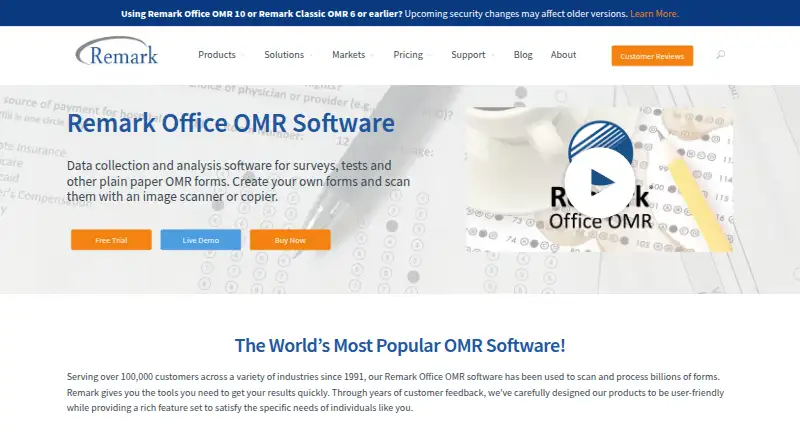
What Remark Office OMR is
Remark Office OMR is Windows software for collecting and analyzing data from plain-paper forms used for surveys, tests, evaluations, and other purposes. Forms can be made in a word processor or form design tool and printed on ordinary paper without special marks or writing instruments. The software recognizes optical marks, barcodes, and computer-generated text; handwriting processing requires a separately obtained Microsoft Computer Vision account. Users can scan forms with a TWAIN-compatible scanner or import TIFF, JPG, or PDF images. Remark Quick Stats provides reports for surveys and tests, and the software exports data to more than 35 formats, including Excel, CSV, SQL Server, and Google Drive. The maker says data stays on the customer's systems and within its security perimeter. A license costs 1295.00 USD once per Windows PC and includes one year of maintenance.
Who it suits
It suits schools, universities, healthcare institutions, nonprofits, government agencies, and businesses that process paper forms. It is for Windows users who need to scan or import forms and analyze their results.
What it does well
- Processes forms printed on ordinary paper.
- Recognizes optical marks, barcodes, and computer-generated text.
- Imports TIFF, JPG, and PDF images.
- Exports to more than 35 formats.
- License includes one year of software maintenance.
What to know first
- Runs on Windows 10 or Windows 11 only.
- Handwriting processing requires a separate Microsoft account.
- Virtual-machine use requires online activation each run.
- Technical support requires active software maintenance.
Limits
The $1,295.00 USD license covers one Windows PC and includes one year of maintenance. Handwriting processing needs a separately obtained Microsoft Computer Vision account, and virtual-machine use requires online activation each time the software runs.
Plans
| Plan | Billed and limits | Price |
|---|---|---|
| Remark Office OMR | Each license includes one year of software maintenance; optional online training. · Licensed per Windows PC · Up to five licenses purchasable online | $1,295, paid once |
As remarksoftware.com lists them, read 8 Oct 2026. The maker's own page has the final word.
Getting started
- Open the Remark Office OMR product website
- Request the free working trial or purchase a Windows PC license
- Install it on 32-bit or 64-bit Windows 10 or 11
- Create forms in a word processor or form-design tool and print them
- Scan forms with a TWAIN-compatible scanner or import TIFF, JPG, or PDF files
- Use Remark Quick Stats for reports and export the results
Verdict
Remark Office OMR combines paper-form recognition, reporting, and broad data export on Windows. Consider the separate handwriting requirement and ongoing maintenance condition for support before choosing it.
Questions
How much does Remark Office OMR cost?
The listed license costs $1,295.00 USD once per Windows PC. One year of software maintenance is included.
Is there a free trial?
Yes. The maker offers a free working trial and requests contact details and privacy-policy consent.
Which operating systems are supported?
It supports 32-bit and 64-bit Windows 10 and Windows 11.
What file types can it import?
Scanned forms can be imported as TIFF, JPG, or PDF images, or captured with a TWAIN-compatible scanner.
Can it recognize handwriting?
Handwriting processing is available through a separately obtained Microsoft Computer Vision account.
What exports are available?
The software exports to more than 35 formats, including Excel, CSV, SQL Server, and Google Drive.
Facts from Remark Office OMR's own pages
- Analysis and exports
- Remark Quick Stats provides reports for surveys and tests, and the software exports data to more than 35 formats, including Excel, CSV, SQL Server, and Google Drive. · remarksoftware.com, 8 Oct 2026
- Data security
- The maker says data stays on the customer’s systems and within its security perimeter, and that it does not see or touch the data. · remarksoftware.com, 8 Oct 2026
- Form creation
- Users can create forms in a word processor or form design tool and print them on ordinary paper without special marks or writing instruments. · remarksoftware.com, 8 Oct 2026
- Founded
- 1991 · remarksoftware.com, 28 Sept 2026
- Headquarters
- Malvern, Pennsylvania, USA · remarksoftware.com, 28 Sept 2026
- Legacy versions
- The maker says server changes may affect Remark Office OMR version 10 and earlier because they use older communication protocols. · remarksoftware.com, 8 Oct 2026
- Maintenance
- A purchase includes one year of software maintenance, which provides free upgrades and access to technical support during that year; maintenance can be renewed annually. · buy.remarksoftware.com, 8 Oct 2026
- Purpose
- Remark Office OMR collects and analyzes data from plain-paper OMR forms used for surveys, tests, evaluations, and other purposes. · remarksoftware.com, 8 Oct 2026
- Recognition
- The software recognizes optical marks, barcodes, and computer-generated text, and can process handwriting through a separately obtained Microsoft Computer Vision account. · remarksoftware.com, 8 Oct 2026
- Scanning
- Forms can be scanned with a TWAIN-compatible scanner or imported as image files such as TIFF, JPG, or PDF. · remarksoftware.com, 8 Oct 2026
- Support
- Technical support requires active software maintenance and is available weekdays from 9 a.m. to 6 p.m. Eastern time, except company holidays. · remarksoftware.com, 8 Oct 2026
- Trial
- The maker offers a free working trial and asks applicants to provide contact details and consent to its privacy policy; the page does not state a trial duration. · remarksoftware.com, 8 Oct 2026
- Virtual machines
- Online activation is required every time the software runs in a virtual machine. · remarksoftware.com, 8 Oct 2026
- Who it is for
- The maker describes use by schools, universities, healthcare institutions, nonprofits, government agencies, and businesses for processing paper forms. · remarksoftware.com, 8 Oct 2026
- Windows requirements
- The product supports 32-bit and 64-bit Windows 10 or Windows 11 and requires a 2 GHz or faster PC, 2 GB RAM, and 1 GB of free disk space. · remarksoftware.com, 8 Oct 2026
Where Remark Office OMR stands on Freedom251
- OMR Software#10 of 17
- Course Evaluation Software#17 of 21