Freedom251 › Data recovery software
RecuperaBit
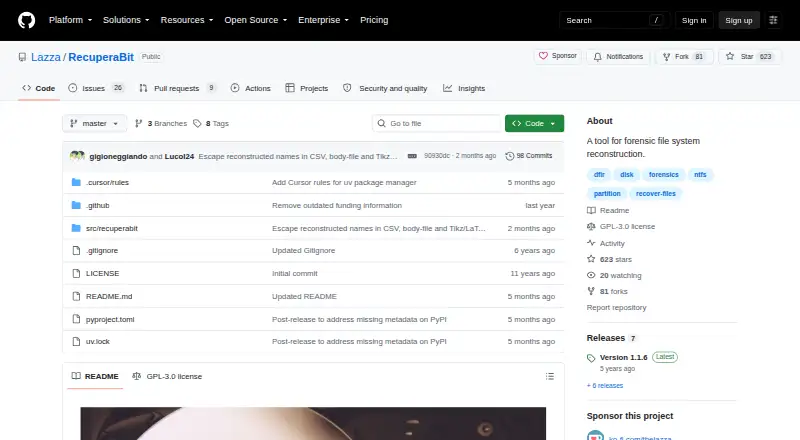
What RecuperaBit is
RecuperaBit is a free, open-source forensic tool for reconstructing NTFS file-system structures and recovering files. It works with disk images, partitions, and real devices, and accepts a bitstream image as its main input. The command line determines partition starting sectors automatically. It targets difficult cases such as missing partition tables, uncertain partition boundaries, partly overwritten metadata, and quickly formatted file systems. Files can be restored individually or recursively, while partition contents can be exported in CSV or body file formats. An optional save file preserves scan results for later analysis; the -w option overwrites that file. RecuperaBit runs on Linux and is described as operating-system independent, using standard cPython; PyPy may improve speed. Installation is available through pip or uv. It does not modify disk images, but repeated reads may stress damaged physical drives. Compressed NTFS files are unsupported.
Who it suits
It suits forensic practitioners and users recovering NTFS data from images or partitions. It is intended for file-system reconstruction rather than general file browsing.
What it does well
- Free and open source
- Reconstructs difficult NTFS directory structures
- Restores files individually or recursively
- Exports partition contents as CSV or body files
- Save files speed later analysis
What to know first
- Supports NTFS only
- Compressed NTFS files are unsupported
- Damaged drives may worsen with repeated reads
- Linux platform listing may limit desktop use
Verdict
RecuperaBit focuses on forensic NTFS reconstruction, with flexible recovery inputs, exports, and reusable scan results. Its NTFS-only scope and warning about damaged physical drives are important constraints.
Facts from RecuperaBit's own pages
- Disk handling
- The project says it does not modify the disk image, but reads some parts multiple times; using it on a damaged physical drive may worsen the situation or cause an I/O error. · github.com, 5 Oct 2026
- Disk images
- The command line takes a bitstream image of a disk or partition and automatically determines partition start sectors. · github.com, 5 Oct 2026
- Exports
- The command line can export partition contents in CSV or body file format. · github.com, 12 Oct 2026
- File restoration
- Files can be restored individually or recursively from a directory. · github.com, 12 Oct 2026
- Filesystem support
- The project currently supports only NTFS. · github.com, 12 Oct 2026
- Image handling
- The tool does not modify the disk image, but reads some parts multiple times during execution. · github.com, 12 Oct 2026
- Input
- The main argument is a bitstream image of a disk or partition, and RecuperaBit automatically determines partition starting sectors. · github.com, 12 Oct 2026
- Installation
- The README gives installation commands for pip and uv. · github.com, 12 Oct 2026
- Intended use
- The repository describes RecuperaBit as a tool for forensic file system reconstruction. · github.com, 5 Oct 2026
- Known limitation
- RecuperaBit currently does not work with compressed files on an NTFS filesystem. · github.com, 5 Oct 2026
- License
- The software is released under the GNU GPLv3. · github.com, 12 Oct 2026
- Notable limitation
- It currently does not work with compressed files on NTFS. · github.com, 12 Oct 2026
- Operating systems
- OS Independent · github.com, 19 Sept 2026
- Purpose
- RecuperaBit attempts to reconstruct file system structures and recover files. · github.com, 12 Oct 2026
- Recovery and export
- Files can be restored individually or recursively, and partition contents can be exported in CSV or body file format. · github.com, 5 Oct 2026
- Recovery scenarios
- It attempts directory reconstruction despite a missing partition table, unknown partition boundaries, partially overwritten metadata, or a quick format. · github.com, 12 Oct 2026
- Runtime
- The README says it runs with standard cPython and may run faster with PyPy and its JIT compiler. · github.com, 12 Oct 2026
- Save file
- Scan results can be saved and reused to analyze interesting sectors and speed up loading on a later run. · github.com, 12 Oct 2026
- Scan save file
- An optional save file stores scan results and can speed later analysis; the `-w` option forces it to be overwritten. · github.com, 5 Oct 2026
- Recovery sources
- disk images,partitions,real devices · github.com, 19 Sept 2026
- Use on damaged devices
- The README advises against using it directly on damaged drives because stressing the drive may worsen its condition or cause an I/O error. · github.com, 12 Oct 2026
Where RecuperaBit stands on Freedom251
- Data recovery software#76 of 128