Freedom251 › File Repair Software
Recovery Toolbox for ZIP
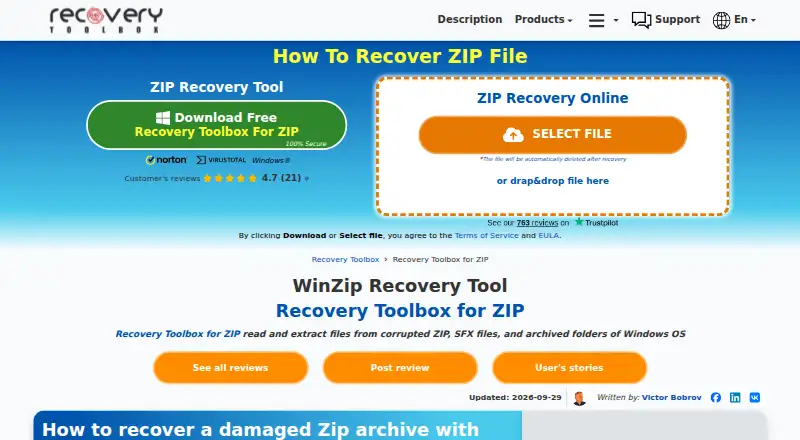
What Recovery Toolbox for ZIP is
Recovery Toolbox for ZIP is software for analyzing damaged ZIP and WinZip archives and extracting files and folders that remain recoverable. It supports ZIP and SFX archives, including all versions of ZIP and WinZip, and lists CRC error repair, selective file and folder saving, and recovery from encrypted or password-protected archives. The product page says it can work with archives larger than 4 GB and archives accessed over a LAN. A demo can analyze an archive and show recoverable items before purchase, but saving those items to disk requires the full version. A built-in viewer can display the contents and folder structure of damaged archives for free without a stated use limit. Recovered items are saved as separate files, leaving the original archive unchanged. The software is available for Windows, and a browser-based recovery option is also offered. The Personal License costs $25, paid once for noncommercial use; the Business License is $39, paid once, and the Site License is $49, paid once. Online recovery costs $51, paid once per 1 GB of original file size.
Who it suits
It suits individuals and organizations that need to inspect or recover files from damaged ZIP archives. The browser option may suit users who prefer to submit an archive online.
What it does well
- Supports ZIP and SFX archive recovery.
- Can preview recoverable files before purchase.
- Built-in viewer has no stated use limit.
- Does not modify the original archive.
- Works with archives over 4 GB and via LAN.
What to know first
- Saving recovered data requires the full version.
- No free plan is listed.
- Online recovery costs $51, paid once per 1 GB.
Limits
The free viewer only displays damaged archive contents, and the demo cannot save recovered data to disk. The Personal License is for noncommercial use; online recovery is billed per 1 GB of original file size.
Plans
| Plan | Billed and limits | Price |
|---|---|---|
| Personal License | Personal use for noncommercial purposes | $25, paid once |
| Business License | Business license | $39, paid once |
| Site License | Site license | $49, paid once |
| Online recovery | Charged per 1 GB of original file size | $51, paid once |
As zip.recoverytoolbox.com lists them, read 11 Oct 2026. The maker's own page has the final word.
Getting started
- Open the Recovery Toolbox for ZIP website
- Choose the Windows software or browser-based recovery option
- Use the viewer or demo to analyze a damaged archive
- Review the recoverable files and folders
- Purchase the appropriate license to save recovered data
Verdict
Recovery Toolbox for ZIP offers archive analysis, a free viewer, and recovery options for ZIP and SFX files. Check the license terms and online recovery charge before choosing how to use it.
Questions
Does Recovery Toolbox for ZIP have a free plan?
No. It offers a free viewer and a demonstration, but saving recovered data requires the full version.
What does the Personal License cost?
The Personal License costs $25, paid once and is for noncommercial use.
Which platforms are supported?
The product is available for Windows and through a browser-based web option.
Can it recover encrypted ZIP archives?
Yes. Listed recovery capabilities include encrypted and password-protected ZIP archives.
What happens to files uploaded for online recovery?
The vendor says uploads are not shared with third parties and are automatically deleted in 30 days.
Facts from Recovery Toolbox for ZIP's own pages
- Company history
- Recovery Toolbox says it was founded in 2002 by Victor Bobrov. · recoverytoolbox.com, 11 Oct 2026
- Data handling
- The vendor says files uploaded to its online service are not shared with third parties and are automatically deleted in 30 days. · online.recoverytoolbox.com, 11 Oct 2026
- Free viewer
- The built-in ZIP viewer can display the contents and folder structure of damaged archives for free an unlimited number of times. · zip.recoverytoolbox.com, 11 Oct 2026
- Intended users
- The vendor describes its products as serving IT companies, enterprises, and individuals, and says its tools can be used without IT experience. · recoverytoolbox.com, 11 Oct 2026
- Large archives
- The product page says it works with ZIP archives larger than 4 GB and archives via LAN. · zip.recoverytoolbox.com, 11 Oct 2026
- Online option
- The site also offers browser-based ZIP recovery, with a notice that the uploaded file is automatically deleted after recovery. · zip.recoverytoolbox.com, 11 Oct 2026
- Preview
- The demo lets users analyze an archive and review recoverable files before purchase; saving recovered data to disk requires the full version. · zip.recoverytoolbox.com, 11 Oct 2026
- Purpose
- The software scans corrupted ZIP and WinZip archives and attempts to extract recoverable files and folders. · zip.recoverytoolbox.com, 11 Oct 2026
- Recovery features
- Listed capabilities include repairing CRC errors, selectively saving files and folders, and recovering data from encrypted and password-protected ZIP archives. · zip.recoverytoolbox.com, 11 Oct 2026
- Recovery method
- The tool extracts recovered items into separate files and does not modify the original ZIP archive. · zip.recoverytoolbox.com, 11 Oct 2026
- Support
- Technical support is available by email or through a contact form. · recoverytoolbox.com, 11 Oct 2026
- Supported formats
- It supports ZIP and SFX archives, including all versions of ZIP/WinZip archives. · zip.recoverytoolbox.com, 11 Oct 2026
- Supported Windows
- The listed requirements include Windows 98/Me/2000/XP/Vista/7/8/10/11 and Windows Server 2003/2008/2012/2016 and above. · zip.recoverytoolbox.com, 11 Oct 2026
Where Recovery Toolbox for ZIP stands on Freedom251
- File Repair Software#18 of 34
- File repair tools#19 of 33