Freedom251 › Window Management Software
RBTray
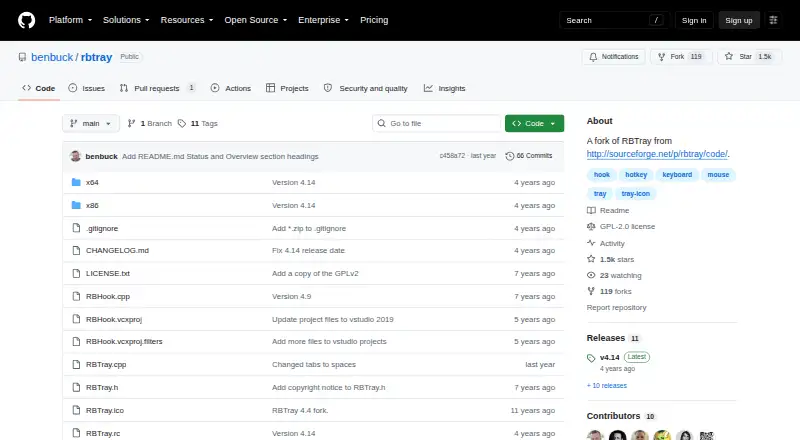
What RBTray is
RBTray is a free, open-source Windows utility that sends minimized windows to the system tray. You can minimize a window by right-clicking its minimize button, Shift-right-clicking its title bar, or pressing Control-Alt-Down. Restore a window with a single click on its tray icon or by choosing Restore Window from the icon’s right-click menu. Some windows do not minimize properly, including Windows Store application windows such as WhatsApp. The --no-hook option avoids the mouse event hook and leaves Control-Alt-Down as the only minimization method; RBHook.dll is not needed in that mode. The project provides 32-bit and 64-bit binaries. To start RBTray after a reboot, its instructions say to add a shortcut to the Windows Start menu Startup group. You can exit through a tray icon’s popup menu or by running RBTray.exe with the --exit parameter. Benbuck Nason maintains this fork of the SourceForge project. RBTray is in maintenance mode: no new features are planned, though bugs may be fixed if reported.
Who it suits
RBTray suits Windows users who want minimized windows accessible from the system tray. It may be less suitable if the windows you need to minimize include unsupported app windows.
What it does well
- Offers three ways to minimize windows to the tray.
- Tray icons can restore windows with one click.
- Includes 32-bit and 64-bit binaries.
- Free and open source under the GNU General Public Licence.
What to know first
- Some windows do not minimize properly.
- The project is in maintenance mode.
- No new features are planned.
Plans
| Plan | Billed and limits | Price |
|---|---|---|
| RBTray | Windows utility · 32-bit and 64-bit binaries | Free |
As github.com lists them, read 5 Oct 2026. The maker's own page has the final word.
Verdict
RBTray provides several tray-minimization methods in a small Windows utility. Check whether your required windows work with it, and note that the project plans no new features.
Facts from RBTray's own pages
- Compatibility limit
- Some windows cannot be minimized properly, including Windows Store application windows such as WhatsApp. · github.com, 5 Oct 2026
- Downloads
- The project provides 32-bit and 64-bit binaries for download. · github.com, 5 Oct 2026
- Exit
- RBTray can be exited from a tray icon’s popup menu or by running RBTray.exe with the --exit parameter. · github.com, 5 Oct 2026
- Hook dependency
- RBHook.dll is only needed to support the mouse event hook and is not needed when using --no-hook. · github.com, 5 Oct 2026
- License and price
- RBTray is free and open source under the GNU General Public Licence. · github.com, 5 Oct 2026
- Maintenance
- The project is in maintenance mode: no new features are planned, though bugs may be fixed if reported. · github.com, 5 Oct 2026
- Maker and origin
- Benbuck Nason maintains this fork of RBTray, which originated from the SourceForge RBTray project. · github.com, 5 Oct 2026
- Minimize options
- Windows can be minimized to the tray by right-clicking the minimize button, Shift-right-clicking the title bar, or pressing Control-Alt-Down. · github.com, 5 Oct 2026
- Mouse hook option
- The --no-hook option avoids the mouse event hook and leaves Control-Alt-Down as the only minimize method. · github.com, 5 Oct 2026
- Purpose
- RBTray is a small background Windows program that minimizes windows to the system tray. · github.com, 5 Oct 2026
- Restore windows
- A window can be restored by single-clicking its tray icon or selecting Restore Window from the icon’s right-click menu. · github.com, 5 Oct 2026
- Security
- GitHub reports that the project has no SECURITY.md policy and no published security advisories. · github.com, 5 Oct 2026
- Startup
- To start RBTray automatically after reboot, the instructions say to add a shortcut to the Windows Start menu Startup group. · github.com, 5 Oct 2026
Where RBTray stands on Freedom251
- Window Management Software#28 of 65