Freedom251 › AI Quiz Generators
Quizblend
What Quizblend is
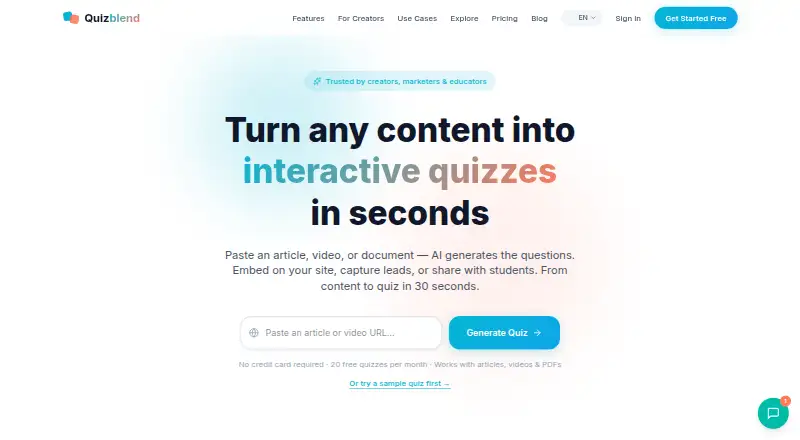
Quizblend is a web-based tool that turns articles, YouTube videos, PDFs, URLs, or text into interactive quizzes. It lists multiple-choice, true/false, and fill-in-the-blank questions, plus answer explanations, and says generation can take about 30 seconds. Quizzes can be shared by link or embedded on a website, while students can take shared quizzes without creating accounts. Quizblend tracks scores and completion rates and supports data export. The Free plan costs nothing and allows 20 quizzes and 20 AI credits per month, with basic analytics, shareable links, and Quizblend branding. Pro is $9.50 a month, billed as 50% off the first month then $19/mo, and adds advanced analytics, email capture, an embed widget, no branding, and CSV/PDF exports. Business costs $49 a month and adds unlimited quizzes and AI credits, a conversational quiz agent, scheduled generation, white-labeling, collaboration, API access, and priority support. Pro and Business integrate with most major email providers, though they are not named. Quizblend warns that AI questions may contain mistakes. PDF diagrams and images do not generate questions, and documents over 100 pages should be split into sections.
Who it suits
Quizblend suits content creators, marketers, teachers, educators, and corporate trainers who need quizzes from existing material. It is useful when link sharing, embeds, analytics, or exports are needed.
What it does well
- Generates quizzes from multiple source types
- Supports three listed question formats
- Students need no account for shared quizzes
- Tracks scores and completion rates
- Offers share links and website embeds
What to know first
- No free trial is listed
- AI-generated questions may contain mistakes
- PDF images and diagrams are excluded
- Free plan includes Quizblend branding
Limits
The Free plan allows 20 quizzes and 20 AI credits per month and includes Quizblend branding. PDF images and diagrams are not used for questions, and PDFs over 100 pages should be divided into sections.
Plans
| Plan | Billed and limits | Price |
|---|---|---|
| Free | forever · 20 quizzes/month · 20 AI credits/month · all sources · basic analytics · shareable links · Quizblend branding | Free |
| Business | monthly · Unlimited quizzes and AI credits · conversational quiz agent · scheduled auto-generation · white-label · team collaboration · API access · priority support | $49 a month |
| Pro | 50% off your first month — then $19/mo · 50 quizzes/month · advanced analytics and email capture · embed widget · no Quizblend branding · CSV/PDF exports | $9.50 a month |
As quizblend.com lists them, read 10 Oct 2026. The maker's own page has the final word.
Getting started
- Open the Quizblend website
- Choose the Free, Pro, or Business plan
- Provide an article, YouTube video, PDF, URL, or text
- Generate the quiz and review its questions
- Share it by link or embed it on a website
Verdict
Quizblend converts supplied content into shareable quizzes with analytics and several paid-plan options. Review generated questions, especially for PDFs where images and diagrams are not used.
Questions
Does Quizblend have a free plan?
Yes. The Free plan costs nothing and is billed forever.
How much do paid plans cost?
Pro costs $9.50 a month for the first month at 50% off, then $19/mo. Business costs $49 a month, billed monthly.
Which platforms does Quizblend support?
Quizblend is available on the web.
Can students take quizzes without accounts?
Yes. Students can take shared quizzes without creating an account.
Does Quizblend integrate with email services?
Pro and Business integrate with most major email providers.
What sources can create a quiz?
Quizblend accepts articles, YouTube videos, PDFs, URLs, and text.
Facts from Quizblend's own pages
- AI review
- The maker says AI-generated questions can contain mistakes and recommends reviewing them before publishing. · quizblend.com, 10 Oct 2026
- Analytics
- Quizblend says it tracks quiz scores and completion rates and offers data export. · quizblend.com, 10 Oct 2026
- Audience
- The maker describes the product as intended for content creators, marketers, teachers and educators, and corporate trainers. · quizblend.com, 10 Oct 2026
- Email integrations
- A Quizblend guide says Pro and Business plans integrate with most major email providers, without naming them. · quizblend.com, 10 Oct 2026
- Generation
- Quizblend says it can generate a quiz from content in about 30 seconds. · quizblend.com, 10 Oct 2026
- Large PDFs
- For PDFs over 100 pages, Quizblend recommends splitting the document into sections. · quizblend.com, 10 Oct 2026
- PDF limitation
- Quizblend says PDF diagrams and images do not generate questions; surrounding text is used. · quizblend.com, 10 Oct 2026
- Product
- Quizblend generates interactive quizzes from articles, YouTube videos, PDFs, URLs, or text. · quizblend.com, 10 Oct 2026
- Question types
- The homepage lists multiple-choice, true/false, and fill-in-blank questions. · quizblend.com, 10 Oct 2026
- Security and compliance
- The opened maker pages reviewed do not state a security certification or compliance standard. · quizblend.com, 10 Oct 2026
- Sharing
- Quizzes can be shared by link and embedded on a website. · quizblend.com, 10 Oct 2026
- Student access
- The maker says students can take shared quizzes without creating an account. · quizblend.com, 10 Oct 2026
Where Quizblend stands on Freedom251
- AI Quiz Generators#18 of 29