Freedom251 › Authenticator apps
QuickOTP Authenticator Passkey
What QuickOTP Authenticator Passkey is
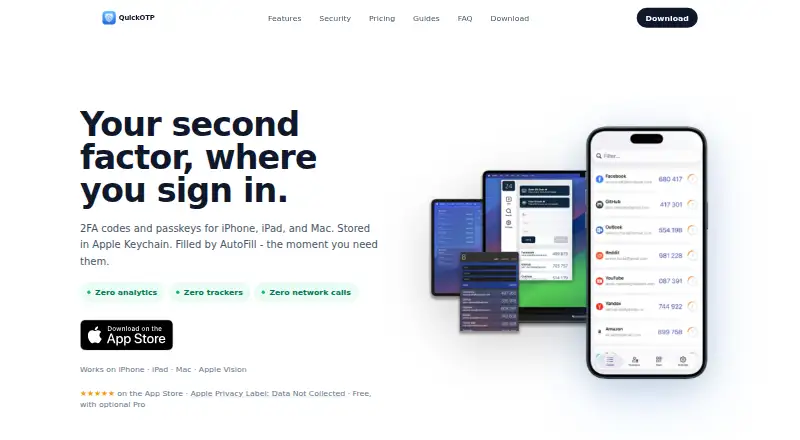
QuickOTP Authenticator Passkey generates TOTP two-factor codes and stores passkeys for sign-in on iOS and macOS. Its Credential Provider makes codes and passkeys available through system AutoFill on iPhone, iPad, and Mac. Authentication data is kept locally in Apple Keychain, works offline, and requires no account. Users can add services by scanning a QR code or entering a key manually; the listing names Google, Microsoft, GitHub, and AWS among supported services. Face ID or Touch ID can protect the app. The free tier covers everyday two-factor authentication. Optional Pro features add backup, import and export, and extra customization for $1.99 a month. A Lifetime - Anniversary purchase is listed without a price. The App Store listing says the developer indicates no data collection, and says the app has no ads or tracking. Bruno Tereso is identified as the developer.
Who it suits
It suits Apple-device users who want offline TOTP codes and passkey access through system AutoFill. It also fits people who prefer local Keychain storage without creating an account.
What it does well
- Free everyday 2FA tier
- Works offline with local Keychain storage
- Passkeys and codes in system AutoFill
- Face ID or Touch ID protection
- No ads or tracking listed
What to know first
- Only iOS and macOS platforms
- Backup and export require Pro
- Pro costs $1.99 a month
Plans
| Plan | Billed and limits | Price |
|---|---|---|
| Pro Subscription | Optional Pro features; subscription price shown in App Store listing | $1.99 a month |
| Free | Free tier covers everyday 2FA | Free |
| Lifetime - Anniversary | One-time lifetime Pro unlock | $14.99, paid once |
| Pro Subscription | Optional Pro features; subscription price shown in App Store listing | $8.99 a year |
As quickotp.app lists them, read 12 Oct 2026. The maker's own page has the final word.
Verdict
QuickOTP combines TOTP generation and passkey storage with local, account-free operation on Apple devices. The free tier covers core 2FA, while backup and customization require the optional subscription.
Facts from QuickOTP Authenticator Passkey's own pages
- Account requirement
- The listing says no account is required. · apps.apple.com, 12 Oct 2026
- Ads and tracking
- The listing says the app has no ads or tracking. · apps.apple.com, 12 Oct 2026
- Apple platforms
- The app listing identifies iPhone, iPad, and Mac as supported devices. · apps.apple.com, 12 Oct 2026
- AutoFill
- Its Credential Provider offers codes and passkeys through system AutoFill on iOS and macOS. · apps.apple.com, 12 Oct 2026
- Biometrics
- The app supports Face ID or Touch ID protection. · apps.apple.com, 12 Oct 2026
- Code type
- totp · apps.apple.com, 22 Sept 2026
- Encrypted backup
- Yes · apps.apple.com, 22 Sept 2026
- Free plan
- Yes · apps.apple.com, 22 Sept 2026
- Integrations
- The listing names Google, Microsoft, GitHub, and AWS among services it works with. · apps.apple.com, 12 Oct 2026
- Local storage
- The listing says authentication data is stored locally in Apple Keychain and works offline. · apps.apple.com, 12 Oct 2026
- Privacy
- The App Store privacy section says the developer indicates that the app collects no data. · apps.apple.com, 12 Oct 2026
- Pro features
- Optional Pro features include backup, import and export, and extra customization. · apps.apple.com, 12 Oct 2026
- Purpose
- QuickOTP generates TOTP two-factor authentication codes and stores passkeys for sign-in. · apps.apple.com, 12 Oct 2026
- Setup
- Users can add accounts by scanning a QR code or entering a key manually. · apps.apple.com, 12 Oct 2026
- Support contact
- The listing identifies Bruno Tereso as the developer. · apps.apple.com, 12 Oct 2026
- Supported platforms
- iOS,macOS · apps.apple.com, 22 Sept 2026
Where QuickOTP Authenticator Passkey stands on Freedom251
- Authenticator apps#50 of 111