Freedom251 › Point Cloud Software
Quick Terrain Modeler
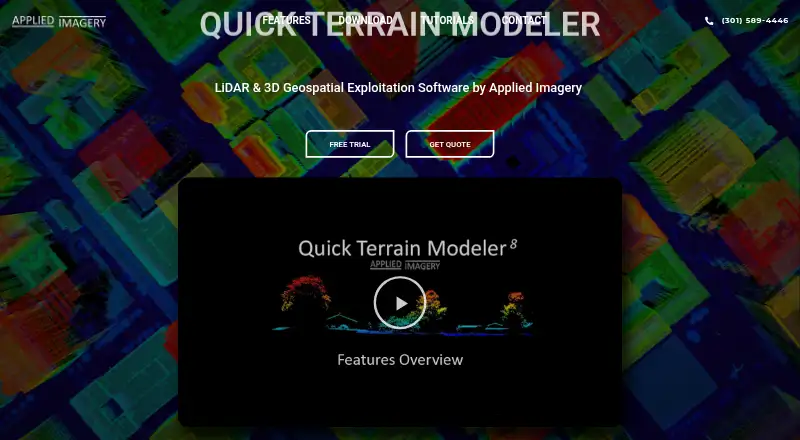
What Quick Terrain Modeler is
Quick Terrain Modeler is desktop software for viewing, analyzing, and extracting information from 3D point clouds and terrain data, including LiDAR. Its 64-bit Windows application displays point clouds and surface models in 3D scenes, with file-based or WMS imagery layered over them. Analysis tools cover 3D measurement, slope, flooding, volumes, communications, and helicopter landing zones. Classification and extraction can produce building footprints, roof vectors, centroids, and DSM and DTM products. The software handles LiDAR, radar, photogrammetry or imagery, and sonar data, including multiple sensor types in one scene. Export options include GIS, imagery, CAD, PowerPoint, and Google Earth; WMS imagery and NGA GRID access are available for DoD users. It can operate offline, although some integrations and data access need a network connection. Licensing is offered as Node Lock, Portable, or Floating, for a single workstation, a transferable USB dongle, or network access and concurrent use when multiple licenses are available. Pricing is on request, and a free trial license is available.
Who it suits
Quick Terrain Modeler suits DoD and civilian users working with LiDAR and other 3D geospatial data. It is also relevant to teams that need terrain analysis, classification, and exports from a Windows desktop application.
What it does well
- Combines LiDAR, radar, imagery, and sonar in one scene
- Includes terrain, flood, and volumetric analysis
- Extracts building footprints, roof vectors, and centroids
- Can function without a network connection
- Offers Node Lock, Portable, and Floating licenses
What to know first
- Windows only; it does not run directly on macOS
- Some integrations and data access require a network
- Trial download requires an organizational email address
- Pricing is on request
Limits
There is no free plan. A free trial license is available, but downloading it requires an organizational email address; pricing for the paid product is on request.
Plans
| Plan | Billed and limits | Price |
|---|---|---|
| Quick Terrain Modeler | Node Lock, Portable, or Floating license; complete capability bundled as one product | On request |
As appliedimagery.com lists them, read 5 Oct 2026. The maker's own page has the final word.
Getting started
- Visit the Applied Imagery website.
- Request pricing for the Quick Terrain Modeler product and choose Node Lock, Portable, or Floating licensing.
- For a trial, obtain a free trial license using an organizational email address.
- Download and use the 64-bit Windows application.
- Use tutorials, the help file, or the available WebEx and video training.
Verdict
Quick Terrain Modeler brings 3D visualization, terrain analysis, and extraction tools into one Windows application. Its offline capability and three license choices are useful considerations, while trial access requires an organizational email.
Questions
How much does Quick Terrain Modeler cost?
Pricing is on request. The complete product is offered with Node Lock, Portable, or Floating licensing.
Is there a free plan or trial?
There is no free plan, but a free trial license is available. An organizational email address is required to download it.
Which platforms does it support?
It is a 64-bit Windows application and does not run directly on macOS. The maker says some users run it on Macs with Boot Camp and Windows.
Can it work offline?
It functions without a network connection, although some integrations and data access features require one.
What license choices are available?
Node Lock is tied to one workstation, Portable uses a USB dongle that can move between workstations, and Floating supports network access and concurrent use when multiple licenses are available.
Facts from Quick Terrain Modeler's own pages
- Analyze
- Analysis tools include 3D measurement, slope, flood, volumetric, communications, and helicopter landing zone analysis. · appliedimagery.com, 5 Oct 2026
- Company history
- Applied Imagery says it was founded in 2004 in Silver Spring, Maryland, to commercialize software developed at Johns Hopkins University’s Applied Physics Lab. · appliedimagery.com, 5 Oct 2026
- Data compatibility
- It supports data from LiDAR, radar, photogrammetry or imagery, and sonar, including multiple sensor types in one scene. · appliedimagery.com, 5 Oct 2026
- Exports and integrations
- It offers export options for GIS, imagery, CAD, PowerPoint, and Google Earth, and supports WMS imagery and NGA GRID access for DoD users. · appliedimagery.com, 5 Oct 2026
- Extract
- Its classification and extraction tool can extract building footprints, roof vectors, and centroids and generate DSM and DTM products. · appliedimagery.com, 5 Oct 2026
- Founded
- 2004 · appliedimagery.com, 28 Sept 2026
- Headquarters
- Chevy Chase, Maryland, United States · appliedimagery.com, 28 Sept 2026
- Intended users
- The maker says Quick Terrain Modeler serves DoD and civilian applications and has users across the military branches and intelligence community. · appliedimagery.com, 5 Oct 2026
- License choices
- Node Lock is tied to one workstation, Portable uses a USB dongle that can move between workstations, and Floating supports network access and concurrent use when multiple licenses are available. · appliedimagery.com, 5 Oct 2026
- Offline use
- Quick Terrain Modeler functions without a network connection, though some integrations and data access features require one. · appliedimagery.com, 5 Oct 2026
- Platform
- Quick Terrain Modeler is a 64-bit Windows application and does not run directly on macOS; the maker says some users run it on Macs with Boot Camp and Windows. · appliedimagery.com, 5 Oct 2026
- Security and restrictions
- The maker says it can be used on classified networks and workstations, and notes that components are export-restricted. · appliedimagery.com, 5 Oct 2026
- Support and training
- The maker provides tutorials, a help file, live WebEx training, and self-paced video training; the training portal has no charge for users with an active maintenance agreement. · appliedimagery.com, 5 Oct 2026
- Trial
- A free trial license is available, and downloading it requires an organizational email address rather than a generic email address. · appliedimagery.com, 5 Oct 2026
- Visualize
- It can display point clouds and surface models in 3D scenes and drape file-based or WMS imagery over them. · appliedimagery.com, 5 Oct 2026
- What it does
- Quick Terrain Modeler is 3D point cloud and terrain exploitation software designed for LiDAR and other 3D data sources. · appliedimagery.com, 5 Oct 2026
Where Quick Terrain Modeler stands on Freedom251
- Point Cloud Software#16 of 24