Freedom251 › Database Performance Monitoring Software

Quest Spotlight
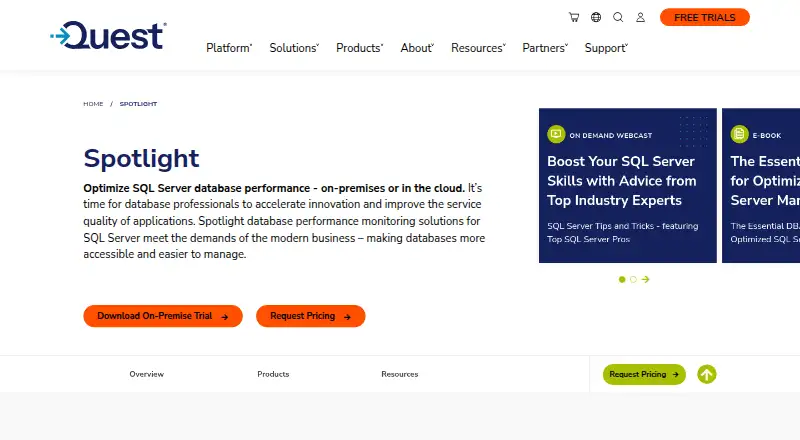
What Quest Spotlight is
Quest Spotlight monitors and diagnoses SQL Server performance in on-premises and cloud environments. Its Enterprise edition offers agentless monitoring through a centralized diagnostic server, with alarms for performance deviations. A single screen can show SQL Server, Windows, and virtualization infrastructure. Diagnostic tools include incident playback, health checks, workload analysis, deadlock detection, and root cause analysis. SQL Optimizer integration identifies long-running queries and suboptimal code for further tuning; query profiling, wait and lock analysis, and execution plans are also supported. Users can set thresholds, create counters, and configure rule-based actions to run once or repeatedly. Spotlight lists support for Microsoft SQL Server, Azure SQL Database, Oracle Database, and IBM DB2, and Quest also lists SQL Azure as a supported platform. Deployment is self-hosted, with Windows listed as a platform. A SQL Server account with the sysadmin server role is required for the Diagnostic Server; monitoring Windows performance counters uses WMI queries. Pricing is available on request, and an on-premises trial is offered without a stated duration. Spotlight Cloud reached end of life on December 31, 2024; Quest continues to offer the on-premises product.
Who it suits
Spotlight suits database professionals responsible for SQL Server environments who need to monitor performance, investigate incidents, and tune queries. Teams should account for the required sysadmin access and WMI queries when monitoring Windows performance counters.
What it does well
- Agentless monitoring through a centralized diagnostic server
- Incident playback, health checks, and root cause analysis
- Query profiling, wait and lock analysis, and execution plans
- Custom thresholds, counters, and rule-based actions
- On-premises trial offered
What to know first
- Pricing is available only on request
- Diagnostic Server needs a SQL Server sysadmin account
- Windows performance counter monitoring uses WMI queries
- Spotlight Cloud ended on December 31, 2024
Plans
| Plan | Billed and limits | Price |
|---|---|---|
| Spotlight on SQL Server Enterprise | Pricing by request · On-premises trial offered | On request |
As quest.com lists them, read 9 Oct 2026. The maker's own page has the final word.
Getting started
- Visit https://www.quest.com/spotlight/.
- Request pricing from Quest.
- Use the offered on-premises trial of Spotlight on SQL Server Enterprise.
- Set up the Diagnostic Server with access to a SQL Server account holding the sysadmin server role.
- Configure monitoring for SQL Server, Windows, or virtualization infrastructure.
Verdict
Spotlight brings monitoring, diagnostics, and query-tuning tools together for database teams working with supported systems. The on-premises trial gives teams a way to evaluate it, while pricing and required access should be clarified before deployment.
Questions
How much does Quest Spotlight cost?
Pricing is available on request.
What databases does Spotlight support?
Supported databases include Microsoft SQL Server, Azure SQL Database, Oracle Database, and IBM DB2.
Where can Spotlight be deployed?
Its deployment model is self-hosted, and Windows is a listed platform. Quest continues to offer Spotlight on-premises; Spotlight Cloud reached end of life on December 31, 2024.
What access does monitoring require?
The Diagnostic Server needs access to a SQL Server account with the sysadmin server role. Windows performance counter monitoring uses WMI queries.
What support resources does Quest provide?
Quest provides knowledge articles, video tutorials, downloads, and technical documentation.
Facts from Quest Spotlight's own pages
- Access requirements
- The Diagnostic Server needs access to a SQL Server account with the sysadmin server role; monitoring Windows performance counters uses WMI queries. · support.quest.com, 9 Oct 2026
- Azure support
- Quest lists SQL Azure among the platforms supported by Spotlight on SQL Server. · quest.com, 9 Oct 2026
- Company scale
- Quest says more than 45,000 organizations, including over 90% of the Fortune 500, rely on its software. · quest.com, 9 Oct 2026
- Customization
- Users can set custom thresholds, create counters, and configure rule-based actions to run once or on a recurring basis. · quest.com, 9 Oct 2026
- Diagnostics
- Features include incident playback, health checks, workload analysis, deadlock detection, and root cause analysis. · quest.com, 9 Oct 2026
- Founded
- 1987 · quest.com, 28 Sept 2026
- Headquarters
- Aliso Viejo, California, United States · quest.com, 28 Sept 2026
- Intended users
- Quest describes Spotlight as a tool for database professionals managing SQL Server environments and improving application service quality. · quest.com, 9 Oct 2026
- Monitored environment
- The product can monitor SQL Server, Windows, and virtualization infrastructure from a single screen. · quest.com, 9 Oct 2026
- Monitoring
- Spotlight on SQL Server Enterprise provides agentless monitoring from a centralized diagnostic server, with alarms for performance deviations. · quest.com, 9 Oct 2026
- Purpose
- Spotlight monitors, diagnoses, and helps optimize SQL Server performance in on-premises or cloud environments. · quest.com, 9 Oct 2026
- Spotlight Cloud status
- Spotlight Cloud reached end of life on December 31, 2024; Quest says it continues to offer Spotlight on-premises. · quest.com, 9 Oct 2026
- Support
- Quest provides product support resources including knowledge articles, video tutorials, downloads, and technical documentation. · support.quest.com, 9 Oct 2026
- Trial
- Quest offers an on-premises trial and lists Spotlight on SQL Server Enterprise as a free trial product; the pages opened do not state a trial duration. · quest.com, 9 Oct 2026
- Tuning
- SQL Optimizer integration identifies long-running queries and suboptimal code for further tuning. · quest.com, 9 Oct 2026
Where Quest Spotlight stands on Freedom251
- Database Performance Monitoring Software#16 of 25
- Database Monitoring#27 of 38