Freedom251 › IDE Code Security Plugins

PVS-Studio
What PVS-Studio is
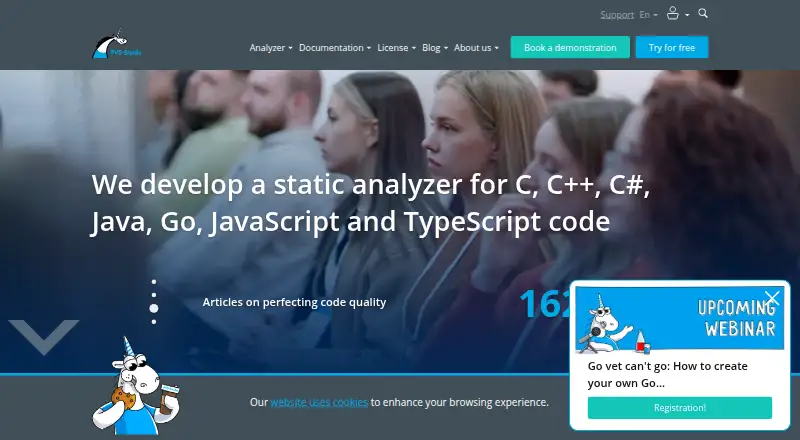
PVS-Studio is a source-code analyzer for finding bugs and potential security vulnerabilities. Its core analysis covers C, C++, C#, and Java code on Windows, Linux, and macOS; its download workflow also lists JavaScript, TypeScript, and Go. The analyzer can flag vulnerable components, passwords embedded in code, Trojan Source, SQL injection, XXE/XEE attacks, and problems with clearing private data. It uses tainted data analysis, intermodular analysis, symbolic execution, data-flow analysis, type inference, and software composition analysis. Warnings can be classified under CWE, SEI CERT, MISRA, OWASP, and AUTOSAR.
PVS-Studio includes command-line utilities, C and C++ compiler monitoring, a report converter, and integrations for DefectDojo, CodeChecker, and SonarQube. Other integrations include Visual Studio, IntelliJ IDEA, Rider, CLion, Jenkins, Unity, Unreal Engine, and IncrediBuild. Reports can be produced in HTML, XML, CSV, TXT, JSON, CompileError, TaskList, and TeamCity formats. It supports pull request scans, IDE use, CI/CD integration, and custom security rules, and can run offline for installation, activation, and source analysis. Founded in 2008, PVS-Studio offers paid Team and Enterprise licenses, with pricing available on request, plus a one-week trial key with full analyzer access and developer support.
Who it suits
PVS-Studio suits developers and teams that need to analyze source code across supported languages and connect results to IDEs, CI/CD systems, or security tools. The Team license is intended for teams of fewer than 10 developers, while Enterprise is aimed at medium and large teams that need access for multiple teams and all analyzer features.
What it does well
- Analyzes C, C++, C#, Java, JavaScript, TypeScript, and Go.
- Detects several vulnerability classes, including SQL injection and Trojan Source.
- Integrates with IDEs, CI/CD tools, and security platforms.
- Runs offline for installation, activation, and source analysis.
- Exports reports in eight listed formats.
- One-week trial key provides full analyzer access and support.
What to know first
- Pricing is available only on request.
- Team license supports one platform.
- Team license has limits on notifications and result collaboration features.
- Automated fixes are not available.
Limits
The Team license is for fewer than 10 developers and supports one platform, with limits on automatic notifications, centralized analysis-result work, cloud-service integration, and other development-process features. The one-week trial key provides full analyzer features for one week.
Plans
| Plan | Billed and limits | Price |
|---|---|---|
| Team | 1 or 2 years · fewer than 10 developers · basic support · one supported platform | On request |
| Enterprise | 1, 2, or 3 years · 10+ developers · no analyzer feature limits · priority or premium support · all supported platforms | On request |
As pvs-studio.com lists them, read 30 Sept 2026. The maker's own page has the final word.
Getting started
- Visit the PVS-Studio website.
- Request pricing information for a Team or Enterprise license.
- Use the one-week trial key for full analyzer access and developer support.
- Choose a supported platform: Windows, Linux, or macOS.
- Install PVS-Studio and select the languages and integrations relevant to your project.
- Run the analyzer on source code and export reports in a supported format.
Verdict
Choose PVS-Studio if your team needs multi-language source analysis, security checks, and integrations with development tools. The Enterprise license has no analyzer-feature limits and covers all supported platforms; teams under 10 developers can consider Team, which has platform and workflow limits. Pricing is available on request.
Questions
How much does PVS-Studio cost?
Pricing is available on request. The listed Team and Enterprise plans do not have stated prices.
Is there a free plan or trial?
A free plan is listed, and a trial key provides full analyzer access and support for one week.
Which languages and platforms does it support?
The core description covers C, C++, C#, and Java on Windows, Linux, and macOS. The download workflow also lists JavaScript, TypeScript, and Go.
Can PVS-Studio run offline?
Yes. It can be used offline for installation, activation, launching, source analysis, and other use cases.
What are the Team and Enterprise license limits?
Team is for fewer than 10 developers and one supported platform, with limits on several workflow features. Enterprise is for 10 or more developers, has no analyzer-feature limits, and covers all supported platforms.
Which tools does PVS-Studio integrate with?
Listed integrations include Visual Studio, IntelliJ IDEA, Rider, CLion, Jenkins, SonarQube, DefectDojo, CodeChecker, Unity, Unreal Engine, and IncrediBuild.
Facts from PVS-Studio's own pages
- Analysis methods
- PVS-Studio uses tainted data analysis, intermodular analysis, symbolic execution, data-flow analysis, type inference, and software composition analysis. · pvs-studio.com, 30 Sept 2026
- Company history
- The company timeline records the founding of OOO Program Verification Systems on 21 March 2008. · pvs-studio.com, 30 Sept 2026
- Enterprise license
- Enterprise licenses are intended for medium and large teams, have no analyzer-feature limitations, and can be used by multiple teams in one company. · pvs-studio.com, 30 Sept 2026
- Founded
- 2008 · pvs-studio.com, 28 Sept 2026
- Included tools
- The installation includes command-line tools, compiler monitoring for C and C++, a report converter, DefectDojo and CodeChecker integrations, and a SonarQube plugin. · pvs-studio.com, 30 Sept 2026
- Integrations
- Plugins and integrations are provided for Visual Studio, IntelliJ IDEA, Rider, CLion, Jenkins, SonarQube, DefectDojo, CodeChecker, Unity, Unreal Engine, and IncrediBuild. · pvs-studio.com, 30 Sept 2026
- Offline operation
- PVS-Studio can be used offline for installation, activation, launching, source-code analysis, and other use cases. · pvs-studio.com, 30 Sept 2026
- Reports
- Analyzer reports are available in HTML, XML, CSV, TXT, JSON, CompileError, TaskList, and TeamCity formats. · pvs-studio.com, 30 Sept 2026
- Security detection
- The analyzer can detect vulnerable components, passwords in code, Trojan Source, SQL injections, XXE/XEE attacks, and errors in clearing private data. · pvs-studio.com, 30 Sept 2026
- Security standards
- PVS-Studio classifies warnings according to CWE, SEI CERT, MISRA, OWASP, and AUTOSAR. · pvs-studio.com, 30 Sept 2026
- Support
- Clients receive technical support directly from PVS-Studio analyzer developers. · pvs-studio.com, 30 Sept 2026
- Supported languages
- The download workflow lists C, C++, C#, Java, JavaScript, TypeScript, and Go. · pvs-studio.com, 30 Sept 2026
- Team license limit
- The Team license is intended for teams of nine people or fewer and has limitations on automatic notifications, centralized analysis-result work, cloud-service integration, and other development-process features. · pvs-studio.com, 30 Sept 2026
- Trial
- A trial key provides full access to the analyzer's features and support for one week. · pvs-studio.com, 30 Sept 2026
- What it does
- PVS-Studio detects bugs and potential vulnerabilities in C, C++, C#, and Java source code on Windows, Linux, and macOS. · pvs-studio.com, 30 Sept 2026
Where PVS-Studio stands on Freedom251
- IDE Code Security Plugins#4 of 19
- Application Security Testing#8 of 28
- C and C++ Static Analysis Tools#11 of 25
- Static Analysis Tools#17 of 38
- SAST Tools#12 of 26
- Static Application Security Testing Software#16 of 25