Purupuru Maker
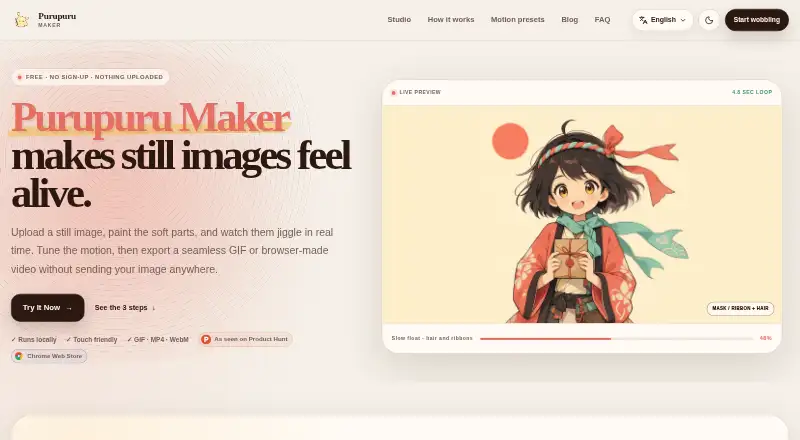
What Purupuru Maker is
Purupuru Maker animates selected areas of still images, turning them into looping GIFs or browser-made video. Open a PNG, JPEG, or WebP image, paint a mask over the part to move, preview the result, then export it. Motion presets include Jelly, Sway, Bounce, Wave, Pulse, and Quake, with controls for speed, amplitude, damping, and gravity. Batch mode applies one preset and its fine-tuning settings to a group of images.
The editor processes the image, mask, preview, and export in the browser. Its site says it does not send these to a Purupuru Maker application server and does not keep an account library copy. The working session ends when the tab closes unless you have downloaded an export. GIFs and videos have no added logo or watermark. MP4 export requires a compatible browser recorder; WebM works in many modern browsers. The editor is designed for phones, and its brush responds to a mouse, stylus, or finger. Purupuru Maker is free and available on the web and as a Chrome extension. The extension can open the studio or send an image URL from a right-click menu.
Who it suits
Purupuru Maker suits people making reaction memes, stickers, social posts, pet-photo animations, character art, product callouts, or creative experiments. Its phone-friendly editor and support for a mouse, stylus, or finger suit different ways of painting an animation mask.
What it does well
- Animates selected image areas with six motion presets.
- Batch mode applies shared settings to multiple images.
- Processes images and exports in the browser.
- Exports GIFs and videos without added watermarks.
- Works on phones with touch, stylus, or mouse input.
What to know first
- MP4 export depends on a compatible browser recorder.
- Closing the tab ends the session unless an export was downloaded.
Plans
| Plan | Billed and limits | Price |
|---|---|---|
| Free | Free; no account, subscription, or credit balance · GIF encoded locally · MP4 available when browser supports it · WebM supported in many modern browsers | Free |
As purupurumaker.me lists them, read 7 Oct 2026. The maker's own page has the final word.
Getting started
- Open the web editor at https://purupurumaker.me/.
- Open a PNG, JPEG, or WebP image.
- Paint a mask over the area to animate.
- Choose a motion preset and adjust its controls.
- Preview the animation and export it.
- Alternatively, install the Chrome extension to open the studio or send an image URL from a right-click menu.
Verdict
Choose Purupuru Maker for free, browser-based animation of selected areas in still images, especially when batch editing or watermark-free exports matter. Look elsewhere if you need prompt-to-GIF or video-to-GIF conversion, or require MP4 export independent of browser recorder support.
Questions
How much does Purupuru Maker cost?
The Free plan costs nothing. It requires no account, subscription, or credit balance.
What can I export?
GIF export is encoded locally. MP4 is available when the browser supports it, and WebM is supported in many modern browsers.
Which platforms does it support?
Purupuru Maker is available on the web and as a Chrome extension. The editor is designed to work on phones.
Does it add a watermark?
Purupuru Maker says it does not add a logo or watermark to exported GIFs or videos.
Who makes Purupuru Maker?
Purupuru Maker describes itself as an independently developed and operated, small developer-led project.
Does the extension track browsing?
Its listing says it does not inject scripts into pages or track browsing.
Facts from Purupuru Maker's own pages
- Batch mode
- Batch mode lets a group of images share the same preset and fine-tuning controls. · purupurumaker.me, 7 Oct 2026
- Browser extension
- The Chrome extension can open the studio or send an image URL from a right-click menu; its listing says it does not inject scripts into pages or track browsing. · chromewebstore.google.com, 7 Oct 2026
- Export limits
- MP4 export depends on the browser providing a compatible recorder, and the site says shorter loops and moderate image dimensions usually export faster. · purupurumaker.me, 7 Oct 2026
- Free plan
- Yes · purupurumaker.me, 22 Sept 2026
- Image to GIF
- Yes · purupurumaker.me, 22 Sept 2026
- Image workflow
- Users can open PNG, JPEG, or WebP images, paint a mask over the area to animate, preview the result, and export it. · purupurumaker.me, 7 Oct 2026
- Intended users
- The site describes use cases including reaction memes, stickers, social posts, pet photos, character art, product callouts, and creative experiments. · purupurumaker.me, 7 Oct 2026
- Local processing
- The source image, painted mask, preview, and export are processed in the browser and are not sent to a Purupuru Maker application server. · purupurumaker.me, 7 Oct 2026
- Maker
- Purupuru Maker describes itself as a small, independent, developer-led project and says it is independently developed and operated. · purupurumaker.me, 7 Oct 2026
- Mobile use
- The editor is designed to work on phones, and its brush can respond to a mouse, stylus, or finger. · purupurumaker.me, 7 Oct 2026
- Motion presets
- The editor offers Jelly, Sway, Bounce, Wave, Pulse, and Quake presets, with controls including speed, amplitude, damping, and gravity. · purupurumaker.me, 7 Oct 2026
- Prompt to GIF
- No · purupurumaker.me, 22 Sept 2026
- Session retention
- The site says it has no account library storing a copy, and closing the tab ends the working session unless the user has downloaded an export. · purupurumaker.me, 7 Oct 2026
- Support
- The maker invites feedback, accessibility notes, bug reports, partnership ideas, and rights questions at [email protected]. · purupurumaker.me, 7 Oct 2026
- GIF templates
- No · purupurumaker.me, 22 Sept 2026
- Video to GIF
- No · purupurumaker.me, 22 Sept 2026
- Watermark-free export
- Yes · purupurumaker.me, 22 Sept 2026
- Watermarks
- Purupuru Maker says it does not add a logo or watermark to exported GIFs or videos. · purupurumaker.me, 7 Oct 2026
- What it does
- Purupuru Maker turns selected parts of still images into looping motion for GIFs or browser-made video. · purupurumaker.me, 7 Oct 2026
Where Purupuru Maker stands on Freedom251
- GIF makers#19 of 54
- AI GIF Makers#17 of 23