Freedom251 › Website Translation Software
Proxylang
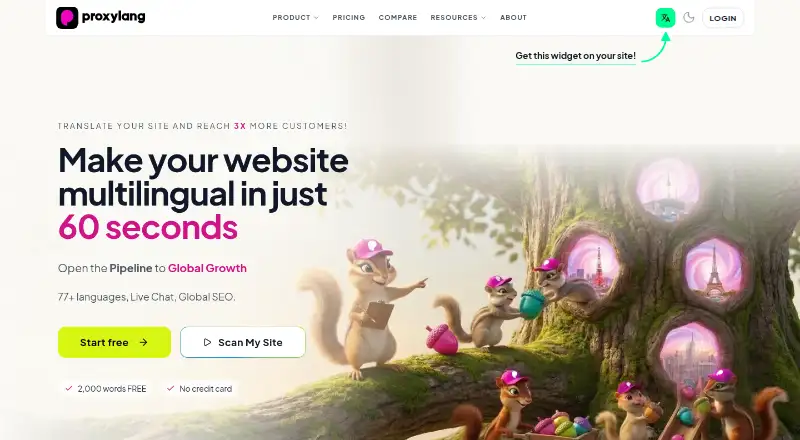
What Proxylang is
Proxylang translates websites into 77+ languages and creates pages for each language. Website changes are translated automatically, brand names can remain as written, and you can revise wording in the Live Editor. From the Lite plan up, languages can have indexable URLs, hreflang tags, and their own sitemaps. A script tag is the default connection method; the maker says it works on every platform. A WordPress plugin and proxy modes are also available, with setup guides for platforms including Shopify, Wix, Squarespace, Webflow, and Cafe24. Live Chat translates both sides of visitor conversations as they type and supports unlimited agents and domains. You can also translate text in selected images through the editor or by tagging images in site code. Word allowances count lifetime totals of unique content, while page-view allowances reset monthly. Test Drive is free and includes 2K words, one language, and 1.5K monthly page views. Paid plans include Lite at $15 a month and a 14-day free trial.
Who it suits
Proxylang suits website owners who want to translate site content and manage language-specific search visibility. Its Live Chat and image translation may also suit businesses handling multilingual visitor conversations or image text.
What it does well
- Live Editor lets users revise translated wording.
- Supports indexable URLs, hreflang tags, and language sitemaps.
- Live Chat supports unlimited agents and domains.
- Offers image text translation through the editor or site code.
What to know first
- SEO indexing features begin with the Lite plan.
- Word allowances are lifetime totals for unique content.
- Monthly page-view allowances reset each month.
Limits
Test Drive includes 2,000 translated words, one language, and 1,500 page views per month. Word allowances are lifetime totals for unique content, while monthly page-view allowances reset each month.
Plans
| Plan | Billed and limits | Price |
|---|---|---|
| Test Drive | 2K words · 1 language · 1.5K page views/mo · no credit card | Free |
| Lite | Billed monthly · 20,000 words · 5 languages · 1 Google-indexed language · 15K page views/mo · 1 website | $15 a month |
| Chat Plus | 10,000 translated messages / month · unlimited domains · unlimited agents | $19 a month |
| Start | Billed monthly · 100,000 words · 77 languages · 3 Google-indexed languages · 50K page views/mo · unlimited websites · 2,000 translated chat messages/mo | $39 a month |
| Chat Scale | 50,000 translated messages / month · unlimited domains · unlimited agents | $39 a month |
| Business | Billed monthly · 2,500,000 words · 77 languages · 25 Google-indexed languages · 750K page views/mo · unlimited websites · 50,000 translated chat messages/mo · priority support | $399 a month |
| Chat | 2,000 translated messages / month · unlimited domains · unlimited agents | $7 a month |
| Pro | Billed monthly · 500,000 words · 77 languages · 10 Google-indexed languages · 150K page views/mo · unlimited websites · full proxy mode · 10,000 translated chat messages/mo · priority support | $99 a month |
As proxylang.dev lists them, read 30 Sept 2026. The maker's own page has the final word.
Getting started
- Visit proxylang.dev and choose the free Test Drive plan or a paid plan.
- For a paid plan, use the 14-day free trial.
- Add the default script tag to connect the site, or use the WordPress plugin or a proxy mode.
- Follow a setup guide for a listed platform such as Shopify, WordPress, Wix, or Webflow.
- Use the Live Editor to review wording and translate selected images if needed.
Proxylang is a machine-translation service for businesses that want multilingual website pages with control over wording and search visibility. It is best suited to site owners whose language and traffic needs fit its plan quotas; its lifetime word limits need careful attention as content grows.
Overview
Proxylang automatically translates website changes, can leave brand names unchanged, and lets users edit copy in a Live Editor. That combination makes it a practical choice when automated coverage matters but published wording still needs review. It is not a human translation service.
Installation is based on a script tag, which the maker says works on every platform; a WordPress plugin and proxy modes are also available. Setup guides cover Shopify, WordPress, WooCommerce, Wix, Squarespace, Webflow, Framer, IMWEB, and Cafe24. Translated-word allowances apply to lifetime totals of unique content, while page-view quotas reset monthly. The first limit can constrain an expanding site even if monthly traffic remains below its cap.
Key features
Translation and editorial control
Automatic translation covers website changes, and the Live Editor lets users revise wording or preserve brand names. Users can also translate text in selected images through the editor or by tagging images in site code. These tools extend translation beyond ordinary page copy, but the translation method is machine-only, so teams requiring human translation should look elsewhere.
Language-specific search pages
From Lite upward, each language can have an indexable URL, hreflang tags, and its own sitemap. These features give multilingual pages a defined search structure; the cheaper Test Drive does not include the stated SEO setup, and Lite limits indexing to one language despite allowing five translated languages.
Live Chat
Live Chat translates both sides of a visitor conversation as they type, with unlimited agents and domains. Separate Chat plans sell monthly message allowances, while Start and higher website plans include chat messages. This is useful for multilingual support without per-agent or per-domain caps, but message quotas remain a constraint for busy teams.
Privacy and security
The privacy policy says original site content is processed in real time and not permanently stored, while cached translations are retained. Proxylang says personally identifiable information is redacted before text goes to translation providers and submitted text is not used to train AI models. Its stated safeguards include TLS 1.3 in transit, encryption at rest, password hashing, monitoring, access controls, and Cloudflare DDoS protection.
Pricing
The Test Drive is free, with 2K words, one language, 1.5K page views per month, and no credit card required. It is suitable for a small evaluation, but the 2K lifetime word allowance and single-language cap make it a limited long-term option. Paid plans offer a 14-day free trial; the Live Chat page says its trial requires no card.
Lite costs $15 a month, billed monthly, for 20,000 words, five languages, one Google-indexed language, 15K page views per month, and one website. It is the entry point for language-specific SEO, but that one indexed language and single-site limit narrow its reach. Start costs $39 a month, billed monthly, and raises the allowance to 100,000 words, 77 languages, three indexed languages, 50K monthly page views, unlimited websites, and 2,000 chat messages per month. It is a stronger fit for a growing multi-site operation that can work within those quotas.
Pro costs $99 a month, billed monthly, and includes 500,000 words, 77 languages, 10 indexed languages, 150K monthly page views, unlimited websites, full proxy mode, 10,000 monthly chat messages, and priority support. It suits larger sites that need proxy mode and more indexed languages. Business costs $399 a month, billed monthly, for 2,500,000 words, 25 indexed languages, 750K monthly page views, 50,000 chat messages per month, unlimited websites, and priority support. It is aimed at high-volume use; the substantial price step makes sense only when those larger allowances matter.
Chat is $7 a month for 2,000 translated messages per month, unlimited domains, and unlimited agents. Chat Plus costs $19 a month for 10,000 messages with the same domain and agent terms; Chat Scale costs $39 a month for 50,000. These separate plans suit teams seeking translated conversations without buying a website translation plan, with the right tier depending on monthly message volume.
Platforms
Proxylang supports Android, iOS, Linux, macOS, Windows, web, API, and extension platforms. Its listed website integrations span Shopify, WordPress, WooCommerce, Wix, Squarespace, Webflow, Framer, IMWEB, and Cafe24.
Who it's for
Proxylang fits businesses that want automated website translation, editable copy, and language-specific SEO, especially when they also need multilingual live chat or image text translation. It is less suitable for teams that require human translation or cannot plan around lifetime unique-word limits.
Pros and cons
- Pro: A Live Editor, brand-name preservation, and image text translation give teams control beyond automatic page translation.
- Pro: Indexable language URLs, hreflang tags, and per-language sitemaps support a structured multilingual search presence from Lite upward.
- Pro: Live Chat includes unlimited agents and domains, with tiers up to 50,000 translated messages per month.
- Con: Unique-word allowances are lifetime totals, so continuing content growth can consume translation capacity beyond a monthly cycle.
- Con: Lite indexes only one of its five languages, and the free Test Drive is capped at one language and 2K words.
- Con: Machine translation alone will not meet needs that require human translation.
Alternatives
Website Translation Software is a useful place to compare options across the category. Choose Crowdin if you want a freemium service with a free plan and trial across web, desktop, mobile, and API platforms. Linguana is another freemium option; its Free plan is limited to one translated language and website, with no custom domains, 2,000 AI credits, a badge, and email support. For a WordPress-specific free plugin, Polylang offers community support on wordpress.org. TextUnited may suit teams looking for a free plan with 15,000 words per month, 15 PDF pages per month, and one user. If you are building on Webflow and need its CMS offering, consider Webflow CMS, whose free Starter plan is for exploring and experimenting and has limited CMS, two static pages, 1 GB bandwidth, and 50 form submissions. ConveyThis offers a free website translation plan with one language, 5,000 words, one domain, and 2,500 monthly translation requests. DentalPolyglot is a free option for up to two patient languages. WEB-T is a free website translation plugin, though translation provider pricing and supported languages may vary.
Verdict
Choose Proxylang if your priority is editable machine-translated website content with language-specific SEO, and its word, page-view, and chat quotas match your operation. Its combination of site translation and live chat is compelling for multilingual businesses, but human-translation needs or unpredictable content growth are good reasons to choose another approach.
Verdict
Proxylang combines website translation with language-specific SEO features, live chat translation, and image text translation. The free Test Drive has limited words, language coverage, and monthly page views; larger allowances and additional features are available on paid plans.
Questions
Is there a free plan?
Yes. Test Drive costs nothing and includes 2,000 words, one language, and 1,500 page views per month, with no credit card required.
How much do the plans cost?
Website plans listed include Lite at $15 a month, Start at $39 a month, Pro at $99 a month, and Business at $399 a month. Separate Chat plans start at $7 a month.
Does Proxylang offer a free trial?
Paid plans offer a 14-day free trial. The Live Chat page says its trial requires no card.
How can I connect a website?
The default method is a script tag, which the maker says works on every platform. A WordPress plugin and proxy modes are also available.
Which platforms have setup guides?
Setup guides are listed for Shopify, WordPress, Wix, Squarespace, Webflow, Framer, IMWEB, and Cafe24. WooCommerce is also listed among website integrations.
How does Proxylang handle website content?
Its privacy policy says original website content is processed in real time and not permanently stored, while cached translations are retained. The maker says personally identifiable information is redacted before text is sent to translation providers and submitted text is not used to train AI models.
Facts from Proxylang's own pages
- AI data handling
- The maker says personally identifiable information is redacted before text is sent to translation providers and submitted text is not used to train AI models. · proxylang.dev, 30 Sept 2026
- Headquarters
- Seoul, South Korea · proxylang.dev, 28 Sept 2026
- Image translation
- Users can translate text inside selected images through the Live Editor or by tagging images in their site code. · proxylang.dev, 30 Sept 2026
- Installation
- The script tag is the default connection method and the maker says it works on every platform; it also offers a WordPress plugin and proxy modes. · proxylang.dev, 30 Sept 2026
- Integrations
- The maker lists setup guides for Shopify, WordPress, Wix, Squarespace, Webflow, Framer, IMWEB, and Cafe24. · proxylang.dev, 30 Sept 2026
- Limits
- Translated word allowances are lifetime totals for unique content; monthly page-view allowances reset each month. · proxylang.dev, 30 Sept 2026
- Live Chat
- Live Chat translates both sides of a visitor conversation as they type and supports unlimited agents and domains. · proxylang.dev, 30 Sept 2026
- Privacy
- The privacy policy says original website content is processed in real time and not permanently stored; cached translations are retained. · proxylang.dev, 30 Sept 2026
- Product
- Proxylang translates websites into 77+ languages and provides SEO-ready pages in each language. · proxylang.dev, 30 Sept 2026
- Search visibility
- From the Lite plan up, each language can have an indexable URL, hreflang tags, and a per-language sitemap. · proxylang.dev, 30 Sept 2026
- Security
- The privacy policy lists TLS 1.3 encryption in transit, encryption at rest, password hashing, security monitoring, access controls, and Cloudflare DDoS protection. · proxylang.dev, 30 Sept 2026
- Support
- Pro and Business include priority support; the site lists [email protected] and a customer service phone number. · proxylang.dev, 30 Sept 2026
- Translation behavior
- Website changes are automatically translated, brand names can stay as written, and users can edit wording in the Live Editor. · proxylang.dev, 30 Sept 2026
- Trial
- Paid plans offer a 14-day free trial, and the Live Chat page says its trial requires no card. · proxylang.dev, 30 Sept 2026
Where Proxylang stands on Freedom251
- Website Translation Software#6 of 26