Freedom251 › File Viewer Software
PRO Viewer
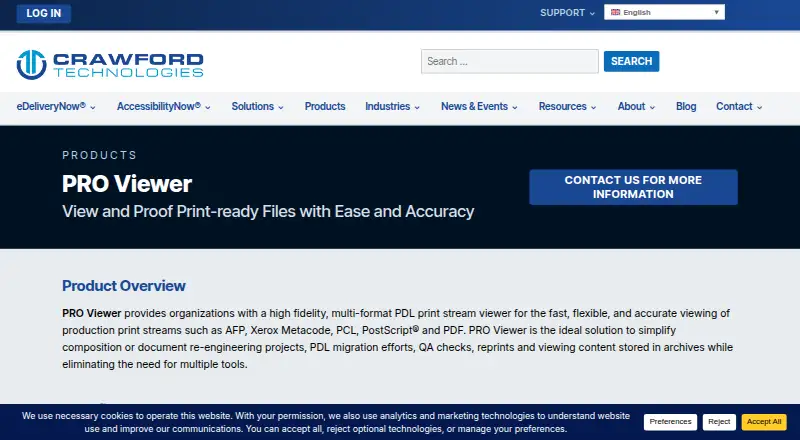
What PRO Viewer is
PRO Viewer is a production print-stream viewer from Crawford Technologies for reviewing documents rendered for production printing. It reads AFP, Xerox Metacode, PCL, PostScript and PDF, and can display a file dot for dot as it was sent to the printer. Its rendering turns fonts, forms, logos, images and color into a bit-mapped view, with support for all font types, including double-byte formats. Teams can inspect and proof documents on screen without printing them on a production printer, and copy individual pages or page areas for review at dot-level fidelity. The viewer can access content in PRO Dynamic Document archives and other document repositories, and interfaces with current and legacy document workflows. Listed uses include quality assurance, approval, local-printer inspection, reprints, development previews and content troubleshooting. It also includes PDF tagging, reading order and alternative-text tools, PDF/UA support, batch processing and API access. Crawford Technologies lists Linux, web and Windows platforms; the stated deployment requirements specify Windows 10 or newer or Windows Server 2012 or newer, an Intel i7 quad-core CPU at 2.5 GHz or higher, 16GB RAM and 5GB of free local disk space. Pricing is available by request.
Who it suits
PRO Viewer suits document production managers, designers, QA teams and customer service staff who need to inspect production print streams or review documents before printing. It is also suited to teams working with supported legacy workflows, document repositories or accessible PDF workflows.
What it does well
- Displays AFP, Xerox Metacode, PCL, PostScript and PDF.
- Dot-for-dot view matches the file sent to the printer.
- Supports all font types, including double-byte formats.
- Enables visual proofing without production printing.
- Includes PDF tagging, reading order and alternative-text tools.
- Supports archives, batch processing and API access.
What to know first
- Pricing requires contacting Crawford Technologies.
- Stated deployment requirements specify Windows 10 or newer or Windows Server 2012 or newer.
- Requires an Intel i7 quad-core CPU at 2.5 GHz or higher, 16GB RAM and 5GB free disk space.
Limits
Pricing is available by request. The stated deployment requirements specify Windows 10 or newer or Windows Server 2012 or newer, an Intel i7 quad-core CPU at 2.5 GHz or higher, 16GB RAM and 5GB of free local disk space.
Plans
| Plan | Billed and limits | Price |
|---|---|---|
| PRO Viewer | Contact Crawford Technologies for more information | On request |
As crawfordtech.com lists them, read 1 Oct 2026. The maker's own page has the final word.
Getting started
- Visit the PRO Viewer product website.
- Contact Crawford Technologies for pricing and product information.
- Use a Windows 10 or newer system or Windows Server 2012 or newer that meets the listed hardware and disk requirements.
- Use the viewer with a supported print-stream format or content in a supported document archive or repository.
- Contact technical support through Crawford Technologies’ support form or at 1-416-410-2508 if needed.
Verdict
Choose PRO Viewer if your team needs high-fidelity review across the listed print-stream formats, with proofing and copy-and-paste review before production printing. It is a less direct fit if you need published pricing or a deployment outside the stated Windows system requirements.
Questions
How much does PRO Viewer cost?
Pricing is available on request; contact Crawford Technologies for more information.
Which formats does PRO Viewer support?
It supports AFP, Xerox Metacode, PCL, PostScript and PDF.
Which platforms does it support?
The listed platforms are Linux, web and Windows. The stated deployment requirements specify Windows 10 or newer or Windows Server 2012 or newer.
Can teams review documents without printing them?
Yes. PRO Viewer supports visual proofing without printing on a production printer, including dot-for-dot display and copying pages or page areas for review.
Does it include PDF accessibility tools?
Yes. It includes PDF tagging, reading order and alternative-text tools, and supports PDF/UA.
Who makes PRO Viewer, and how can customers get support?
Crawford Technologies makes PRO Viewer. It provides a technical-support form and phone support at 1-416-410-2508.
Facts from PRO Viewer's own pages
- Archive integration
- It can view content stored in PRO Dynamic Document archives and other document repositories. · crawfordtech.com, 1 Oct 2026
- Copy and paste
- Users can copy and paste specific pages or page areas for review, with dot-level fidelity. · crawfordtech.com, 1 Oct 2026
- Fidelity
- It provides true dot-level fidelity, including a dot-for-dot display mode for the file sent to the printer. · crawfordtech.com, 1 Oct 2026
- Fonts
- It supports all font types, including double-byte formats. · crawfordtech.com, 1 Oct 2026
- Founded
- 1995 · crawfordtech.com, 28 Sept 2026
- Headquarters
- Toronto, Canada · crawfordtech.com, 28 Sept 2026
- Operating system
- The listed deployment is Windows only, supporting Windows 10 or newer and Windows Server 2012 or newer. · crawfordtech.com, 1 Oct 2026
- Proofing
- Users can proof documents visually without printing them on a production printer. · crawfordtech.com, 1 Oct 2026
- Purpose
- PRO Viewer is a high-fidelity, multi-format PDL print-stream viewer for production print streams. · crawfordtech.com, 1 Oct 2026
- Rendering
- It converts resources and rendering commands into a bit-mapped display, including fonts, forms, logos, images and color. · crawfordtech.com, 1 Oct 2026
- Security
- Crawford Technologies states that its data-security solutions can encrypt data files in transport and storage and apply page-level encryption. · crawfordtech.com, 1 Oct 2026
- Support
- Crawford Technologies provides a technical-support form and lists phone support at 1-416-410-2508. · crawfordtech.com, 1 Oct 2026
- Supported formats
- It supports AFP, Xerox Metacode, PCL, PostScript and PDF. · crawfordtech.com, 1 Oct 2026
- System requirements
- Listed requirements include an Intel i7 quad-core CPU at 2.5 GHz or higher, 16GB RAM and 5GB of free local disk space. · crawfordtech.com, 1 Oct 2026
- Target users
- It is designed for document production managers, designers, quality assurance and customer service staff. · crawfordtech.com, 1 Oct 2026
- Use cases
- The product supports QA review, approval, local-printer inspection, reprints, development preview and content troubleshooting. · crawfordtech.com, 1 Oct 2026
- Workflow compatibility
- PRO Viewer interfaces with most current and legacy document workflows. · crawfordtech.com, 1 Oct 2026
Where PRO Viewer stands on Freedom251
- File Viewer Software#27 of 31