
Privacy Browser Android
What Privacy Browser Android is
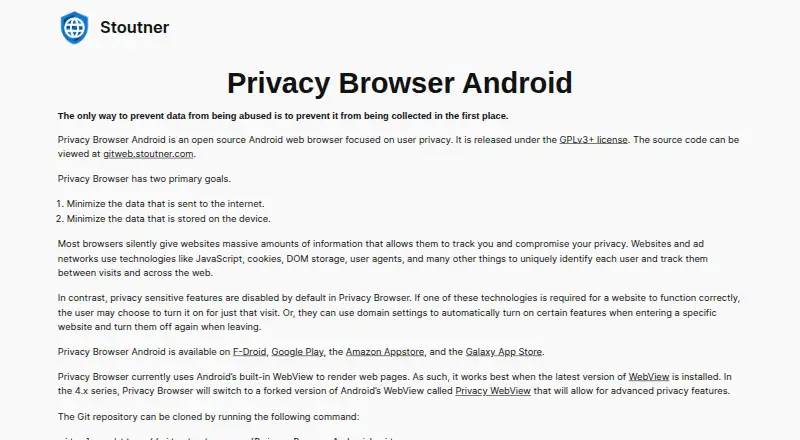
Privacy Browser Android is an open-source web browser for Android that focuses on limiting information sent online and retained on the device. It blocks trackers and ads using EasyList, UltraPrivacy, UltraList and a third-party request-blocking list. Blocking all third-party requests is off by default because it can break many websites. Privacy-sensitive controls also start disabled: users can turn them on for a visit or set preferences for specific domains. Pages render through Android’s built-in WebView, and the browser works best with the latest WebView installed. Its Adblock implementation includes only part of the feature set because WebView lacks some capabilities and other functions are omitted for handheld-device performance. The browser generally avoids permanent local storage unless the user interacts with it. Clear and Exit or closing the last tab wipes stored browsing data; Incognito Mode clears cache and history after each page finishes loading. The maker says the browser does not collect user information. It is licensed under GPLv3+, with source code available from the maker’s Git repository. It is available through F-Droid, Google Play, Amazon Appstore and Galaxy App Store. The free distribution costs nothing; the app is also listed at $5, paid once through Google Play, Amazon Appstore and Galaxy App Store, with free repository distribution available.
Who it suits
It suits Android users who want tracker and ad blocking alongside controls over privacy-sensitive features and stored browsing data. It may also suit users who value open-source software and want to obtain the app through F-Droid or another listed app store.
What it does well
- Open source under the GPLv3+ license.
- Tracker blocking and ad blocking are included.
- Privacy controls can be set for a visit or specific domains.
- Incognito Mode clears cache and history after each page load.
- Available through four listed app stores.
What to know first
- The Adblock implementation covers only part of the feature set.
- Blocking all third-party requests can break many websites.
- The browser works best with the latest Android WebView.
- The current changelog lists Android 8.0 as the minimum version.
Limits
The current changelog lists Android 8.0 (API 26) as the minimum version. Adblock implements only part of its feature set, and blocking all third-party requests is disabled by default because it breaks many websites.
Plans
| Plan | Billed and limits | Price |
|---|---|---|
| Free distribution | Available through F-Droid and direct APK downloads | Free |
| Google Play | Android app purchase | On request |
| Privacy Browser Android (F-Droid or similar repositories) | Available free from F-Droid or similar repositories | Free |
| Privacy Browser Android | Google Play, Amazon Appstore, and Galaxy App Store; also available free from F-Droid or similar repositories | $5, paid once |
As stoutner.com lists them, read 19 Sept 2026. The maker's own page has the final word.
Getting started
- Install Privacy Browser Android from F-Droid, Google Play, Amazon Appstore or Galaxy App Store.
- Alternatively, use a direct APK download from the maker’s downloads page.
- Use the latest Android WebView for best results.
- Enable privacy-sensitive features for a visit or configure them for specific domains.
Verdict
Choose Privacy Browser Android if you want an open-source Android browser with tracker blocking and configurable privacy controls. Its data-clearing behavior and free F-Droid distribution are useful reasons to consider it. Look elsewhere if you need a full Adblock feature set or blocking every third-party request without website breakage.
Questions
Is Privacy Browser Android free?
Yes. Free distribution is listed as free through F-Droid and similar repositories. The app is also listed at $5, paid once through Google Play, Amazon Appstore and Galaxy App Store.
Is there a free trial?
No. The listed pricing information says there is no free trial.
Which platforms does it support?
It supports Android and is categorized as mobile software. The current changelog lists Android 8.0 (API 26) as the minimum.
Is it open source?
Yes. It is released under the GPLv3+ license, and its source code is available from the maker’s Git repository.
Who makes Privacy Browser Android?
The maker is Privacy Browser Android. The browser is primarily developed by Soren Stoutner, who lives in Wickenburg, Arizona.
Where can I get support?
Feature requests and bug reports can be submitted through the issue tracker. Technical support is available through the project forum.
Facts from Privacy Browser Android's own pages
- Ad blocking
- Yes · stoutner.com, 19 Sept 2026
- Data collection
- The maker states that Privacy Browser does not collect user information. · stoutner.com, 7 Oct 2026
- Developer
- The browser is primarily developed by Soren Stoutner, an IT consultant and programmer living in Wickenburg, Arizona. · stoutner.com, 7 Oct 2026
- Download channels
- The app is available on F-Droid, Google Play, Amazon Appstore, and Galaxy App Store. · stoutner.com, 7 Oct 2026
- Filter limitations
- The Android version implements only part of the Adblock feature set because WebView lacks some functionality and other features are omitted for handheld-device performance. · stoutner.com, 7 Oct 2026
- Filter lists
- It uses EasyList and includes UltraPrivacy, UltraList, and a third-party request blocking list; blocking all third-party requests is disabled by default because it breaks many websites. · stoutner.com, 7 Oct 2026
- Free plan
- Yes · stoutner.com, 19 Sept 2026
- Headquarters
- Wickenburg, Arizona, United States · stoutner.com, 28 Sept 2026
- Incognito mode
- Incognito Mode wipes the cache and history each time a webpage finishes loading. · stoutner.com, 7 Oct 2026
- Local data
- The browser generally avoids permanent on-device storage unless the user explicitly interacts, and Clear and Exit or closing the last tab wipes stored browsing data. · stoutner.com, 7 Oct 2026
- Minimum Android version
- The current changelog lists version 3.20.1 with minimum API 26, corresponding to Android 8.0. · stoutner.com, 7 Oct 2026
- Open source
- Yes · stoutner.com, 19 Sept 2026
- Open source license
- Privacy Browser Android is released under the GPLv3+ license, and its source code is available from the maker’s Git repository. · stoutner.com, 7 Oct 2026
- Supported platforms
- mobile · stoutner.com, 19 Sept 2026
- Privacy controls
- Privacy-sensitive features are disabled by default, and users can enable them for a visit or configure domain settings to toggle them for specific websites. · stoutner.com, 7 Oct 2026
- Purpose
- Privacy Browser Android is an open source Android web browser focused on user privacy and minimizing data sent to the internet and stored on the device. · stoutner.com, 7 Oct 2026
- Rendering engine
- The browser currently uses Android’s built-in WebView to render pages and works best with the latest WebView installed. · stoutner.com, 7 Oct 2026
- Signing verification
- The maker says APKs on the downloads page and those distributed through Google Play and Galaxy App Store are signed with the maker’s key and gives its SHA-256 hash for verification. · stoutner.com, 7 Oct 2026
- Support
- Feature requests and bug reports can be submitted through the issue tracker, and technical support is available through the project forum. · stoutner.com, 7 Oct 2026
- Tracker blocking
- Yes · stoutner.com, 19 Sept 2026
Where Privacy Browser Android stands on Freedom251
- Web browsers#51 of 154
- Privacy browsers#17 of 32