Freedom251 › AI Research Assistants
Praxa
What Praxa is
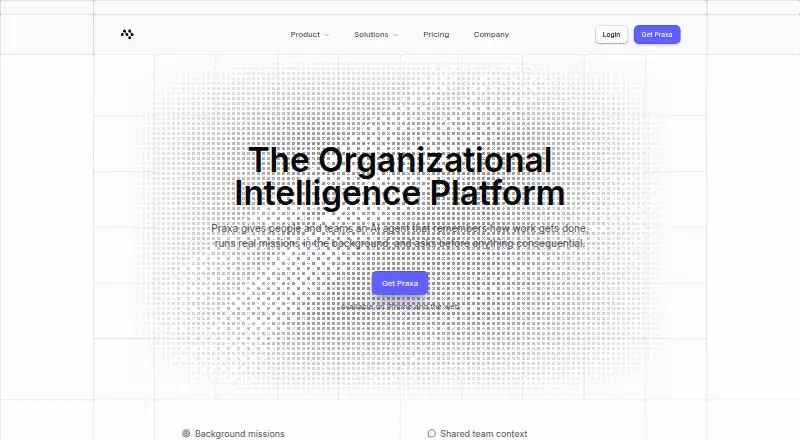
Praxa is an AI agent for individuals and teams that remembers how work gets done and can carry standing goals forward as background missions. Missions can continue across days, including while the app is closed. Free accounts can run one mission at a time, and the stated account maximum is five. Users can inspect, edit or delete remembered facts. Turning memory off stops both new saves and access to existing memory.
Praxa lists more than 120 app connectors, including Gmail, Google Calendar, Google Drive, Outlook, Slack, Notion, GitHub, Linear, Jira, Airtable, Asana and Trello; users can also add a remote MCP server. Connector actions are classed as read, write or destructive, with write and destructive actions requiring user approval. The service includes source citations, deep research, file uploads and access to web, files and connectors. Praxa for teams adds shared channels, connectors and role-based permissions. Praxa says it is free during beta, billing is not enabled yet, and users will be told before billing begins. Its listed plans range from Free to Business, with monthly paid options starting at $29.99.
Who it suits
Praxa may suit individuals who want an AI agent to carry ongoing work across days and connect to their apps. Teams can consider its Business offering, which includes verified organization status and the top capacity tier, or team features such as shared channels and role-based permissions.
What it does well
- Background missions continue while the app is closed
- Memory can be inspected, edited, deleted or turned off
- More than 120 listed connectors, with custom MCP support
- Write and destructive connector actions require approval
- Free plan includes chat, research, memory and voice
What to know first
- Free accounts are limited to one active mission
- Free plan includes five connectors and 100 daily credits
- Business is listed at $999.99 per month
Limits
The Free plan provides 100 credits a day, with up to 50 additional credits for a daily streak, five connectors and one active mission at a time. Free accounts also have full chat, research, memory and voice; Praxa states that billing is not enabled during beta and users will be notified before it begins.
Plans
| Plan | Billed and limits | Price |
|---|---|---|
| Free | Free while we are in beta · 100 credits a day, plus up to 50 more for a daily streak · 5 connectors · 1 mission at a time · Full chat, research, memory, and voice | Free |
| Max | per month · 25,000 credits a month · Unlimited missions · Maximum headroom | $199.99 a month |
| Plus | per month · 2,500 credits a month · 15 connectors · 3 concurrent missions · Premium models for everyday work | $29.99 a month |
| Pro | per month · 7,500 credits a month · Unlimited connectors · 10 concurrent missions · Code execution | $69.99 a month |
| Business | per month · 150,000 credits a month · Verified organization status · Top-tier capacity | $999.99 a month |
As praxa.io lists them, read 7 Oct 2026. The maker's own page has the final word.
Getting started
- Open Praxa's website and choose the iOS or web app.
- Start with the Free plan, listed as free during beta.
- Connect apps from the available connectors or add a remote MCP server.
- Create a mission and approve write or destructive connector actions when prompted.
- For team features, consider Praxa for teams and its Business plan.
Verdict
Consider Praxa if you want an AI agent with ongoing missions, app connectors and user approval for consequential actions. The Free plan includes core features, while paid plans add credits and capacity. Teams needing verified organization status and top-tier capacity can look at Business, listed at $999.99 per month.
Questions
What does the Free plan cost?
It is listed as free while Praxa is in beta. Praxa says billing is not enabled yet and users will be told before billing begins.
What are the paid plan prices?
Plus is $29.99 per month, Pro is $69.99 per month, Max is $199.99 per month and Business is $999.99 per month.
Which platforms are available?
Praxa lists iOS and web.
How many connectors does it support?
Praxa lists 120+ app connectors and lets users add a remote MCP server as a custom connector. The Free plan includes five connectors; Plus includes 15, while Pro and higher list unlimited connectors.
Does Praxa require approval for actions?
Write and destructive connector actions wait for user approval. The model cannot grant that approval itself.
What does Business include?
The listed Business plan includes 150,000 credits a month, verified organization status and top-tier capacity. Praxa for teams offers shared channels, connectors and role-based permissions.
Facts from Praxa's own pages
- Approval controls
- Connector actions are classified as read, write, or destructive; writes and destructive actions wait for approval, which the model cannot grant itself. · praxa.io, 7 Oct 2026
- Audience
- Praxa says its Business plan is built for teams and includes verified organization status and its top capacity tier. · praxa.io, 7 Oct 2026
- Background missions
- Missions are standing goals that can run in the background across days, including while the app is closed. · praxa.io, 7 Oct 2026
- Beta pricing
- Praxa says it is free during beta, billing is not turned on yet, and users will be told before billing begins. · praxa.io, 7 Oct 2026
- Connectors
- Praxa lists 120+ app connectors and supports adding a remote MCP server as a custom connector. · praxa.io, 7 Oct 2026
- Integration examples
- Listed connectors include Gmail, Google Calendar, Google Drive, Outlook, Slack, Notion, GitHub, Linear, Jira, Airtable, Asana, and Trello. · praxa.io, 7 Oct 2026
- Memory
- Users can inspect, edit, or delete remembered facts, and turning memory off stops both new writes and reads of existing memory. · praxa.io, 7 Oct 2026
- Mission limits
- Free accounts can run one active mission at a time, while five is the maximum for any account. · praxa.io, 7 Oct 2026
- Platforms
- The download page says Praxa runs as a native iPhone app and in a modern web browser, and that there is no Android app today. · praxa.io, 7 Oct 2026
- Privacy
- Praxa states that it does not sell personal information and does not display ads or accept payment to promote products in conversations. · praxa.io, 7 Oct 2026
- Product
- Praxa describes itself as an AI agent for people and teams that remembers how work gets done, runs missions in the background, and asks before consequential actions. · praxa.io, 7 Oct 2026
- Security
- Praxa says connection tokens live in the device Keychain, the model never receives password values, and consequential actions require a server-side approval record. · praxa.io, 7 Oct 2026
- Team use
- Praxa for teams offers shared channels, connectors, and role-based permissions, with permissions checked in the database. · praxa.io, 7 Oct 2026
- Usage behavior
- When credits run low, Praxa says it falls back to free-lane models and continues working, except when a user explicitly selects a premium model with an empty balance. · praxa.io, 7 Oct 2026
Where Praxa stands on Freedom251
- AI Research Assistants#21 of 28