Freedom251 › Automated Grading Software

PrairieLearn
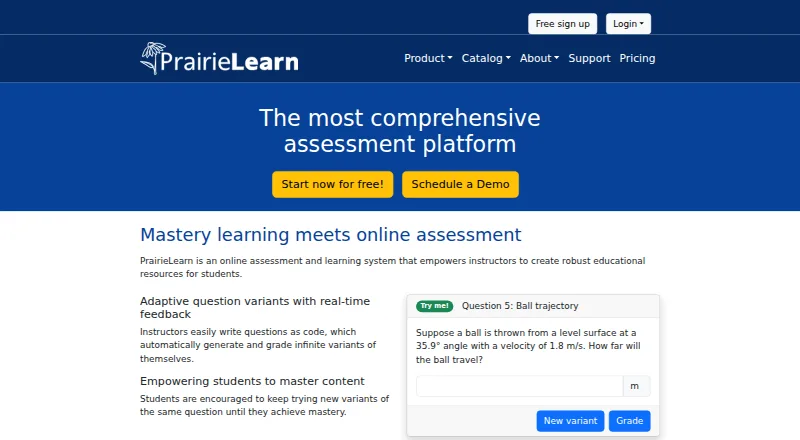
What PrairieLearn is
PrairieLearn is an online assessment and learning system for instructors creating educational resources, assignments, practice, and tests. Instructors write questions as code; the system generates and grades question variants and gives students real-time feedback. Students can continue with new variants until they master a question. Response formats include numerical, multiple-choice, checkbox, dropdown, graphical, code, and ordered-block answers. PrairieLearn is described for in-class activities, homework, practice, and testing, including proctored and bring-your-own-device tests. It connects to learning management systems through LTI 1.3 for assignment linking and grade syncing, with integration primarily designed and documented for Canvas; its importer accepts QTI 1.2 content. The software is open source and can be run or modified on personal or institutional infrastructure. Instructors and courses with up to 20 students per term can use the free plan. For larger courses, Basic costs $8, paid once for each student and excludes code autograding, workspaces, and PrairieTest; Premium costs $16, paid once for each student and includes them. Self-hosted installations are not supported by PrairieLearn.
Who it suits
PrairieLearn suits instructors who need configurable assessments, practice, or testing with automatically generated question variants. It may also suit institutions that want open-source software they can run on their own infrastructure.
What it does well
- Generates and grades question variants with real-time feedback.
- Supports several response formats, including code and graphical answers.
- LTI 1.3 supports assignment links and grade syncing.
- Open-source software can be run on your own infrastructure.
What to know first
- Self-hosted installations are not supported.
- Windows local installation requires WSL 2.
- Courses above 20 students incur per-student charges.
Limits
The Free plan covers courses with up to 20 students in each term. Above that threshold, Basic costs $8, paid once per student and excludes code autograding, workspaces, and PrairieTest; Premium costs $16, paid once per student and includes those features.
Plans
| Plan | Billed and limits | Price |
|---|---|---|
| Free | Free for instructors · free for courses with up to 20 students in each term | Free |
| PrairieTest Large | Annual Fee · 200k included reservations · for annual non-PrairieLearn exam reservations | $10 a year |
| PrairieTest Enterprise | Annual Fee · No limit on included reservations · for annual non-PrairieLearn exam reservations | $15 a year |
| Premium | Charged for every student when a course exceeds 20 students · includes code autograding, workspaces, and PrairieTest | $16, paid once |
| PrairieTest Starter | Annual Fee · 20k included reservations · for annual non-PrairieLearn exam reservations | $3 a year |
| PrairieTest Small | Annual Fee · 50k included reservations · for annual non-PrairieLearn exam reservations | $5 a year |
| PrairieTest Medium | Annual Fee · 100k included reservations · for annual non-PrairieLearn exam reservations | $7 a year |
| Basic | Charged for every student when a course exceeds 20 students · no code autograding · no workspaces · no PrairieTest | $8, paid once |
The first 8 of 9 plans, as prairielearn.com lists them, read 29 Sept 2026. The maker's own page has the final word. Every plan
Getting started
- Visit https://www.prairielearn.com/.
- Choose the Free plan for instructors and courses with up to 20 students per term, or review the paid plans for larger courses.
- Use the web platform, or review the self-hosted option if you want to run and modify the open-source software on your infrastructure.
- Connect a learning management system through LTI 1.3, or import QTI 1.2 content.
PrairieLearn is an online assessment and learning system for instructors who want to build questions that generate and grade varied attempts. It is best suited to courses centered on repeated practice, mastery, and a mix of response formats. Its flexibility is compelling, but larger courses should account for per-student charges and Basic’s missing tools.
Overview
PrairieLearn spans in-class activities, homework, practice, and testing, including proctored and bring-your-own-device exams. Students can try new variants until they reach mastery, with real-time feedback along the way. That makes it a better fit for courses designed around ongoing practice than for instructors seeking only a static quiz workflow.
Questions are authored as code, which enables automatic generation and grading of variants. This is a useful foundation for varied practice, but it also makes PrairieLearn most attractive to courses prepared to work with coded questions. The system is open source and can be run and modified on an institution’s own infrastructure; the trade-off is that PrairieLearn does not support self-hosted installations.
Key features
- Flexible responses and grading: Numerical, multiple-choice, checkbox, dropdown, graphical, code, and ordered-block responses cover varied assessment styles. Programming and math autograding, written-work OCR, and question banks add breadth; however, code autograding is excluded from Basic.
- Practice and assessment: Repeated attempts use new question variants, supporting mastery-oriented learning as well as formal tests. Instructors can use the platform for both low-stakes practice and proctored or bring-your-own-device testing.
- LMS connections: LTI 1.3 supports assignment linking and grade syncing, with integration primarily designed and documented for Canvas. QTI 1.2 imports can bring quizzes, assessments, question banks, and questions from Canvas or other learning management systems.
- Security and support: PrairieLearn, Inc. states it has a SOC 2 Type I attestation for Security and encrypts customer data at rest and in transit using TLS 1.2 or higher. Support options include documentation, Slack, GitHub Discussions, weekly Zoom office hours and workshops, and email; these options do not extend to self-hosted installations.
Pricing
PrairieLearn combines free access for smaller courses with per-student charges when a course exceeds 20 students. The Free plan costs nothing for instructors and courses with up to 20 students in each term. For larger courses, Basic costs $8, paid once, charged for every student when the course exceeds 20 students. It excludes code autograding, workspaces, and PrairieTest, so it is the lower-cost paid choice only when those capabilities are not needed.
Premium costs $16, paid once, also charged for every student when a course exceeds 20 students. It includes code autograding, workspaces, and PrairieTest, making it the more complete option for larger courses that need those tools. Enterprise uses a custom service agreement and custom pricing.
The PrairieTest plans are separate annual fees for non-PrairieLearn exam reservations: Starter is $3 a year with 20k included reservations; Small is $5 a year with 50k; Medium is $7 a year with 100k; Large is $10 a year with 200k; and Enterprise is $15 a year with no reservation limit. These plans suit organizations planning exam reservation volume; the included quotas make the appropriate tier depend on expected annual use. A free trial is available.
Platforms
PrairieLearn supports API, Linux, macOS, self-hosted, web, and Windows platforms. For local development, documentation supports native execution on macOS and Linux, and Windows inside WSL 2; Windows without WSL 2 is not supported for local installation.
Who it's for
PrairieLearn is a strong choice for instructors who want students to practice with fresh question variants, use mastery learning, or combine several answer types and automated grading. Canvas-centered courses can make use of its LTI 1.3 assignment and grade connections. Organizations that need control over infrastructure may value the open-source, modifiable software, but should only self-host if they can manage the installation without PrairieLearn support. It is a weaker fit for larger courses that need code autograding but cannot justify Premium.
Pros and cons
- Pro: New variants and repeated attempts support mastery-oriented practice rather than repeating an identical question.
- Pro: A broad set of response types, question banks, programming and math autograding, and written-work OCR can serve varied course assessments.
- Pro: Open-source software can be run and modified on an institution’s own infrastructure.
- Con: Basic excludes code autograding, workspaces, and PrairieTest, while Premium’s charge applies per student once a course exceeds 20 students.
- Con: Self-hosted installations receive no support from PrairieLearn.
- Con: LMS integration is primarily designed and documented for Canvas, which may make it less suitable for courses relying on other LMS workflows.
Alternatives
Choose Automated Grading Software to compare more tools in the category.
- Wayground (formerly Quizizz) has a free Starter plan with a 20-activity limit, up to 100 participants per session, and limited library access; consider it when those session and activity limits suit your use.
- MATLAB Grader is free with a MATLAB license current under maintenance, and LMS integration requires a qualifying academic license; choose it when that licensing arrangement fits.
- Numbas is free and open source, with no public LTI hosting instance; it may suit readers seeking a free open-source option who can accommodate that hosting constraint.
- Socrative offers a free plan limited to five quizzes, one room, 50 students per activity, and 30-day report history; consider it if those caps fit your needs.
- TAO has a free Starter plan with one author seat, 3,000 AI credits per month, and 50 learner test attempts per month; choose it when those monthly limits match your scale.
- DMOJ offers public contest hosting for free and private contest hosting for educational organizations at a small fee; consider it for contest hosting.
- Gradescope Basic includes basic assignment types, dynamic rubrics, question-by-question grading, assignment statistics, regrade requests, and data export; consider it when those grading workflows are the priority.
- ZipGrade offers 100 papers per month on its free plan and unlimited quizzes, students, and classes on both free and paid plans; choose it when paper grading within those terms is the goal.
Verdict
PrairieLearn is best for courses that want code-authored question variants, repeatable practice toward mastery, and varied assessment formats. Its main reason to choose it is the combination of those learning workflows with broad grading and LMS capabilities. Look elsewhere if you need supported self-hosting or if a larger course cannot accommodate the per-student cost of the features it requires.
Verdict
PrairieLearn combines varied assessment formats with repeated practice toward mastery. Check the plan limits and support arrangements, especially for larger courses or self-hosted use.
Questions
Is PrairieLearn free?
Yes. Its Free plan is free for instructors and courses with up to 20 students in each term.
What do the paid plans cost?
Basic costs $8, paid once for every student when a course exceeds 20 students. Premium costs $16, paid once for every student at that threshold; Enterprise has a custom service agreement.
Can PrairieLearn connect to an LMS?
Yes. LTI 1.3 supports assignment linking and grade syncing, with integration primarily designed and documented for Canvas. The importer can also bring in QTI 1.2 content from Canvas or other learning management systems.
Is PrairieLearn open source?
Yes. Institutions and individuals can run it on their own infrastructure and modify it.
What platforms does PrairieLearn support?
Listed platforms include API, Linux, macOS, self-hosted, web, and Windows. For local installation, documentation supports macOS, Linux, and Windows inside WSL 2; Windows without WSL 2 is not supported.
What support is available?
Options include documentation, a Slack community, GitHub Discussions, weekly Zoom office hours and workshops, and email support. PrairieLearn does not provide support for self-hosted installations.
Facts from PrairieLearn's own pages
- Answer types
- The platform supports numerical, multiple-choice, checkbox, dropdown, graphical, code, and ordered-block responses. · prairielearn.com, 29 Sept 2026
- API access
- The pricing comparison lists API access among PrairieLearn plan features. · prairielearn.com, 29 Sept 2026
- Assessment uses
- The site describes use for in-class activities, homework, practice, and testing, including proctored tests and bring-your-own-device tests. · prairielearn.com, 29 Sept 2026
- LMS integration
- PrairieLearn connects to learning management systems using LTI 1.3 for assignment linking and grade syncing, with integration primarily designed and documented for Canvas. · docs.prairielearn.com, 29 Sept 2026
- Local development platforms
- The documentation supports native execution on macOS, Linux, and Windows inside WSL 2; it says Windows without WSL 2 is not supported for local installation. · docs.prairielearn.com, 29 Sept 2026
- Mastery learning
- Students can keep trying new variants of a question until they achieve mastery. · prairielearn.com, 29 Sept 2026
- Open source
- PrairieLearn is open-source software that institutions and individuals can run on their own infrastructure and modify. · prairielearn.com, 29 Sept 2026
- Product
- PrairieLearn is an online assessment and learning system that helps instructors create educational resources for students. · prairielearn.com, 29 Sept 2026
- QTI import
- Its content importer can import quizzes, assessments, question banks, and questions from Canvas or other learning management systems using QTI 1.2 content. · docs.prairielearn.com, 29 Sept 2026
- Question variants
- Instructors write questions as code that generate and grade variants automatically, with real-time feedback. · prairielearn.com, 29 Sept 2026
- Security
- PrairieLearn, Inc. states that it has a SOC 2 Type I attestation for Security and encrypts customer data at rest and data in transit using TLS 1.2 or higher. · prairielearn.com, 29 Sept 2026
- Self-hosted support limit
- PrairieLearn says it does not provide support for self-hosted installations. · prairielearn.com, 29 Sept 2026
- Support
- Support options include documentation, a Slack community, GitHub Discussions, weekly Zoom office hours and workshops, and email support. · prairielearn.com, 29 Sept 2026
Where PrairieLearn stands on Freedom251
- Automated Grading Software#13 of 33