Freedom251 › Multi-Factor Authentication Software
Powertech Multi-Factor Authentication
Visit Powertech Multi-Factor Authentication Alternatives Pricing
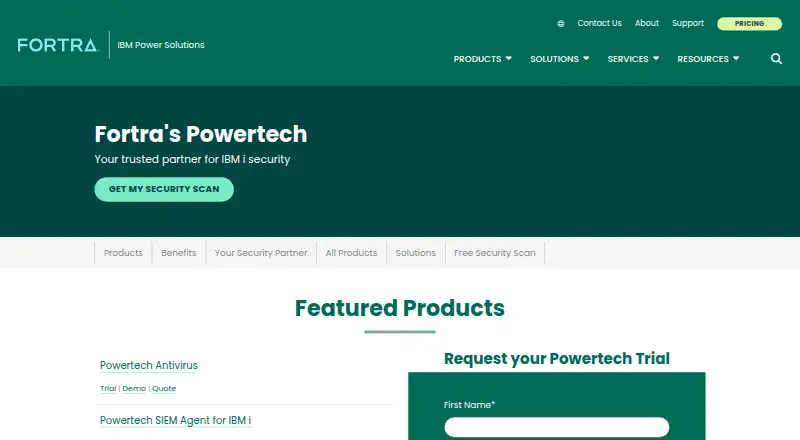
What Powertech Multi-Factor Authentication is
Powertech Multi-Factor Authentication provides additional verification for IBM i systems, including AS/400 and iSeries. The IBM i agent can request MFA at sign-on or when users perform protected actions, such as FTP requests handled through an exit program. Supported factors include YubiKey, one-time passwords, push notifications, fingerprint scanning, and printed backup codes for offline use.
Administrators manage users, groups, authentication settings, and the self-service portal through the Fortra Insite web interface. The authentication manager can import and synchronize user profiles with Active Directory through LDAP. It supports RADIUS, forwarding credentials to a RADIUS server for validation, and an API that lets customer products or processes invoke MFA. FTP and Telnet exit points are also listed integration methods.
Administrators can audit authentication attempts, user-maintenance activity, and user information, while setting audit retention. A backup authentication manager can process attempts if the primary is unavailable. Fortra describes the product as supporting efforts toward requirements including PCI DSS and HIPAA. The product is self-hosted and supports Android, iOS, Linux, Windows, web, and API environments. Pricing is available on request, and a free trial is offered. Fortra was founded in 1982 and is headquartered in Eden Prairie, Minnesota.
Who it suits
Powertech suits organizations securing IBM i environments and related services with multiple authentication factors. It is relevant to teams needing self-hosted deployment, directory or RADIUS integration, audit controls, and backup authentication management.
What it does well
- Supports YubiKey, OTP, push, fingerprint, and printed backup factors
- Triggers MFA at sign-on and protected IBM i actions
- Integrates with Active Directory through LDAP
- Supports RADIUS and API-driven MFA calls
- Backup manager can handle authentication during primary outages
What to know first
- Pricing requires a request to Fortra
- Self-hosted deployment requires an organization-managed environment
- Offline printed OTP access can be disabled by an administrator
Limits
Pricing is available on request.
Plans
| Plan | Billed and limits | Price |
|---|---|---|
| Powertech Multi-Factor Authentication | Request pricing from Fortra | On request |
As fortra.com lists them, read 11 Oct 2026. The maker's own page has the final word.
Getting started
- Visit the Fortra Powertech website
- Request pricing or start the offered free trial
- Deploy the product in a self-hosted environment
- Configure users, groups, factors, and policies in Fortra Insite
- Connect Active Directory, RADIUS, API, FTP, or Telnet integrations as needed
- Enroll users with supported authentication factors
Verdict
Choose Powertech Multi-Factor Authentication when IBM i systems need configurable MFA at sign-on or during protected operations. Its integrations, auditing, and backup manager suit organizations with established infrastructure. Consider another product if you need a hosted service or published pricing.
Questions
What does Powertech Multi-Factor Authentication protect?
It provides MFA for IBM i systems, including AS/400 and iSeries, at sign-on and for protected actions such as FTP requests through an exit program.
Which authentication factors are supported?
Supported methods include YubiKey, one-time passwords, mobile push notifications, mobile fingerprint scanning, and printed backup codes.
Is Powertech self-hosted?
Yes. Deployment is self-hosted.
Which integrations are available?
It supports an IBM i agent, Active Directory through LDAP, RADIUS, an API, FTP exit points, and Telnet exit points.
How much does it cost?
Pricing is available on request from Fortra. The product page also offers a free trial.
Which platforms are supported?
Supported platforms and interfaces include Android, iOS, Linux, Windows, web, and API.
Facts from Powertech Multi-Factor Authentication's own pages
- Administration
- Administrators use the Fortra Insite web interface to manage users, groups, authentication settings, and the self-service portal. · power.fortra.com, 11 Oct 2026
- API integration
- The product can integrate with customer products and processes so MFA is invoked when a user calls a program or process. · power.fortra.com, 11 Oct 2026
- Auditing
- Administrators can audit authentication attempts, user maintenance activity, and user information, and set audit retention. · power.fortra.com, 11 Oct 2026
- Authentication methods
- Supported methods include YubiKey, one-time passwords, push notifications, and fingerprint scanning. · power.fortra.com, 11 Oct 2026
- Authentication points
- The IBM i agent can prompt for MFA at sign-on or when users attempt actions such as FTP requests through an exit program. · power.fortra.com, 11 Oct 2026
- Compliance
- Fortra describes the product as supporting organizations' efforts to meet requirements including PCI DSS and HIPAA. · power.fortra.com, 11 Oct 2026
- Directory integration
- The authentication manager can import user profiles from Active Directory via LDAP and synchronize user profiles with the directory. · power.fortra.com, 11 Oct 2026
- Founded
- 1982 · fortra.com, 28 Sept 2026
- Headquarters
- Eden Prairie, Minnesota, United States · fortra.com, 28 Sept 2026
- High availability
- A backup authentication manager can process authentication attempts if the primary manager is unavailable. · power.fortra.com, 11 Oct 2026
- Offline access
- Users can generate and print a list of one-time passwords for offline use; an administrator can disable this feature. · power.fortra.com, 11 Oct 2026
- Platforms
- The product includes an IBM i server agent, a Windows desktop agent, and mobile apps for iOS and Android. · power.fortra.com, 11 Oct 2026
- Purpose
- Provides multi-factor authentication for IBM i systems, including AS/400 and iSeries. · power.fortra.com, 11 Oct 2026
- RADIUS integration
- Powertech MFA supports RADIUS and can forward user credentials to a RADIUS server for validation. · power.fortra.com, 11 Oct 2026
- Support
- Fortra provides a product support request link and lists phone, email, and live chat contact options on the product page. · power.fortra.com, 11 Oct 2026
- Trial
- The product page offers a free trial, but does not state its duration. · power.fortra.com, 11 Oct 2026
Where Powertech Multi-Factor Authentication stands on Freedom251
- Multi-Factor Authentication Software#25 of 52