Freedom251 › Image Compression Software
PNGGauntlet
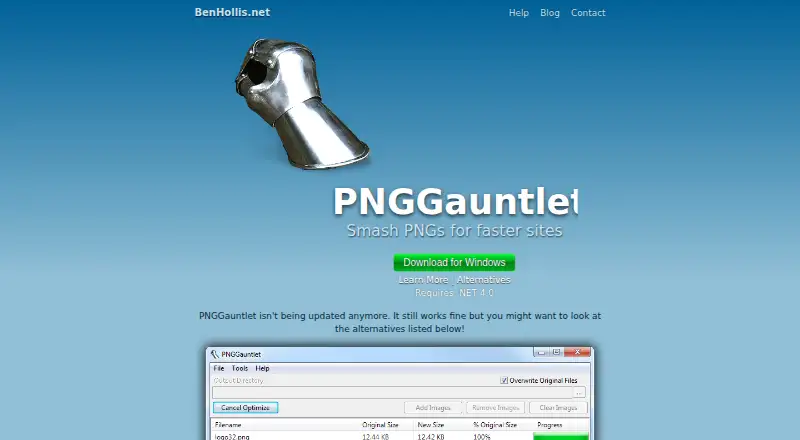
What PNGGauntlet is
PNGGauntlet is free Windows software for reducing image file sizes, especially PNGs intended for websites. It combines PNGOUT, OptiPNG and DeflOpt, using lossless compression that the maker says reduces size without reducing image quality. Batch processing lets users handle multiple files, and metadata controls are included. The program accepts PNG, JPG, GIF, TIFF and BMP files; JPG, GIF, TIFF and BMP images can be converted to PNG. It may keep a source image in its original format when conversion would increase the file size, although an option can force conversion. PNGOUT and OptiPNG can take time, while disabling OptiPNG makes compression somewhat faster. The Windows download requires .NET Framework 4.0. The maker says development has stopped, although the software still works. Paletted alpha images may cause problems in Photoshop, Gimp or Paint Shop Pro.
Who it suits
It suits Windows users who want free, lossless, batch image compression and PNG conversion. It is relevant for website asset workflows where retaining image quality matters.
What it does well
- Free Windows download
- Lossless compression preserves image quality
- Batch processing handles multiple files
- Supports PNG, JPG, GIF, TIFF and BMP
- Includes metadata controls
What to know first
- No longer being updated
- Requires .NET Framework 4.0
- Compression can take a while
- Paletted alpha images may cause editor problems
Verdict
PNGGauntlet focuses on straightforward, lossless image compression and conversion at no cost. Its Windows-only availability, older maintenance status and possible alpha-image compatibility issues should be considered first.
Facts from PNGGauntlet's own pages
- Batch processing
- It supports parallel batch compression of multiple files at once. · pnggauntlet.com, 12 Oct 2026
- Compression
- It combines PNGOUT, OptiPNG, and DeflOpt to create smaller PNG files. · pnggauntlet.com, 11 Oct 2026
- Compression modes
- lossless · pnggauntlet.com, 20 Sept 2026
- Compression speed
- The help page says PNGOUT and OptiPNG can take time, and turning off OptiPNG can make compression faster while producing slightly larger files. · pnggauntlet.com, 12 Oct 2026
- Compression tools
- It combines PNGOUT, OptiPNG, and DeflOpt to create smaller PNG files. · pnggauntlet.com, 12 Oct 2026
- Conversion behavior
- By default, it may leave a non-PNG file in its original format when converting it to PNG would make it larger. · pnggauntlet.com, 12 Oct 2026
- File conversion
- It converts JPG, GIF, TIFF, and BMP files to PNG. · pnggauntlet.com, 12 Oct 2026
- Free plan
- Yes · pnggauntlet.com, 20 Sept 2026
- Input formats
- It can convert JPG, GIF, TIFF, and BMP files to PNG. · pnggauntlet.com, 11 Oct 2026
- Intended use
- The site describes PNGGauntlet as a tool for making smaller PNGs for faster sites. · pnggauntlet.com, 11 Oct 2026
- License
- The site says the license permits unlimited distribution provided nobody charges for it, modifies it, or packages it with other software without the maker's permission. · pnggauntlet.com, 12 Oct 2026
- Lossless
- The site says compression reduces file size without losing image quality. · pnggauntlet.com, 11 Oct 2026
- Lossless compression
- The site says compression reduces file size without losing image quality. · pnggauntlet.com, 12 Oct 2026
- Maintenance
- The maker says PNGGauntlet is no longer being updated, though it still works. · pnggauntlet.com, 12 Oct 2026
- Metadata controls
- Yes · pnggauntlet.com, 20 Sept 2026
- Purpose
- PNGGauntlet is PNG compression software described as helping make faster sites. · pnggauntlet.com, 12 Oct 2026
- Support
- The site lists the maker’s email as [email protected]. · pnggauntlet.com, 11 Oct 2026
- Support contact
- The site provides [email protected] as a contact email and links to an FAQ help page. · pnggauntlet.com, 12 Oct 2026
- Supported formats
- PNG,JPG,GIF,TIFF,BMP · pnggauntlet.com, 20 Sept 2026
- System requirement
- PNGGauntlet requires .NET Framework 4.0 and is developed in C# using the .NET Framework. · pnggauntlet.com, 11 Oct 2026
- Transparency limitation
- The help page says paletted alpha images may not work in Photoshop, Gimp, or Paint Shop Pro, and recommends RGB+Alpha mode for editing in those programs. · pnggauntlet.com, 12 Oct 2026
- Windows requirement
- The download is for Windows and requires .NET Framework 4.0. · pnggauntlet.com, 12 Oct 2026
Where PNGGauntlet stands on Freedom251
- Image Compression Software#78 of 85