Freedom251 › Image Upscaling Software
PNG-Upscale
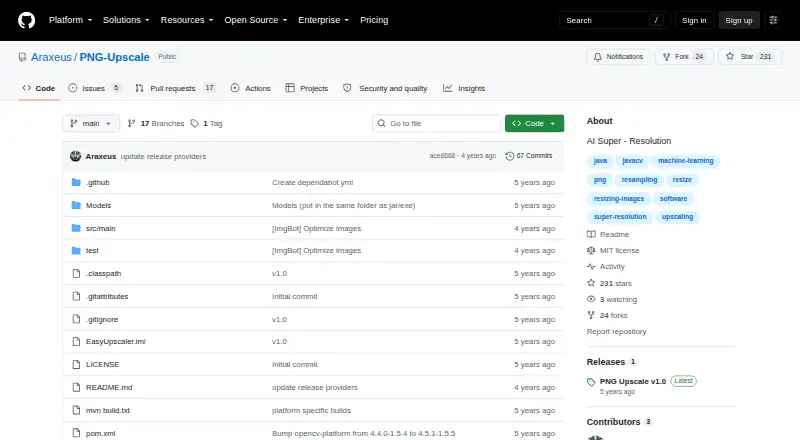
What PNG-Upscale is
PNG-Upscale is a free, open-source desktop tool for enlarging PNG images with pretrained models. It runs on Linux, macOS, and Windows, with downloads listed as 64-bit JAR files and a Windows executable option. Four included models—EDSR, ESPCN, FSRCNN, and LapSRN—provide scaling choices from x2 to x8. EDSR is described as the highest-quality and slowest model, while ESPCN and FSRCNN are faster options. EDSR and ESPCN offer x2, x3, and x4 models; LapSRN offers x2, x4, and x8. The workflow is to choose a mode, load a picture, and press Start, then select an output folder and filename with Save. PNG files are recommended. Very large images may take substantial time and resources. The Models folder must remain beside the JAR or EXE. Downloads are linked through Releases, Google Drive, and MediaFire, and the project uses the MIT license.
Who it suits
PNG-Upscale suits people who need a free desktop utility for enlarging PNG files on Linux, macOS, or Windows. It is useful when choosing between slower quality-focused and faster models.
What it does well
- Free and open-source under the MIT license
- Runs on Linux, macOS, and Windows
- Includes four pretrained upscaling models
- Supports scaling up to x8
- Offers dark and light themes
What to know first
- Accepts PNG input only
- Very large images may require substantial resources
- Models folder must stay beside the program
Verdict
PNG-Upscale provides a straightforward desktop workflow with several pretrained models and scaling options. Its PNG-only input and model-folder requirement are important setup considerations.
Facts from PNG-Upscale's own pages
- Desktop app
- Yes · github.com, 22 Sept 2026
- Download
- The project README links downloads from its Releases page, Google Drive, and MediaFire. · github.com, 12 Oct 2026
- Downloads
- The project links downloads from its Releases page, Google Drive, and MediaFire. · github.com, 12 Oct 2026
- Image guidance
- The README recommends PNG images for best results. · github.com, 12 Oct 2026
- Image workflow
- To upscale an image, choose a mode, load a picture, and press Start. · github.com, 12 Oct 2026
- Input formats
- PNG · github.com, 22 Sept 2026
- Large images
- The README cautions that resizing very large pictures can take considerable time and resources. · github.com, 12 Oct 2026
- License
- The repository identifies its license as MIT. · github.com, 12 Oct 2026
- Linux support
- A Linux 64-bit JAR download is listed. · github.com, 12 Oct 2026
- macOS support
- A macOS 64-bit JAR download is listed. · github.com, 12 Oct 2026
- Maximum scale
- 8x · github.com, 22 Sept 2026
- Model files
- The README says the Models folder must be in the same directory as the JAR or EXE for the models to work. · github.com, 12 Oct 2026
- Models
- The program includes four trained models: EDSR, ESPCN, FSRCNN, and LapSRN. · github.com, 12 Oct 2026
- Model tradeoffs
- The README describes EDSR as the best quality and slowest option, while ESPCN and FSRCNN are fast options. · github.com, 12 Oct 2026
- Output
- The Save button lets users choose an output folder and filename before processing. · github.com, 12 Oct 2026
- Platform downloads
- The README lists a Windows 64-bit EXE or JAR, a Linux 64-bit JAR, and a macOS 64-bit JAR. · github.com, 12 Oct 2026
- Purpose
- PNG Upscale is a small tool that uses pretrained models to upscale images. · github.com, 12 Oct 2026
- Scaling
- The listed trained models support x2, x3, or x4 scaling, and LapSRN also supports x8. · github.com, 12 Oct 2026
- Scaling factors
- The README lists x2, x3, and x4 models for EDSR and ESPCN, and x2, x4, and x8 models for LapSRN. · github.com, 12 Oct 2026
- Theme
- Users can switch between dark and light themes by double-clicking the text box. · github.com, 12 Oct 2026
- Upscaling method
- both · github.com, 22 Sept 2026
- Windows support
- Windows 64-bit downloads include an executable and a JAR option. · github.com, 12 Oct 2026
- Workflow
- To upscale an image, users choose a mode, load a picture, and press start; they can choose an output folder and filename before processing. · github.com, 12 Oct 2026
Where PNG-Upscale stands on Freedom251
- Image Upscaling Software#95 of 99