Freedom251 › 3D Visualization Software
Planoplan
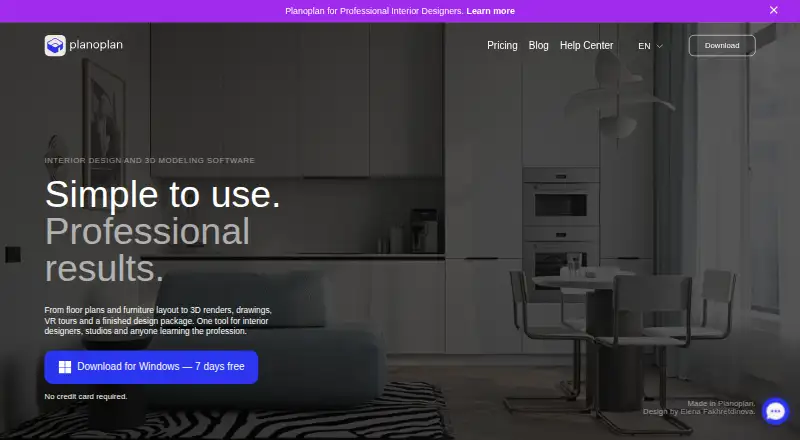
What Planoplan is
Planoplan is desktop software for developing interior designs from floor plans through visual presentations and working documents. Users can import a measured drawing as an underlay or draw walls manually, then switch the plan to 3D and arrange furniture. The workflow also includes 3D renders, drawings, virtual tours, and a finished design package. Cloud rendering runs on Planoplan’s servers, allowing work to continue while a render is processing. Its AI tools can make prompt-based edits to a render without re-rendering the scene. Users can create 360 panoramas, connect scenes with navigation points, and share browser-based tour links. Drawing outputs include wall elevations, tile layouts with automatic area calculation, furniture schedules, and material estimates. The catalog contains over 8,000 models and materials, including RAL, Pantone, NCS, and Tikkurila color libraries; model imports support SKP, FBX, 3DS, and OBJ. Project data can be exported as CSV for CRM integration. Planoplan runs on macOS and Windows. Lite costs 1,890 RUB a month, Base 2,790 RUB a month, and Expert 3,590 RUB a month. A seven-day trial requires no payment card.
Who it suits
Planoplan suits interior design workflows that need floor plans, 3D presentations, working drawings, or virtual tours. Its desktop apps are for macOS and Windows users.
What it does well
- Switch from drawn or imported plans to 3D.
- Cloud rendering lets work continue during processing.
- Create linked 360 panoramas and browser tour links.
- Over 8,000 catalog models and materials.
- Exports project data as CSV for CRM integration.
What to know first
- No free plan; subscriptions are paid.
- Trial lasts seven days; afterward projects become view-only.
- Standards-compliant drawing output is listed as upcoming.
- Collaboration is not available.
Limits
The seven-day trial ends with view-only access to previously created projects. Lite costs 1,890 RUB a month and limits users to 25 projects, three floors, 1000 m², 100 tokens monthly, and 50 uploadable models and textures; Base and Expert raise or remove several of these limits.
Plans
| Plan | Billed and limits | Price |
|---|---|---|
| Lite | monthly subscription · up to 25 projects · up to 3 floors · up to 1000 m² · 100 tokens/month · 50 uploadable models and textures | 1,890 RUB a month |
| Base | monthly subscription · unlimited projects, area and floors · 250 models and 250 textures · 200 tokens/month | 2,790 RUB a month |
| Expert | monthly subscription · projects, floors, area, models and textures without limits · 300 tokens/month · interactive virtual tours | 3,590 RUB a month |
As planoplan.com lists them, read 7 Oct 2026. The maker's own page has the final word.
Getting started
- Open the Planoplan website
- Install the desktop application on macOS or Windows
- Start the seven-day trial without entering a payment card
- Import a measured drawing or draw walls manually
- Switch the plan into 3D and build the project
Verdict
Planoplan brings planning, visualization, and drawing outputs into a desktop interior design workflow. Check its paid plans and the current drawing-output limitation against your project needs.
Questions
What does Planoplan cost?
Lite is 1,890 RUB a month, Base is 2,790 RUB a month, and Expert is 3,590 RUB a month. All are monthly subscriptions.
Is there a free plan or trial?
There is no free plan. A seven-day trial is available without requiring a payment card.
Which platforms support Planoplan?
Planoplan runs on desktop macOS and Windows.
Can projects be presented as virtual tours?
Yes. You can create 360 panoramas, connect scenes with navigation points, and share a tour link that opens in a browser.
What files can it import and export?
It imports SKP, FBX, 3DS, and OBJ models. Images export as JPG or PNG, and project data can export as CSV for CRM integration.
Facts from Planoplan's own pages
- 2D and 3D plans
- Users can import a measured drawing as an underlay or draw walls from scratch, then switch the plan to 3D. · planoplan.com, 7 Oct 2026
- AI tools
- The AI tools can edit a render with prompts without re-rendering the scene, and the page describes fast and quality models. · planoplan.com, 7 Oct 2026
- Catalog
- The main catalog contains over 8,000 models and materials, including RAL, Pantone, NCS, and Tikkurila color libraries. · planoplan.com, 7 Oct 2026
- Cloud rendering
- Planoplan says cloud rendering runs on its servers so users can keep working while renders are processed. · planoplan.com, 7 Oct 2026
- File formats
- Users can import SKP, FBX, 3DS, and OBJ models. · planoplan.com, 7 Oct 2026
- Integration
- Planoplan supports CSV export of project data for CRM integration. · planoplan.com, 7 Oct 2026
- Interior design workflow
- Planoplan provides tools for floor plans, furniture layouts, 3D renders, drawings, virtual tours, and a finished design package. · planoplan.com, 7 Oct 2026
- Notable limitation
- The product page says standards-compliant drawing output is coming in an upcoming release. · planoplan.com, 7 Oct 2026
- Privacy
- The privacy policy says the company processes personal information under GDPR and takes organizational and technical measures to protect it. · planoplan.com, 7 Oct 2026
- Support
- Support is available through in-app chat, Telegram, or email, and Expert and Business users receive priority in the queue. · planoplan.com, 7 Oct 2026
- Trial limits
- The seven-day trial requires no payment card, and after it ends accounts switch to view-only access to previously created projects. · planoplan.com, 7 Oct 2026
- Virtual tours
- Users can create 360 panoramas, connect scenes with navigation points, and share a tour link that opens in a browser. · planoplan.com, 7 Oct 2026
- Working drawings
- Planoplan can produce wall elevations, tile layouts with automatic area calculation, furniture schedules, and material estimates. · planoplan.com, 7 Oct 2026
Where Planoplan stands on Freedom251
- 3D Visualization Software#41 of 51
- 3D Home Design Software#33 of 39
- Floor Plan Software#24 of 25