
Pika Backup
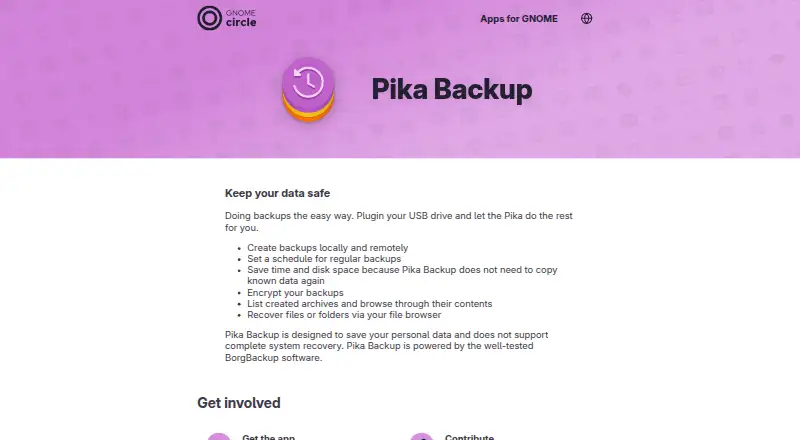
What Pika Backup is
Pika Backup is a free Linux app for making regular backups of personal files, designed with GNOME users in mind. It can save backups locally, on network shares, or to remote servers and online services that support BorgBackup, SSH or SFTP; BorgBackup support is recommended for performance. Automatic schedules can run hourly, daily, weekly or monthly. Powered by BorgBackup, the app avoids copying data it already knows, and lets users encrypt archives. Users can list saved archives, browse their contents and restore individual files or folders through their file browser. Scheduled settings can also remove old archives according to a preset or a retention amount chosen by the user. Bash commands can run before and after backups, for example to create a database dump or send a notification about the outcome. Pika Backup covers file backup and recovery, not complete system recovery. The project notes that scheduled backups with the background portal have been tested on Debian and Fedora, while other distributions may have configuration issues. The app page points users to Flathub for installation and to the app community or issue tracker for help and feedback.
Who it suits
Pika Backup suits Linux users who want scheduled backups of personal files and file-or-folder recovery. Users seeking complete system recovery or running other distributions should take note of its stated limits.
What it does well
- Free Linux app for personal data backups.
- Supports local, network-share and remote destinations.
- Offers hourly, daily, weekly and monthly schedules.
- Can encrypt archives and clean up older backups.
- Restores individual files or folders through the file browser.
What to know first
- Does not support complete system recovery.
- Mobile backup is not supported.
- Scheduled portal backups may need configuration on other distributions.
Plans
| Plan | Billed and limits | Price |
|---|---|---|
| Pika Backup | Linux app · personal data backups · no complete system recovery | Free |
As apps.gnome.org lists them, read 12 Oct 2026. The maker's own page has the final word.
Verdict
Pika Backup covers scheduled, encrypted file backups with archive browsing and individual file recovery. Its file-only scope and distribution caveat matter if you need whole-system recovery or use a Linux distribution beyond Debian and Fedora.
Facts from Pika Backup's own pages
- Archive cleanup
- Scheduled backup settings can automatically remove old archives using a preset or a customized retention amount. · world.pages.gitlab.gnome.org, 12 Oct 2026
- Archive efficiency
- Pika Backup saves time and disk space by avoiding copying data it already knows. · world.pages.gitlab.gnome.org, 12 Oct 2026
- Availability
- The app page directs users to install the latest version from Flathub. · apps.gnome.org, 12 Oct 2026
- Backup engine
- Pika Backup is powered by BorgBackup. · apps.gnome.org, 12 Oct 2026
- Backup locations
- It can create backups locally, on network shares, and remotely. · world.pages.gitlab.gnome.org, 12 Oct 2026
- Backup scope
- file · apps.gnome.org, 23 Sept 2026
- Browse and recover
- Users can list archives, browse their contents, and recover files or folders through their file browser. · world.pages.gitlab.gnome.org, 12 Oct 2026
- Command hooks
- Users can run Bash shell commands before and after backups, for example to create database dumps or send outcome notifications. · world.pages.gitlab.gnome.org, 12 Oct 2026
- Computer backup
- Yes · apps.gnome.org, 23 Sept 2026
- Distribution caveat
- The project says scheduled backups have been tested with the background portal on Debian and Fedora, and other distributions may encounter configuration issues. · world.pages.gitlab.gnome.org, 12 Oct 2026
- Encryption
- Pika Backup lets users encrypt their backups. · world.pages.gitlab.gnome.org, 12 Oct 2026
- Free plan
- Yes · apps.gnome.org, 23 Sept 2026
- Mobile backup
- No · apps.gnome.org, 23 Sept 2026
- Supported platforms
- Linux · apps.gnome.org, 23 Sept 2026
- Purpose
- Pika Backup is designed to save personal data and make regular backups easy for people using GNOME. · apps.gnome.org, 12 Oct 2026
- Remote services
- Remote servers and online services are supported when they offer BorgBackup, SSH, or SFTP support; BorgBackup support is recommended for performance. · world.pages.gitlab.gnome.org, 12 Oct 2026
- Restore modes
- file · apps.gnome.org, 23 Sept 2026
- Scheduling
- Automatic backups can be scheduled hourly, daily, weekly, or monthly. · world.pages.gitlab.gnome.org, 12 Oct 2026
- Server backup
- No · apps.gnome.org, 23 Sept 2026
- Support
- The GNOME app page directs users to the app community for help and to the issue tracker for feedback or bug reports. · apps.gnome.org, 12 Oct 2026
- System recovery limit
- Pika Backup does not support complete system recovery. · apps.gnome.org, 12 Oct 2026
Where Pika Backup stands on Freedom251
- Backup software#51 of 151