Freedom251 › AI Audio-to-MIDI Software
Pianoscribe
What Pianoscribe is
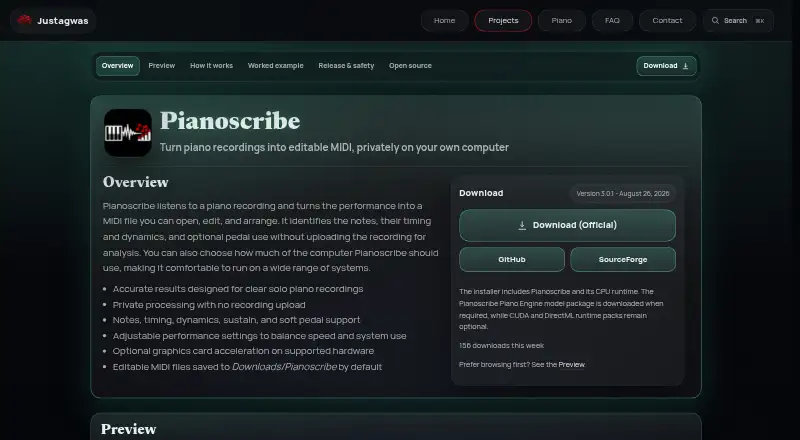
Pianoscribe is a free Windows application that converts piano recordings into editable MIDI for music-production or notation software. It estimates played notes, timing, note strength, sustain-pedal use, and soft-pedal use by analysing short overlapping sections and joining them into a continuous timeline. The maker designs it for clear solo piano recordings and describes uses such as preserving improvisations, studying passages, arranging performances, and recovering notes without a score. Processing runs locally, so recordings are not uploaded for analysis. The file picker lists MP3, WAV, FLAC, OGG, M4A, AAC, WMA, AIFF, and AIF, subject to codec support. MIDI files go to Downloads/Pianoscribe by default. CPU and graphics-memory settings help balance conversion speed with other work, while optional CUDA or DirectML components can accelerate supported hardware. The Windows installer supports CPU mode but prompts for a transcription-model download on first use. Network access can handle requested model, runtime, application downloads, and enabled update checks. Pianoscribe is open source under the GNU General Public License v3.0 and distributed through GitHub and SourceForge. Reverberation, resonance, compression, background instruments, and closely overlapping notes can make events difficult to distinguish.
Who it suits
Pianoscribe suits Windows users who want local piano-to-MIDI conversion for production, notation, study, or archival work. Clear solo recordings are the intended source material.
What it does well
- Local processing keeps recordings on the computer
- Exports editable MIDI files
- Supports many common audio formats
- Optional CUDA and DirectML acceleration
- Free and GPLv3 open source
What to know first
- Windows is the primary runtime target
- Designed for clear solo piano recordings
- Complex audio can obscure musical events
- Model download is required on first use
Verdict
Pianoscribe provides local, editable MIDI transcription with adjustable performance settings and optional GPU acceleration. Results depend on recording clarity, and setup includes a first-use model download on Windows.
Facts from Pianoscribe's own pages
- Audio inputs
- The file picker lists MP3, WAV, FLAC, OGG, M4A, AAC, WMA, AIFF, and AIF, subject to available codec support. · github.com, 9 Oct 2026
- Availability
- The maker offers a Windows download, and the project documentation identifies Windows as the primary runtime target. · justagwas.com, 9 Oct 2026
- Best recordings
- The maker says clear solo piano recordings provide the clearest results. · github.com, 9 Oct 2026
- GPU options
- Optional CUDA or DirectML components enable GPU acceleration on supported hardware. · justagwas.com, 9 Oct 2026
- Intended recordings
- The maker says Pianoscribe is designed for clear solo piano recordings. · justagwas.com, 9 Oct 2026
- Limit
- The maker notes that reverberation, pedal resonance, compression, background instruments, and closely overlapping notes can make events difficult to distinguish. · github.com, 9 Oct 2026
- Local processing
- Recordings are processed on the computer and are not uploaded for analysis. · justagwas.com, 9 Oct 2026
- Maker
- The maker introduces himself as Justin and describes the site as a place to share his software projects; no headquarters or founding date is stated on the opened pages. · justagwas.com, 9 Oct 2026
- Network use
- Network access is used for requested model, runtime, or application downloads and for update checks when enabled. · justagwas.com, 9 Oct 2026
- Open source
- Pianoscribe is open source under the GNU General Public License v3.0. · github.com, 9 Oct 2026
- Output
- Pianoscribe saves an editable MIDI file and uses Downloads/Pianoscribe as its default output folder. · justagwas.com, 9 Oct 2026
- Output location
- Editable MIDI files are saved to Downloads/Pianoscribe by default. · justagwas.com, 9 Oct 2026
- Performance
- Users can adjust CPU use and graphics memory limits, with optional CUDA or DirectML acceleration on supported hardware. · github.com, 9 Oct 2026
- Performance controls
- Performance settings let users balance conversion speed with other work on the computer, and supported hardware can use optional graphics card acceleration. · justagwas.com, 9 Oct 2026
- Platform and release
- The maker offers a Windows download and lists version 3.0.1, dated August 26, 2026. · justagwas.com, 9 Oct 2026
- Processing
- Transcription runs locally, and the source recording is not uploaded for analysis. · github.com, 9 Oct 2026
- Processing method
- It analyzes short overlapping sections and combines them into a continuous musical timeline. · justagwas.com, 9 Oct 2026
- Purpose
- Pianoscribe converts piano recordings into editable MIDI for music production or notation software. · justagwas.com, 9 Oct 2026
- Recognized details
- Pianoscribe estimates note pitches, timing, dynamics, sustain pedal, and soft pedal use. · justagwas.com, 9 Oct 2026
- Safety note
- The maker says Windows SmartScreen may warn about a new or unsigned installer and recommends downloading from official sources. · justagwas.com, 9 Oct 2026
- Setup requirement
- The Windows installer supports CPU mode, but the app prompts users to download its transcription model on first use. · justagwas.com, 9 Oct 2026
- Source and distribution
- Pianoscribe is open source and distributed through GitHub and SourceForge. · justagwas.com, 9 Oct 2026
- Support
- The maker offers software support on a best-effort basis and says replies may be slow. · justagwas.com, 9 Oct 2026
- Use cases
- The maker describes it as useful for preserving improvisations, studying difficult passages, arranging performances, or recovering notes when no score exists. · justagwas.com, 9 Oct 2026
Where Pianoscribe stands on Freedom251
- AI Audio-to-MIDI Software#24 of 29