Freedom251 › Batch Photo Processing Software
PhotoBulk
What PhotoBulk is
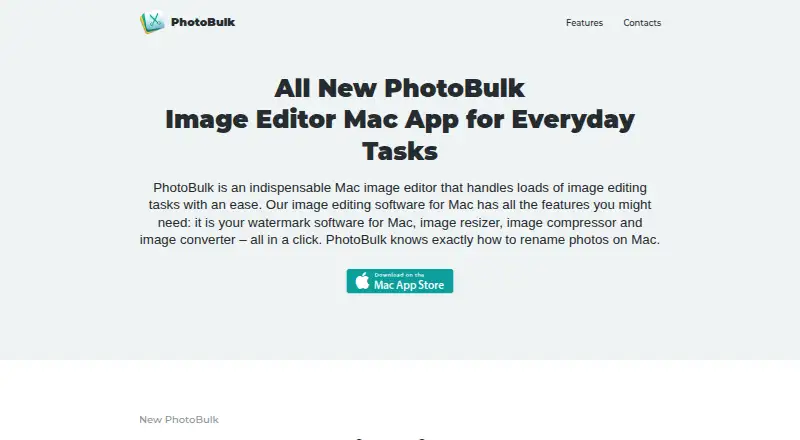
PhotoBulk is a paid image editor for processing groups of photos on macOS and Windows. Its batch tools cover watermarking, resizing, compression, format conversion, and renaming. Users can apply multiple text, image, script, or date-stamp watermarks, then position, resize, and rotate them while previewing the result. The app accepts JPG, PNG, GIF, BMP, TIFF, and HEIC input, and outputs JPG, PNG, GIF, BMP, or TIFF. JPG and PNG optimization is available, and users can choose which metadata to include in output files. Presets save editing settings for reuse. Processed images are written to a user-selected folder, leaving originals unmodified. The Mac version is compatible with macOS 10.13 and later and requires 18.87 MB of free space. The maker links to a separate Windows product page and provides support at [email protected]. The listed Mac plan costs $9.99, paid once. Apple’s listing reports the developer’s claim that the app does not collect data, while noting Apple has not verified that disclosure.
Who it suits
PhotoBulk suits photographers and other users who need batch watermarking, resizing, conversion, optimization, or renaming on Mac or Windows. Preset-based processing helps repeat the same settings.
What it does well
- Batch watermarking with multiple types
- Supports JPG, PNG, GIF, BMP, TIFF, and HEIC input
- Preset-based editing
- Original files remain unmodified
- Bulk renaming and resizing
What to know first
- Mac plan costs $9.99, paid once
- Mac requires macOS 10.13 or later
- Windows uses a separate product page
- Apple has not verified the privacy disclosure
Plans
| Plan | Billed and limits | Price |
|---|---|---|
| PhotoBulk for Mac | Mac only | $9.99, paid once |
As photobulkeditor.com lists them, read 11 Oct 2026. The maker's own page has the final word.
Verdict
PhotoBulk provides batch image operations with previews, presets, and broad format support. Check the platform-specific product details and the one-time Mac price before buying.
Facts from PhotoBulk's own pages
- Batch watermarks
- It can apply several watermarks to a photo at once, including text, image, script, and date stamp watermarks. · photobulkeditor.com, 11 Oct 2026
- Developer privacy disclosure
- Apple's listing says the developer reports that the app does not collect data; Apple says this information has not been verified. · apps.apple.com, 11 Oct 2026
- Headquarters
- Reston, Virginia, USA · photobulkeditor.com, 28 Sept 2026
- Image formats
- The site lists JPG, PNG, GIF, BMP, TIFF, and HEIC as supported input formats, with JPG, PNG, GIF, BMP, and TIFF as output formats. · photobulkeditor.com, 11 Oct 2026
- Image optimization
- Image optimization is available for JPG and PNG files. · photobulkeditor.com, 11 Oct 2026
- Metadata
- The app lets users choose which metadata to include in output images. · photobulkeditor.com, 11 Oct 2026
- Original files
- Processed images are saved separately to a folder selected by the user, leaving original images unmodified. · photobulkeditor.com, 11 Oct 2026
- Platform requirements
- The maker says PhotoBulk for Mac is compatible with macOS 10.13 and later and requires 18.87 MB of free space. · photobulkeditor.com, 11 Oct 2026
- Presets
- Users can save editing settings as presets for reuse. · photobulkeditor.com, 11 Oct 2026
- Purpose
- PhotoBulk is a Mac image editor for batch watermarking, resizing, compressing, converting, and renaming images. · photobulkeditor.com, 11 Oct 2026
- Support
- The maker lists [email protected] for support requests. · photobulkeditor.com, 11 Oct 2026
- Watermark editing
- Watermarks can be positioned, resized, and rotated, with live preview before saving. · photobulkeditor.com, 11 Oct 2026
- Windows version
- The maker's site links to a separate PhotoBulk for Windows product page. · photobulkeditor.com, 11 Oct 2026
Where PhotoBulk stands on Freedom251
- Batch Photo Processing Software#34 of 36