Freedom251 › Video Collage Maker Software

Photo & Video Collage Editor
What Photo & Video Collage Editor is
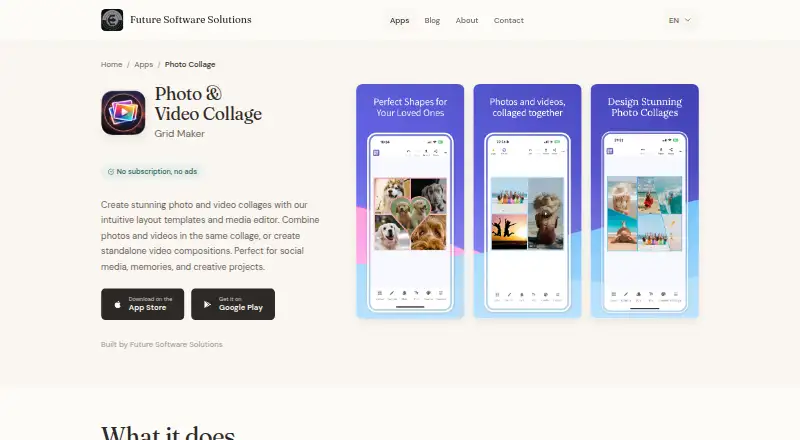
Photo & Video Collage Editor is a mobile app from Future Software Solutions for building photo and video collages. It provides more than 100 customizable grid layouts, and lets you combine photos and videos in one collage or create a video composition on its own. For collages with video, clips can play together or one after another; in sequential mode, you can set their order. Each collage can contain up to six videos, with each clip limited to five minutes and the combined video duration limited to ten minutes.
Editing tools include photo filters and adjustments, text, stickers, and backgrounds. You can export projects as MP4 files with overlays, at resolutions up to 4K, and exports are watermark-free. The app works offline, according to its maker, and media can be brought in from the camera, gallery, or existing projects. It is available for iPhone, iPad, and Android devices, requiring iOS 14.0 or later or Android 8.0 or later. Future Software Solutions is a small indie studio that says it has made creative tools and utilities since 2017. The free plan includes five exports; an unlimited-export option is a one-time purchase, with the amount unstated. The maker describes the app for social media, memories, and creative projects.
Who it suits
It suits people creating social media content, memory collages, or other creative projects on an iPhone, iPad, or Android device. Its mixed photo and video layouts and editing tools are useful when a project needs text, stickers, backgrounds, or multiple video clips.
What it does well
- More than 100 customizable photo and video grid layouts
- Combines photos and videos or creates standalone video compositions
- Offers filters, adjustments, text, stickers, and backgrounds
- Supports watermark-free MP4 exports at up to 4K
- Works offline, according to the maker
What to know first
- The free plan includes five exports
- A collage supports up to six videos and ten minutes total
- Requires iOS 14.0 or later or Android 8.0 or later
Limits
The free plan includes five exports. Video collages allow up to six videos, each up to five minutes, with ten minutes total; the unlimited-export option is a one-time purchase, with the amount unstated.
Plans
| Plan | Billed and limits | Price |
|---|---|---|
| Free | 5 free exports | Free |
| Unlimited exports | One-time purchase; amount not stated · Unlimited exports | On request |
As futuresoftware.io lists them, read 8 Oct 2026. The maker's own page has the final word.
Getting started
- Visit the Photo & Video Collage Editor website
- Install the app on an iPhone or iPad running iOS 14.0 or later, or an Android device running Android 8.0 or later
- Import media from the camera, gallery, or an existing project
- Choose and customize a layout, then edit the collage
- Export up to five projects on the free plan, or choose the one-time unlimited-export option
Verdict
Choose Photo & Video Collage Editor if you want to assemble mixed photo and video collages on a mobile device, including offline. The free plan is limited to five exports; the unlimited-export option may suit frequent use, though its purchase amount is unstated.
Questions
Is there a free plan?
Yes. The Free plan costs nothing and includes five exports.
How much does unlimited exporting cost?
The unlimited-export option is described as a one-time purchase, but its amount is unstated.
Which devices does it support?
It is available for iPhone, iPad, and Android devices. It requires iOS 14.0 or later or Android 8.0 or later.
Can I use it without an internet connection?
Yes. The maker says the app works offline and does not require an internet connection.
Do I need an account?
The maker’s privacy policy says its apps do not require accounts. It may collect anonymized crash reports and basic usage statistics.
Facts from Photo & Video Collage Editor's own pages
- Editing and export
- The app includes photo filters and adjustments, text, stickers, backgrounds, and MP4 export with overlays. · futuresoftware.io, 8 Oct 2026
- Founded
- 2017 · futuresoftware.io, 28 Sept 2026
- Headquarters
- Bucharest, Romania · futuresoftware.io, 28 Sept 2026
- Intended users
- The maker describes the app as suitable for social media, memories, and creative projects. · futuresoftware.io, 8 Oct 2026
- Layouts
- It offers more than 100 customizable grid layouts for photos and videos. · futuresoftware.io, 8 Oct 2026
- Maker
- Future Software Solutions describes itself as a small indie studio crafting creative tools and utilities since 2017. · futuresoftware.io, 8 Oct 2026
- Mixed media
- Users can combine photos and videos in the same collage or create standalone video compositions. · futuresoftware.io, 8 Oct 2026
- Offline use
- The maker says the app works offline and does not require an internet connection. · futuresoftware.io, 8 Oct 2026
- Pricing model
- The app includes 5 free exports, after which a one-time purchase unlocks unlimited exports; the maker says there are no subscriptions or ads. · futuresoftware.io, 8 Oct 2026
- Privacy
- The maker’s privacy policy says its apps do not require accounts or track usage for advertising, and may collect anonymized crash reports and basic usage statistics. · futuresoftware.io, 8 Oct 2026
- Purpose
- The app creates photo and video collages using layout templates and a media editor. · futuresoftware.io, 8 Oct 2026
- Support
- Users can contact the maker through the website contact form for help. · futuresoftware.io, 8 Oct 2026
- Supported devices
- The app is available for iPhone, iPad, and Android devices; it requires iOS 14.0 or later or Android 8.0 or later. · futuresoftware.io, 8 Oct 2026
- Video limits
- A collage can contain up to 6 videos, with a maximum of 5 minutes per video and 10 minutes total duration. · futuresoftware.io, 8 Oct 2026
- Video playback
- Videos can play simultaneously or sequentially, with playback order configurable in sequential mode. · futuresoftware.io, 8 Oct 2026
Where Photo & Video Collage Editor stands on Freedom251
- Video Collage Maker Software#10 of 22